

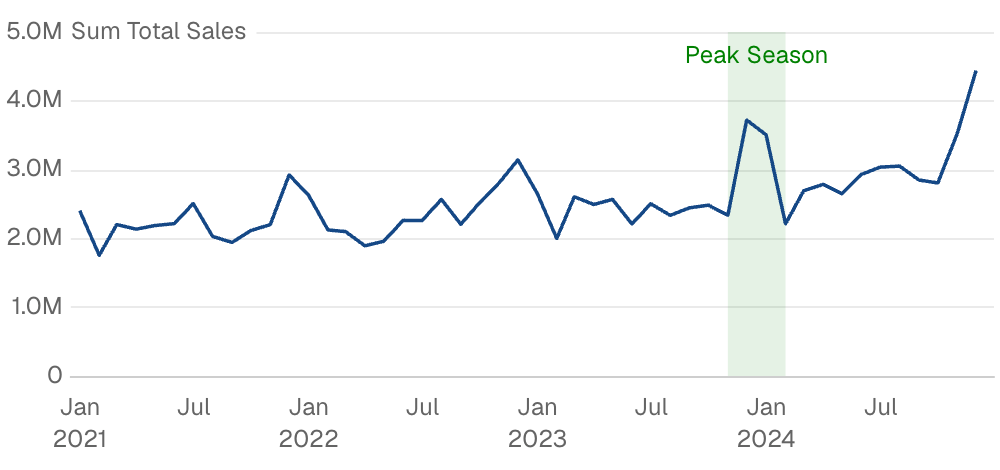
Examples
Highlight Date Range
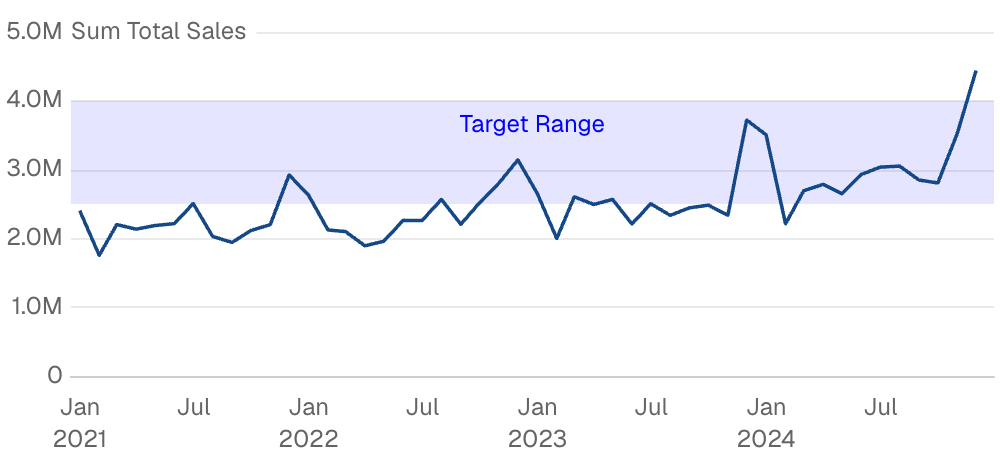
Horizontal Value Band
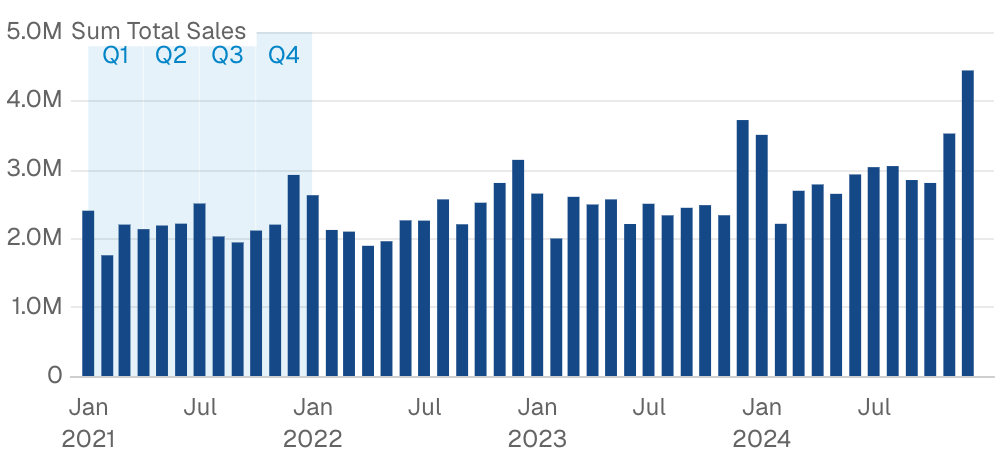
Areas from Data
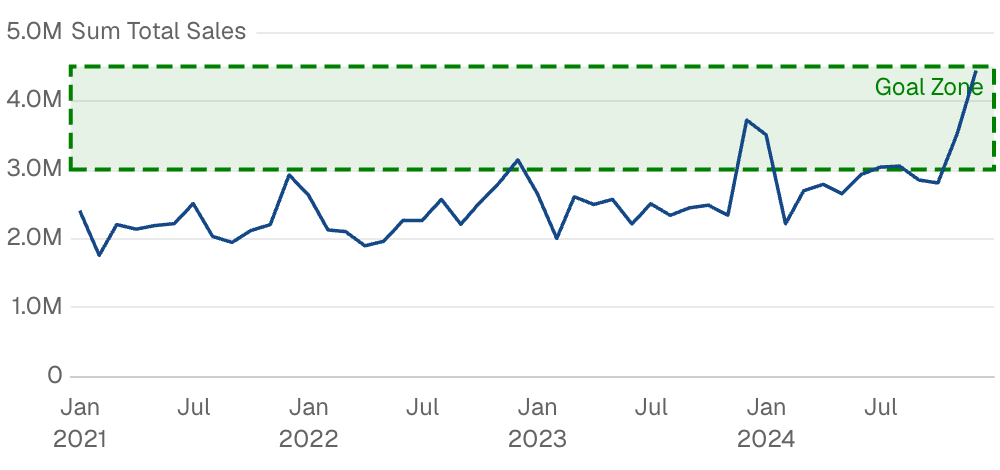
Custom Styling
Attributes
string
Query name to use for calculating dynamic area boundaries
array
IDs of filters to apply to the query (requires
data)string
Custom SQL WHERE condition to apply to the query. For date filters, use date_range instead.
string
Text label to display in the reference area
string | number
Left boundary of the area (e.g., a start date)
string | number
Right boundary of the area (e.g., an end date)
string | number
Bottom boundary of the area (e.g., a minimum value)
string | number
Top boundary of the area (e.g., a maximum value)
string
default:"#0284c7"
Fill color of the reference area
options group
Styling options for the labelExample:Attributes:
- position:
string- Allowed values:
top_lefttoptop_rightbottom_leftbottombottom_rightleftcenterright
- Allowed values:
- align:
string- Allowed values:
leftcenterright
- Allowed values:
- color:
string - background_color:
string - padding:
number - border:
options group- Options:
- width:
number - type:
string- Allowed values:
soliddasheddotted
- Allowed values:
- color:
string - radius:
number
- width:
- Options:
- text:
options group- Options:
- size:
number - bold:
boolean - italic:
boolean
- size:
- Options:
options group
Styling options for the area fill and borderExample:Attributes:
- color:
string - opacity:
number - border:
options group- Options:
- width:
number - type:
string- Allowed values:
soliddasheddotted
- Allowed values:
- color:
string
- width:
- Options: