# Changelog
Source: https://docs.evidence.dev/changelog
Track the latest updates and improvements to Evidence
**October 23, 2026**
### ✨ Open external links from HTML blocks and modals
Links in `{% html %}` blocks and their modals now open in a new tab, and scripts can call `evidence.openUrl(url)` to send a click on a card or map marker straight to an external tool.
* `` opens in a new tab; `target="_blank"` works too but is no longer required.
* `` drills through to another page in the app, the same as a markdown link.
* `evidence.openUrl(url)` opens an absolute `http(s)` URL in a new tab from a click handler. The report page itself is never redirected.
* A block can only open hosts it names. Any `https://host` written in the block is allowed automatically; when the URL comes from data, list the host with `linkHosts="support.example.com"` on the tag.
**October 23, 2026**
### 🚀 Select All in table filters
Table filters now have a Select All option that selects every value matching your search.
**October 21, 2026**
### ✨ Use a native warehouse connection like Snowflake from the CLI without a connection.yaml
If your Evidence Studio organization connects to Snowflake, BigQuery, or another native warehouse, run `evidence login` and the CLI queries it through that connection. You no longer need a `connection.yaml`.
**October 19, 2026**
### ✨ SQL Server direct connector
Query SQL Server, Azure SQL Database, and Azure SQL Managed Instance directly from Evidence, without syncing data first.
* Connect with a SQL login: server, port, database, user, and password.
* TLS is on by default, and you can supply your own CA certificate for servers with a self-signed or internal-CA certificate.
* Row-level security: your SQL Server security policies can filter data per Evidence viewer.
* Works in the CLI: `evidence init --warehouse sqlserver` scaffolds a `connection.yaml`, and local queries run directly against your server.
**October 15, 2026**
### ✨ AI chat in embedded reports
Embedded reports can now show the Evidence AI chat, so your users can ask questions about a report without leaving your application. Embedding customers opt in per session with the `enableAIChat` parameter on the embed API.
**October 15, 2026**
### 🐛 Organization switching for viewers
Fixed an issue that blocked viewers from switching organizations in the published app.
**October 14, 2026**
### 🚀 Big values fit two to a line on phones
On phones, big values now sit two to a line instead of stacking one per line.
**October 14, 2026**
### 🚀 Render html blocks without a card
On pages with card mode enabled, `{% html card=false %}` renders the block directly on the page background instead of inside a card.
**October 14, 2026**
### ✨ Preview pages at mobile width in the editor
A new toggle on the editor's preview pane narrows the preview to phone width, so you can check how a page reads on mobile without resizing your browser.
* Mobile-specific behavior shows in the preview too: `details` honors `open_mobile`, and modals open as they would on a phone, inside the preview.
* `dimension_grid` now wraps based on its own width rather than the browser's, so it lays out correctly in narrow columns as well as on phones.
**October 14, 2026**
### 🐛 Stacked areas no longer have holes
Fixed gaps in stacked area charts on date axes when a series has no data for some dates.
**October 13, 2026**
### ✨ Hide or show content in print without grouping it
New `{% hidden_in_print %}` and `{% only_in_print %}` blocks control what appears in printed pages and PDFs, without the blank gaps `print_group` can leave.
**October 9, 2026**
### 🐛 Reopening an invitation link takes you to your organization
Reopening an invitation you've already accepted while signed in now takes you into that organization instead of showing an error.
**October 8, 2026**
### 🐛 Improved PDF exports
Fixed charts that could be missing from PDF exports.
**October 7, 2026**
### ✨ Commentary per input selection
Commentary can now be kept separately for each selected value of one or more inputs, alongside the reporting period.
[View Documentation](https://docs.evidence.studio/components/commentary)
**October 7, 2026**
### ✨ Page download options
Hide download options from a published page's menu with the `downloads` page setting.
**October 7, 2026**
### ✨ Period selector component
Added a period selector input, which can also place a page's reporting period anywhere on the page.
[View Documentation](https://docs.evidence.studio/components/period_selector)
**October 7, 2026**
### ✨ Print-only content
Show content only in printed pages and PDFs with `{% print_group print_only=true %}`.
**October 7, 2026**
### 🚀 Improved row layout
Rows can now spread their contents across the full width, for example a heading on the left and a button on the right.
[View Documentation](https://docs.evidence.studio/components/row)
**October 6, 2026**
### ✨ Generate Excel Report
A new **Generate Excel Report** option exports the page as an Excel workbook with a snapshot of the report on the first sheet and a data sheet per component; **Download Data** now also appears in the CLI.
* **Download Data** is unchanged and still exports data only; pick **Generate Excel Report** when you want the report snapshot included.
* Hide it with `downloads: { excel: false }` in page frontmatter. It is also hidden when `image` or `data` downloads are turned off.
* The local CLI viewer now has **Download Data** and **Generate Excel Report** in its page menu.
**October 6, 2026**
### 🚀 Improved info tooltips
Info tooltips now support text across multiple lines.
**October 1, 2026**
### 🐛 Improved date axis labels
Improved the layout of date labels on chart axes.
**September 29, 2026**
### ✨ Attach files to reports
Drop or paste a file into the editor to upload it and insert a `file` card showing its icon, name, type, and date.
**September 29, 2026**
### 🚀 Set down\_is\_good for a whole page
Add `down_is_good: true` to a page's frontmatter to treat decreases as good for every delta on that page.
* Applies to `big_value`, `delta`, and table delta columns. A component's own `down_is_good` still overrides it.
* `down_is_good=true` on a `benchmark_comparison` or `target_comparison` option is now respected when a component uses that `comparison_selector`.
**September 26, 2026**
### 🐛 Tables inside repeat blocks now read page inputs
A `table` inside a `{% repeat %}` block now resolves page inputs referenced in its `where`, `having`, `order`, and `qualify` attributes instead of running with the value missing.
* Previously the table only looked at the repeat's own scope, so `{{my_input}}` in these attributes interpolated as empty and the query failed with a syntax error.
* Titles and other text attributes on the same table also resolve page inputs correctly now.
**September 24, 2026**
### 🐛 CLI runs direct-connector projects without reaching Evidence Studio
`evidence dev` no longer refuses to start when evidence.studio is unreachable for projects with a `connection.yaml`, `evidence upgrade` now works on Windows, and the home page honours `page_width` and `cards` like every other page.
* Projects with a `connection.yaml` skip the Studio reachability check entirely; projects on the Evidence Warehouse get a warning (with the failure reason and a proxy hint) instead of a hard exit.
* `evidence dev` prints which mode it is in — direct connector or managed warehouse — so it is clear whether a login is needed.
* `evidence upgrade` supports Windows x64 and Linux arm64, keeps `evd.exe` in sync on Windows, and points to the installer when the update check fails.
* `evidence serve` is listed in `evidence help`.
* `pages/home.md` now respects `page_width`, `cards`, `table_of_contents` and frontmatter `theme`, matching subpages.
**September 24, 2026**
### 🐛 Viewer log out fix
Fixed logging out from a published report showing a "Page not found" error and leaving you signed in.
**September 23, 2026**
### 🚀 Details start state on mobile
The `details` component has a new `open_mobile` attribute to choose whether it starts open or collapsed on mobile screens, independently of `open`
[View Documentation](https://docs.evidence.studio/components/details)
**September 23, 2026**
### ✨ Validation summary in the editor
A new indicator in the editor toolbar shows how many validation errors are on the open file. Click it to see every error with its line number, and click an error to jump to it in the editor.
* Covers component errors, inline SQL query errors, and config file (yaml) validation.
* Each entry is labeled with the component, query, or config key it belongs to.
* Clicking an error scrolls the editor to the line and highlights it.
**September 22, 2026**
### 🐛 CLI keeps input selections in the URL
Input components in `evidence dev` and self-hosted CLI pages now write their selections to the URL and restore them from it, so filtered views can be refreshed, bookmarked and shared like in Studio.
**September 22, 2026**
### 🐛 Commentary save fix
Fixed an issue where some commentary saves did not persist.
[View Documentation](https://docs.evidence.studio/components/commentary)
**September 22, 2026**
### 🐛 Filter defaults no longer appear in URL
A `table_filter` with `initial_values` no longer writes its default into the page URL, so other pages keep showing their own data instead of inheriting that default and filtering against the wrong values.
**September 21, 2026**
### ✨ Commentary supports workflow periods
Commentary components can now keep separate notes for each reporting period with `scope="period"`.
* Period-scoped commentary follows the page's `workflow.period` picker, including in PDF renders.
* Commentary without `scope` remains page-wide.
[View Documentation](https://docs.evidence.studio/components/commentary)
**September 21, 2026**
### ✨ Waterfall chart
The `waterfall_chart` component is now available - useful for growth decomposition, revenue bridges, and reconciliations
[View Documentation](https://docs.evidence.studio/components/waterfall_chart)
**September 17, 2026**
### ✨ Search team members
Filter your team settings page by name or email with a new search field.
**September 16, 2026**
### 🐛 Slack channel picker finds every channel the bot is in
Fix the scheduled report Slack channel dropdown missing channels the Evidence bot had joined in large workspaces with many channels.
**September 15, 2026**
### 🚀 Improved content selection in PDF download menu
Simpler click behaviour to select and deselect content in nested sections.
**September 15, 2026**
### 🐛 Table cells only merge within their parent group
Fix table dimension cells merging across rows whose parent dimension values differ, such as after sorting by a measure.
**September 7, 2026**
### 🚀 Resume GitHub Enterprise connections
GitHub Enterprise Cloud connections can now resume after another organization owner installs the app, with clearer errors and controls for unfinished attempts.
* Finish connecting from GitHub integration settings when the installation callback is missed.
* Allow up to seven days for installation after app registration.
* Resume or cancel an unfinished connection instead of creating another app on each retry.
* See an error message and request ID when a connection needs support.
**September 2, 2026**
### ✨ Reporting periods
Turn a page into a periodic report with a `workflow.period` block in frontmatter.
* Adds a period picker at the top right of the page, listing complete calendar periods (day, week, month, quarter or year)
* The selected period is available as the `period` variable — `{{ period.label }}` in markdown, `{{ period.between }}` in SQL
* Only finished periods are offered, so a published report doesn't change while its period is still running
* The selection is kept in the URL, so a link points at a specific period
[View Documentation](https://docs.evidence.studio/features/page-settings#workflow-period)
**August 28, 2026**
### 🐛 Dropdown options on Cube
Fix data-driven dropdowns returning no options when connected to a Cube warehouse.
**August 24, 2026**
### ✨ Scheduled report using email or Slack
Scheduled report using email or Slack
[View Documentation](https://docs.evidence.studio/features/scheduled-reports)
**August 20, 2026**
### ✨ More control over color scales
Color scales in tables and map layers now support diverging midpoints and custom value-to-color breakpoints, and behave consistently across both.
* Set `midpoint` to anchor a diverging scale at a value such as 0, and `min`/`max` to fix the scale bounds.
* Use `color_stops` to pin specific colors to specific values.
* Diverging scales stay correct even when every value falls on one side of the midpoint.
**August 19, 2026**
### 🚀 Improved error display
Components now display syntax and query errors more prominently in the editor.
**August 19, 2026**
### 🐛 Reliable map layer filter updates
Area, point, and heatmap layers now reliably update when filters change their data.
**August 18, 2026**
### 🐛 Table filter values on Snowflake
Fix the table filter returning no selectable values on Snowflake and other uppercase-folding warehouses.
**August 16, 2026**
### ✨ Folder-Level Access Rules
Add folder-level access rules to `access.yaml` — grant or restrict every page in a directory subtree with a single entry.
**August 14, 2026**
### ✨ Scheduled Reports
Email reports to your users on a regular schedule, or send one-off reports on demand.
[View Documentation](https://docs.evidence.studio/features/scheduled-reports)
**August 14, 2026**
### ✨ Access Viewer AI inside Slack
Connect a Slack workspace in Integration settings and message the Evidence bot to get answers from your data without leaving Slack.
* An admin adds the app from Settings → Integrations → Slack, then each person connects their own account — the bot only reads what you can already see.
* Direct message the bot, or @mention it in a channel.
* Answers can display charts, save insights to your library, and link back into Evidence.
* Admins can turn the bot off for the whole organization, and choose whether each person's first answer in a channel is shown to them before the channel sees it.
**August 13, 2026**
### 🐛 Partial filter initial values now apply on parent pages
Fixed an issue where filter initial values defined in partials could be empty when rendered on parent pages.
**August 13, 2026**
### 🐛 Filters load in partial page previews
Filters in partials now load when using View another page in the editor.
**August 13, 2026**
### 🐛 Link buttons support relative page URLs
Link buttons now navigate correctly with portable relative URLs across edit, preview, and published reports.
**August 13, 2026**
### 🐛 Table filters close safely without selections
Table filters now remain visible when a numeric or date picker is closed without a selection.
**August 13, 2026**
### 🐛 Sorting a table by a column it does not show
Sorting a table by a column that is not one of its dimensions or measures no longer splits the rows into extra groups, and no longer fails on Postgres, Fabric and Cube.
**August 13, 2026**
### 🐛 ClickHouse conditional aggregates
Fix `sumIf` and its `-If` siblings breaking date-filtered measures and comparison targets on ClickHouse, and no longer warn that they are missing an aggregation.
**August 12, 2026**
### 🐛 Snowflake table conditional colors
Fix conditional colors on table dimensions in Snowflake for literal colors and SQL expressions.
**August 12, 2026**
### 🐛 Sorting a table by a grouped date column
Sorting a table by a date column that has a `date_grain` now sorts by the grouped date instead of failing with a grouping error.
* `order="my_date desc"` alongside `{% dimension value="my_date" date_grain="day" /%}` sorted by the raw column, which the warehouse never grouped. ClickHouse rejected the query and the table rendered empty.
* A hidden sort column on a table with subtotals is now aggregated, so it no longer breaks the subtotal and total rows.
**August 7, 2026**
### 🐛 Creating files and folders is disabled on protected branches
The sidebar's create page, partial, SQL, component, folder, and agent-file actions are now disabled when the current branch is protected on GitHub, matching the existing branch-protection guard on Commit.
**August 5, 2026**
### ✨ Bring your own model API key
Enterprise organizations can now point both AI agents at their own OpenAI, Anthropic, AWS Bedrock, or Google Vertex account from Settings → AI Agent.
* Both the editor agent and the viewer agent use your provider and model, so your provider bills you for inference directly and Evidence AI credits are neither consumed nor charged.
* Credentials are stored in the WorkOS Vault and never sent back to the browser. Saving verifies the credential against your provider first, so a wrong key or model ID is rejected rather than stored.
* There is no fallback to Evidence's models: if your credential stops working, chat reports a clear error instead of quietly switching back and billing you for credits.
**July 31, 2026**
### 🚀 Big value titles are clickable when linked
Setting `link` on a big value now turns the title into a styled link instead of the number, matching typical score card conventions.
**July 31, 2026**
### ✨ Metrics
Evidence now has a metrics layer. Define metrics in `metrics/*.yaml` and reference them in charts and tables. Ask the agent to build one for you to get started.
**July 30, 2026**
### ✨ MCP Visualize Tool
The Evidence Studio Claude Connector and ChatGPT Plugin can now generate charts inline in the chat with the new `visualize` tool.
**July 30, 2026**
### ✨ Reports page for run history and schedules
A new top-level Reports page (next to Models) for viewing report run history and managing schedules.
* **History tab**: View all report runs with status, trigger type (manual/schedule/API), author, timing, and recipient count
* **Schedules tab**: View and manage recurring report schedules with pause/resume and delete actions
* **Admin-only actions**: Pause/resume schedules, delete schedules, re-run past reports, download PDFs
* **Developer access**: Developers (members) can view the page; admins can take all actions
* **Entitlement gate**: Available on Team, Pro, and Enterprise plans
[View Documentation](https://docs.evidence.studio/features/scheduled-reports)
**July 29, 2026**
### ✨ GitHub Enterprise Cloud support
Enterprise organizations can now connect Evidence Studio and the Evidence CLI to GitHub Enterprise Cloud accounts hosted on dedicated `*.ghe.com` domains.
* Create and install a private, organization-owned GitHub App through Organization Settings.
* Select accessible enterprise repositories in Project Settings and use Studio branches, pull requests, checks, and publishing as usual.
* Run `evidence launch` or `evidence link` from HTTPS and SSH GHE.com remotes.
**July 28, 2026**
### 🐛 Feature request dialogs remain accessible with long descriptions
Feature request dialogs now constrain long descriptions to a scrollable area so their controls remain accessible.
**July 27, 2026**
### 🐛 Table links now work in fullscreen reports
Table links now navigate to their destination while viewing a report in fullscreen presentation mode.
**July 27, 2026**
### ✨ MotherDuck direct connector
Connect Evidence directly to a MotherDuck database to build reports on live data without syncing it first.
[View Documentation](https://docs.evidence.studio/direct-connectors/motherduck)
**July 26, 2026**
### ✨ Custom Maps
Use the `custom_map` component to build fully customized maps with Mapbox GL or MapLibre GL.
* Write map code directly in the component body — pull page data with `evidence.query`, read and write page filters, and react to variables and theme changes.
* No key needed by default: keyless MapLibre out of the box, or Mapbox using Evidence's shared token under the hood.
* Import map-ecosystem plugins (mapbox-gl-draw, deck.gl, turf, and more) straight from a CDN.
**July 25, 2026**
### 🐛 Custom HTML and ECharts blocks work in the CLI
`{% html %}` and `{% custom_echart %}` blocks now render when running a project locally with the Evidence CLI.
* Both blocks previously rendered blank in `evidence dev` — the sandbox runtime they load was only built by the hosted app, so the CLI served nothing for it
* Requires CLI v0.7.4 or later
* If a sandbox runtime is ever missing, the block now reports an explicit error instead of staying blank
**July 24, 2026**
### 🚀 AI chat now consumes far fewer credits
We've significantly reduced how many credits AI chat consumes, so your balance goes much further.
**July 24, 2026**
### ✨ Cube Connector
Connect Evidence directly to your Cube semantic layer through its Postgres-wire SQL API.
* Query your cubes and views live from Evidence — metrics stay defined in Cube.
* Configure it in **Connectors → Warehouse → Cube** (host, port, user, password, SSL), or via `connection.yaml` (`type: cube`) in the CLI.
* The SQL editor validates expressions against Cube's documented function subset, so unsupported functions are flagged before you run a query.
**July 24, 2026**
### ✨ PDF "Use page colors" option
Preserve the exact colors from your page when generating PDFs.
* New "Use page colors" checkbox in the PDF settings modal (Cmd+P)
* When enabled, PDFs retain the theme's actual background colors (including dark mode or custom theme backgrounds)
* When disabled (default), PDFs use white backgrounds optimized for printing
* Preview updates to show how the PDF will look with the selected option
**July 23, 2026**
### ✨ Postgres Direct Connector
Connect Evidence directly to Postgres — including Amazon RDS/Aurora, Supabase, Neon, and Timescale — and query it live.
* Add Postgres under Settings → Warehouse: enter host, port, database, user, password, and SSL mode, test the connection, and save.
* Works with any Postgres-wire source: generic Postgres, Amazon RDS / Aurora, Supabase, Neon, and Timescale.
* Full SSL/TLS support with `disable` / `require` / `verify-ca` / `verify-full` modes, plus an optional CA bundle and mutual-TLS client certificate.
* The schema browser lists tables, views, and materialized views.
* Also available from the CLI via `connection.yaml` (`type: postgres`) or `evidence init --warehouse postgres`, with certificates referenced by file path.
**July 22, 2026**
### ✨ Search across your reports with Cmd+K
Press Cmd/Ctrl+K to instantly search across every report you have access to.
**July 22, 2026**
### ✨ Viewer AI & Insights
Report viewers can now ask questions of your data in a chat assistant and save the answers as insights to revisit later.
**July 21, 2026**
### 🐛 Fixed editor inserting characters at the wrong position on older reports
Typing in the editor now appears where you clicked on reports created before mid-2026.
**July 20, 2026**
### ✨ Evidence Studio MCP Server
Search your reports and query your data from your favorite AI client. Connect Claude, ChatGPT, and other MCP clients to your live Evidence workspace — every request runs as the signed-in user, so access policies and page controls are respected.
[View Documentation](https://docs.evidence.studio/mcp/studio)
**July 17, 2026**
### 🐛 CLI dev server no longer crashes when a subfolder has an index.md
Nested `index.md` / `home.md` / `README.md` files are no longer treated as the home page in the sidebar, so `evidence dev` renders normally instead of crashing with a duplicate-key error when a project has a root home page plus an `index.md` in a subfolder.
**July 16, 2026**
### ✨ Point Map Clustering
You can now include up to 100,000 points in a point layer by using `cluster=true`. Nearby points are grouped into aggregated bubbles that split apart as you zoom in, so large datasets stay fast and readable.
**July 12, 2026**
### ✨ 50 New Data Connectors
Connect 50 more data sources to Evidence, including Zendesk, Intercom, Mixpanel, Amplitude, Square, QuickBooks, Recurly, Pipedrive, Gong, LinkedIn Ads, and more. Set them up in a few clicks from the Connectors page.
**July 12, 2026**
### ✨ 50 More Data Connectors
Another 50 data sources are now available, including Jira, Airtable, Asana, Notion, Slack, Klaviyo, Mailchimp, Braze, SendGrid, TikTok Ads, Amazon Ads, Google Search Console, ServiceNow, and Okta. Set them up in a few clicks from the Connectors page.
**July 12, 2026**
### ✨ Lemlist Connector
Connect your Lemlist data to Evidence. Sync campaigns, leads, and activities from your email outreach.
[View Documentation](https://docs.evidence.studio/data-sources/lemlist)
**July 12, 2026**
### 🚀 Improved chart x-axis and tooltip labels
Better handling of dates and numbers on chart x-axes and tooltips.
**July 10, 2026**
### ✨ Table Access Restrictions
Restrict tables to a chosen set of users
Restrict specific tables to a chosen set of users from the Access Rules settings page. Unrestricted tables stay open to everyone in the organization, and restricted tables show a lock badge in the editor's schema list.
[View Documentation](https://docs.evidence.studio/features/row-level-security)
**July 8, 2026**
### ✨ Image component accepts data queries
Add `data` and `column` props to the image component to load the image URL from a query and respond to filter changes — e.g. show the top-selling product's photo, a client logo driven by a dropdown, or a dark-mode variant via `dark_column`.
**July 8, 2026**
### ✨ Radar, Treemap, and Chord charts
Three new charts now available: radar\_chart, treemap, and chord\_chart
**July 8, 2026**
### ✨ Mix single and multi select columns in table filters
Add `single_select` and `multi_select` to `table_filter` to set the selection mode per column — e.g. restrict a client column to one value at a time while keeping region and product filters multi-select.
**July 8, 2026**
### 🐛 Y-axis titles stay legible above chart data
Chart contents no longer overlap the y-axis title — bars, areas, and lines that reach the top of the axis now render beneath the title instead of covering it. Gridlines are cut off cleanly behind the title rather than showing through the text, the title is vertically aligned with the top axis tick label, and a subtle text outline keeps it readable when data passes directly beneath it. Applies to both left and right (`y2`) axis titles.
**July 7, 2026**
### 🐛 range\_calendar "all time" no longer breaks raw SQL
Referencing `{{ date_filter.between }}` in a `where` or SQL template while "all time" was selected previously produced an empty string, which broke the query (`where date ` → syntax error). `.between` now emits `IS NOT NULL` for "all time", so `where="date {{ date_filter.between }}"` matches all rows and just works.
The new `all_time_range` attribute controls what "all time" means for a specific `range_calendar`:
* `all_time_range="none"` restores the previous empty-string behavior — pair it with `[[ ]]` conditional blocks or a `| fallback` when the whole clause should drop (e.g. to keep NULL-date rows, which `IS NOT NULL` otherwise excludes).
* Set it to a bounded range — a preset key (`"last 12 months"`), a `custom_ranges` label, or a range expression (`"from 2022-12-01"`) — and "all time" resolves to that range everywhere (`.between`, `.start`, `.end`, and the `date_range` value). If you were faking this with a `| fallback` in your `where` clause, set `all_time_range` to that range and delete the fallback.
`.start` / `.end` stay empty for unbounded "all time" (so date spines and axes fail loudly rather than silently wrong), and `.filter` / a `filters=[...]` reference stay a true no-op that keeps NULL rows.
**July 2, 2026**
### 🐛 Fix for AI chat losing conversation context
Fixed an issue where the AI chat could respond to an earlier message in long conversations instead of the one you just sent.
**July 2, 2026**
### 🐛 Sparkline hover values now use theme foreground
Sparkline hover values and the vertical tracking line follow the theme's foreground and muted-foreground tokens, restoring contrast in light mode (most visible on big\_value sparklines).
**July 1, 2026**
### ✨ AI Agent Multi-File Edits
The AI dev assistant can now edit multiple files in a single turn — as well as create, rename, and move files.
**July 1, 2026**
### ✨ Extra tooltip rows on chart series
Add `tooltip_fields` to any `bar_chart` / `line_chart` / `area_chart` / `scatter_chart` / `bubble_chart` — or to `bar`, `line`, `area`, `scatter`, `bubble` inside a `combo_chart` — to surface additional aggregated values on hover, with optional labels, format codes, and `color_by_sign` / `down_is_good` for delta-style coloring.
**June 29, 2026**
### ✨ Link charts together
Add `connect_group` to charts to sync their tooltips, axis-pointer, and zoom across any charts sharing the same id — e.g. stack a price chart above a volume chart, align KPIs that share a time axis, or coordinate small multiples.
**June 27, 2026**
### ✨ Customize built-in charts with ECharts options
Override any ECharts option on built-in charts via `echarts_options` (chart-wide) or `echarts_series_options` (looped across every series).
**June 26, 2026**
### ✨ Attach images to editor AI chat
Click the image button in the editor chat composer to attach screenshots or other images for the AI agent to see alongside your message.
**June 26, 2026**
### ✨ Custom components
Build your own Markdoc tags from `components/*.md` files — each component declares its attributes in frontmatter and gets autocomplete, slash-command, and AI-tool support just like a built-in.
**June 26, 2026**
### ✨ Pin color scale values in tables
Anchor a measure's color scale to specific data values with `color_stops`.
**June 25, 2026**
### ✨ Custom HTML in reports
Embed your own HTML and JavaScript anywhere in a report with the new `{% html %}` block. Build custom visualizations that integrate with Evidence's filters, queries, and theme — using any library, like D3 or deck.gl.
**June 24, 2026**
### 🐛 Hide unneeded subtotal rows in tables
Tables now hide duplicative subtotal rows that only summarize a single item, while keeping the grand total.
**June 24, 2026**
### ✨ Expanded theme options
Themes now include fonts, colors, corner roundness, spacing density, and chart defaults, applied consistently across the whole report. Override the theme for a single page when you need to.
**June 23, 2026**
### ✨ Custom date ranges
Add `custom_ranges` to `{% range_calendar %}` to generate named presets — e.g. fiscal years, seasons, and retail calendars.
**June 18, 2026**
### 🐛 Smoother schema panel refresh
The refresh button no longer pushes content down or hides the schema list while reloading, and long table or column names truncate instead of forcing horizontal scroll.
**June 17, 2026**
### ✨ Show size dimension in bubble and scatter chart tooltips
Bubble and scatter chart tooltips now display the size dimension value, with a new `size_fmt` attribute for formatting.
**June 17, 2026**
### 🐛 Faster, more reliable editor preview on heavy pages
Fixed an issue where the editor could lock up on pages with many charts and tables.
**June 17, 2026**
### 🐛 Fix heatmap collapsing at wider screen widths
Fixed heatmap charts collapsing into a small box at certain screen widths.
**June 17, 2026**
### ✨ Impersonate
Create and manage access tokens for programmatic API access from the new Access Tokens settings page. Admins and developers can impersonate team members to see exactly what they see (disabled by default).
**June 16, 2026**
### 🐛 Fix dropdown search failing on BigQuery
Fixed an issue with searching a dropdown or table filter for BigQuery direct connections.
**June 16, 2026**
### ✨ Failed Publishes No Longer Affect Viewers
If a publish fails, your project keeps serving the last successful version — viewers never see broken content.
**June 16, 2026**
### 🐛 Fix spurious markdown validation errors on PRs
Fixed the PR markdown-validation check reporting false-positive `undefined-translation-key` and `undefined-frontmatter-variable` errors on pages using translations and on partials that receive variables from the pages including them.
**June 16, 2026**
### ✨ Publish History & Rollback
View your project's publish history and roll back to any previous version.
**June 14, 2026**
### ✨ ClickHouse direct connector
Connect Evidence directly to your own ClickHouse instance to build reports on live data without syncing it first.
[View Documentation](https://docs.evidence.studio/direct-connectors/clickhouse)
**June 12, 2026**
### ✨ Make the selected option in `button_group` and `input_tabs` more noticeable
The selected button in `button_group` and the active tab in `input_tabs` now stand out more clearly.
**June 10, 2026**
### ✨ New share menu and additive page access
The redesigned share menu lets you grant page-level access on top of project access, so you can share a single dashboard with a stakeholder who shouldn't see anything else.
**June 10, 2026**
### ✨ Vibe code any visualization with the custom\_echart component
Need a chart Evidence doesn't have out of the box — a waterfall, a bridge, a radar, something bespoke? The new `custom_echart` component lets you build any visualization you can imagine. Describe what you want to the assistant and it writes the chart for you, wired up to your data, filters, and theme automatically.
**June 10, 2026**
### ✨ Pre-select the top N options in a multi-select dropdown
Multi-select dropdowns now accept a `default_top_n` attribute that pre-selects the first N options on load. Combine it with `order` to control which N are selected by default — which viewers can then change.
**June 7, 2026**
### ✨ New Publish Menu in Editor
View pending changes and open pull requests directly from Studio.
**June 6, 2026**
### ✨ See what each user, group, and customer can access
Admins and developers can now see every project and page a user, group, or customer can access, plus how that access was granted.
**June 4, 2026**
### 🐛 Share menu now lets you grant page access to any team member
The Page tab of the share menu now lists every internal team member, so you can grant page access directly without first adding them to the parent project.
**June 4, 2026**
### 🚀 Add users to groups when inviting, and see group memberships in the team table
Admins can now pick groups when inviting or manually creating users, and the Team settings page shows each member's group memberships in its own column.
**June 1, 2026**
### 🚀 HubSpot Connector
Updated the HubSpot connector with more reliable syncs and broader table coverage.
[View Documentation](https://docs.evidence.studio/data-sources/hubspot)
**June 1, 2026**
### ✨ Microsoft Fabric direct connector
Connect Evidence directly to a Microsoft Fabric Warehouse or Lakehouse SQL endpoint to build reports on live data without syncing it first.
[View Documentation](https://docs.evidence.studio/direct-connectors/fabric)
**June 1, 2026**
### 🐛 PDF exports preserve dropdown filter values
PDF exports of pages with a `select_first=true` dropdown no longer revert the filter to its auto-selected default when the URL specifies a different value.
**May 29, 2026**
### ✨ Map area layer min, max, and midpoint
Map `area_layer` and `point_layer` now accept `min`, `max`, and `midpoint` props so you can pin a diverging color scale at zero (or any other value).
**May 29, 2026**
### 🐛 Fixed bar chart tooltip not displaying point\_title
Fixed an issue where the `point_title` attribute on bar, line, and area charts was ignored in the tooltip.
**May 25, 2026**
### ✨ File change indicators in editor sidebar
Files with uncommitted changes now show colored status badges (M/A/D) in the editor sidebar file tree, so you can see which files have been modified without switching to the Version Control tab.
**May 22, 2026**
### ✨ Copy link to pages
Copy a shareable link to the current page from the page menu, with option to include the current filters.
**May 22, 2026**
### ✨ Download report as PNG
Save a full page as a PNG image from the page menu.
**May 20, 2026**
### 🚀 Dedicated Groups settings page
Groups now have their own page under Settings → Groups, separate from team members, with a detail view for managing each group's members and access.
**May 20, 2026**
### ✨ Snowflake and BigQuery direct connectors
Link Evidence to Snowflake or BigQuery directly to build reports without syncing data.
[View Documentation](https://docs.evidence.studio/direct-connectors/snowflake)
**May 19, 2026**
### 🚀 Improved discoverability of date input components in AI chat
Added search keywords to `range_calendar`, `date_grain_selector`, and `comparison_selector` so the AI assistant can find them when users ask for "date range filter", "date picker", "date input", etc.
**May 19, 2026**
### 🚀 Long chart label rotation
Charts now rotate long x-axis labels automatically so category names are easier to read without hovering.
**May 15, 2026**
### 🐛 Map area layer filter updates
Fixed a bug where area charts did not respond to filter changes.
**May 15, 2026**
### 🚀 Data download title filenames
Data downloads now use titles in file names.
**May 15, 2026**
### 🐛 Horizontal bar chart axis bound validation
The `horizontal_bar_chart` now reports a validation error when `x_axis_options.min` is greater than or equal to `x_axis_options.max`.
**May 8, 2026**
### ✨ Evidence CLI now available on Windows
The Evidence CLI now ships a Windows x64 binary, installable via PowerShell: `irm https://gaamozau3jchzs3r.public.blob.vercel-storage.com/cli/install.ps1 | iex`.
[View Documentation](https://docs.evidence.studio/cli)
**May 8, 2026**
### 🚀 Default tab selection
Add `default=true` to a `{% tab %}` to pre-select it on page load instead of always defaulting to the first tab.
**May 7, 2026**
### 🐛 Data labels render on area and line charts
Fixed `data_labels` not appearing on `area_chart`, `line_chart`, and `combo_chart` line/area series.
**May 4, 2026**
### ✨ Add today and yesterday range calendar presets
Range calendars can now opt into Today and Yesterday preset ranges.
**May 1, 2026**
### 🚀 Faster Page Create and Rename
Creating, renaming, and reorganizing pages and folders in the editor sidebar is noticeably faster.
**May 1, 2026**
### 🐛 Mobile sidebars close after navigation
Fixed mobile sidebars staying open after selecting a navigation link.
**April 30, 2026**
### 🐛 Improved SQL file support in GitHub integration
Improved how SQL files sync between Studio and GitHub.
**April 29, 2026**
### 🐛 Branch-aware link autocomplete and validation
Editor link autocomplete and validation now include pages that exist only on the current branch, and AI chat no longer flags them as broken.
**April 28, 2026**
### 🐛 AI chat current date awareness
Fixed AI chat date context so the agent knows today's date when answering in editor and viewer chats.
**April 27, 2026**
### 🐛 Locally-authored pages now appear in Studio
Fixed an issue where files created locally and synced to GitHub were not appearing in Studio.
**April 26, 2026**
### 🐛 Stable heading logo sizing
Fixed an issue where logos inside headings could briefly render at the wrong size on page load.
**April 26, 2026**
### 🐛 Fix unquoted variables in partial attributes
Fixed an issue where unquoted variable references in component attributes failed when rendered from partials.
**April 23, 2026**
### 🐛 Fix x\_sort="data" imposing an x-axis sort
Fixed an issue where setting `x_sort="data"` on bar and line charts still sorted by the x-axis instead of preserving the source query's row order.
**April 22, 2026**
### 🐛 Embedded page centering without TOC
Fixed an issue where embedded pages could stay shifted to the left after the table of contents was turned off.
**April 20, 2026**
### 🐛 Stable logo sizing on load
Fixed an issue where logos in headings could briefly render at the wrong size while the page was loading.
**April 20, 2026**
### 🐛 Improved models table readability
Fixed an issue where the models table was not sorted by name by default and long descriptions were hard to scan.
**April 20, 2026**
### ✨ Select content for PDF exports
Choose which sections and components to include when exporting a PDF.
**April 20, 2026**
### 🐛 Source failure modal fix
Fixed an issue where opening a failed source status could show a blank blocking modal instead of the failure details.
**April 19, 2026**
### 🚀 Longer AI chat sessions
Increased the maximum AI chat response time so longer agentic conversations no longer time out.
**April 17, 2026**
### 🚀 Collapsible projects in published and preview sidebars
Projects in the sidebar can now be collapsed and expanded by clicking the project name, with state persisted across sessions.
**April 17, 2026**
### 🚀 Table Actions
Download and Fullscreen buttons now available in Table footers.
**April 16, 2026**
### 🚀 Claude Opus 4.7
The Evidence agent now uses Claude Opus 4.7 by default.
**April 15, 2026**
### ✨ Connector renaming
You can now rename connectors directly from the connectors page or the connector detail page by clicking the pencil icon next to the name.
**April 15, 2026**
### 🐛 Dropdown search now handles nullable values safely
Fixed an issue where searching in a dropdown could fail when the value or label column contained empty values.
**April 14, 2026**
### ✨ Data lineage
See where your connectors and tables are used across projects, pages, models, and queries. Available in the connectors page, connector detail pages, models page, AI chat, and the CLI.

**April 14, 2026**
### 🚀 Resizable SQL console schema panel
The SQL console schema panel can now be resized by dragging its edge so long table names are easier to inspect.
**April 13, 2026**
### ✨ Connector and model health status
Connectors page now shows health status and sync schedule for all connector types. New `connectors` and `models` CLI commands let you check health statuses from the command line.
**April 13, 2026**
### 🐛 Fixed theme settings loading state while editing colors
Fixed an issue where editing theme color values could cause a broken loading state in settings.
**April 12, 2026**
### 🐛 Fixed inline SQL editor query references
Fixed an issue where inline SQL editor queries could fail when referencing other inline queries.
**April 10, 2026**
### 🐛 Fixed unexpectedly large branch diffs
Fixed an issue where small edits in Git-connected branches could appear as much larger diffs than expected.
**April 9, 2026**
### 🐛 Fixed stacked combo charts on time-based axes
Fixed an issue where stacked combo charts on time-based axes could render blank or incorrect series data.
**April 9, 2026**
### 🐛 Fixed filter bar not floating on scroll in published pages
Fixed an issue where the filter bar would not stay pinned to the top of the page when scrolling in published mode.
**April 9, 2026**
### ✨ Usage Analytics
Track how your team uses Evidence with built in analytics tables for sessions, users and page views.
**April 8, 2026**
### 🐛 AI theme updates apply instantly
Fixed an issue where theme changes made by the AI assistant only appeared after a page refresh.
**April 8, 2026**
### ✨ Audio Component
Embed an audio player in your reports with `{% audio url="..." /%}`. Supports mp3, wav, ogg, and other formats, with options for looping, autoplay, and preload behavior.
**April 8, 2026**
### 🐛 Calendar heatmap dark mode colors
Fixed an issue where calendar heatmaps could show white empty-day cells in dark mode instead of blending with the page or card background.
**April 8, 2026**
### ✨ Conditional colors for dimensions and rows
Apply conditional background colors to entire rows or individual dimension cells using SQL expressions.

**April 8, 2026**
### 🐛 Fixed table SQL error overlay spacing
Fixed an issue where table SQL errors could overlap content below the table.
**April 8, 2026**
### 🐛 Expanded background color options for AI theme updates
Expanded the background color options the AI agent can change in theme updates.
**April 8, 2026**
### ✨ YouTube Analytics Connector
Connect your YouTube Analytics data to Evidence. Sync channel reports, content owner reports, and metadata tables.
[View Documentation](https://docs.evidence.studio/data-sources/youtube_analytics)
**April 7, 2026**
### 🐛 Fixed combo chart SQL with toggle-driven inline queries
Fixed an issue where combo charts could fail when inline queries used toggle values in SQL conditions.
**April 6, 2026**
### ✨ Multiplayer editor
Collaborate with your team in real-time with live cursors and presence indicators.
**April 2, 2026**
### ✨ Axis titles for heatmaps
Heatmaps now support `x_axis_title` and `y_axis_title` so you can label both axes directly on the chart.
**April 2, 2026**
### 🐛 Fix for table column groups with link attribute
Fixed an issue where adding a `link` attribute to a table dimension would cause all column groups to disappear.
**April 1, 2026**
### 🐛 Fixed spacing in the back-to-partial label
Fixed an issue where the "Back to partial" label appeared without a space in preview mode.
**April 1, 2026**
### 🐛 Horizontal bar chart axis min/max now apply exactly
Fixed an issue where `x_axis_options.min` and `x_axis_options.max` on horizontal bar charts could be ignored instead of enforcing the requested axis range.
**April 1, 2026**
### ✨ SAP HANA Connector
Connect your SAP HANA data to Evidence. Sync data from SAP ECC and SAP S/4HANA systems running on the HANA platform.
[View Documentation](https://docs.evidence.studio/data-sources/sap_hana_db)
**April 1, 2026**
### 🐛 Fix slider lockup with invalid step values
Fixed an issue where sliders could freeze the page when configured with an invalid step value.
**March 30, 2026**
### ✨ Third-party analytics for published pages
You can now add your own Google Analytics (GA4) or PostHog tracking to published and embedded pages. Configure your analytics provider in Organization Settings under Third-Party Analytics. Available on Enterprise plans.
**March 27, 2026**
### 🚀 Collapsible folders in published and preview sidebars
Added click-to-expand and collapse behavior for sidebar folders in published and preview pages to make navigation easier in larger projects.
**March 26, 2026**
### ✨ Added This Month and Next Month date presets
Range calendars now support `this month` and `next month` presets so you can filter full calendar months including upcoming dates.
**March 25, 2026**
### 🐛 Dropdown options now support numeric values for initial selection
Fixed an issue where dropdown initial values could fail to apply when option values were provided as numbers.
**March 25, 2026**
### 🚀 Loading indicator for map components
Map components now show a loading indicator while map data is being fetched so blank maps are less confusing during slow queries.
**March 20, 2026**
### 🐛 Fix for occasional AI chat timeouts
Fixed an issue where the AI agent could appear to run out of time when working with large queries.
**March 20, 2026**
### 🐛 Fix for table search
Fixed an issue where searching in tables could produce errors or fail to recover after clearing a search.
**March 20, 2026**
### 🐛 Fix table sorting when subtotal rows are hidden
Fixed an issue where sorting by measure columns in tables could produce incorrect order when subtotal rows were hidden.
**March 19, 2026**
### 🚀 Add mmm-yy date format
Added a built-in `mmm-yy` format code so dates can be displayed as month and two-digit year, like `Jan-22`.
**March 18, 2026**
### 🐛 Fix mobile sidebar close animation flicker
Fixed an issue where the sidebar would briefly flash back into view at the end of its close animation on mobile devices.
**March 18, 2026**
### 🚀 Resizable Sidebar
The sidebar can now be resized by dragging its edge.
**March 17, 2026**
### 🐛 Comparison column formatting fix
Fixed an issue where prior period comparison columns in tables did not apply the same number format as the main value column.
**March 16, 2026**
### ✨ Evidence CLI
Develop Evidence Studio projects locally from the command line with `evidence dev`.
[View Documentation](https://docs.evidence.studio/cli)
**March 16, 2026**
### 🐛 Improve filter value visibility in the editor sidebar
Fixed an issue where filter values in the editor sidebar could be hard to read by showing each value on its own line.
**March 15, 2026**
### 🐛 Recent AI chats update instantly
Fixed an issue where new AI chats would not appear in Recent chats until the page was refreshed.
**March 15, 2026**
### 🐛 Improved spacing for small tables
Fixed an issue where tables with only a few rows could show unnecessary empty space.
**March 14, 2026**
### 🚀 Clearer error when defining queries inside components
Added a validation error when inline queries are defined inside components like tabs, accordion, or details. Queries should be defined at the top level of the page.
**March 13, 2026**
### 🐛 Accordion items now maintain their original order
Fixed an issue where accordion items could reorder themselves based on when they were last updated instead of their original document order.
**March 13, 2026**
### 🐛 Support for branch names with slashes in GitHub integration
Fixed an issue where branches containing slashes (e.g., `feature/my-branch`) would break navigation across the editor, preview, published views, and PDF generation.
**March 13, 2026**
### 🐛 Button group and dropdown initial value fix
Fixed an issue where button groups and dropdowns could not set an initial value when using a numeric value column.
**March 13, 2026**
### 🐛 Fixed organization logo display in dark mode on published pages
Fixed an issue where the organization logo in the sidebar could appear as a dark image on a dark background when viewing published pages in dark mode.
**March 13, 2026**
### 🚀 Option to hide axis title arrow
Added a `title_arrow` option to `x_axis_options` that lets you hide the arrow (→) on chart axis titles.
**March 12, 2026**
### 🚀 Demo data table references updated
Demo data tables have moved to the `demo` schema (e.g. `demo_daily_orders` → `demo.daily_orders`). You may need to update references in existing projects and models.
**March 10, 2026**
### 🐛 Fixed model save failing after validation
Fixed an issue where saving a model could fail if the SQL query contained leading or trailing whitespace.
**March 10, 2026**
### 🐛 PDF downloads from editor now use working version
Fixed an issue where downloading a PDF from the editor would always produce the committed version instead of the current working draft.
**March 9, 2026**
### 🐛 Print group cards spacing fix
Fixed an issue where wrapping components in a print group with cards layout enabled would remove the spacing between cards.
**March 6, 2026**
### 🐛 Google Analytics setup links to Evidence docs
Fixed an issue where the Google Analytics connector setup page linked only to the Fivetran docs instead of the Evidence docs page.
**March 6, 2026**
### 🚀 More reliable PDF generation
Improved PDF generation reliability, especially for pages with conditionals, partials, and many components.
**March 6, 2026**
### 🐛 PDF downloads from preview now use working version
Fixed an issue where downloading a PDF from the preview route would always produce the published version instead of the working draft.
**March 6, 2026**
### 🐛 Fixed chart rendering error on published pages with point\_title
Fixed an issue where charts using the `point_title` attribute could fail to render on published pages.
**March 6, 2026**
### 🐛 Fixed scatter chart tooltip with point\_title and series
Fixed an issue where the `point_title` attribute on scatter charts was ignored in the tooltip when a `series` attribute was also set.
**March 6, 2026**
### 🐛 Fixed scatter chart size attribute
Fixed an issue where the `size` attribute on scatter charts was ignored, causing all points to render at the same size.

**March 5, 2026**
### ✨ Date range support for map layers
Map layers (point\_layer, area\_layer, and heatmap\_layer) now support the `date_range` attribute for filtering data by time period.
**March 5, 2026**
### ✨ PayPal Connector
Connect your PayPal data to Evidence. Sync transactions, invoices, payments, subscriptions, and billing plans.
[View Documentation](https://docs.evidence.studio/data-sources/paypal)
**March 5, 2026**
### 🚀 Connection string autofill for PostgreSQL connections
You can now paste a PostgreSQL connection string into any field when setting up a PostgreSQL connection, and all fields will be automatically filled in.

**March 5, 2026**
### ✨ RevenueCat Connector
Connect your RevenueCat subscription data to Evidence. Sync subscribers, transactions, entitlements, offerings, and products.
[View Documentation](https://docs.evidence.studio/data-sources/revenuecat)
**March 5, 2026**
### 🚀 Invite team members from the Share menu
Added a quick link to Team Settings from the Share menu so you can invite new team members while managing page or project access.
**March 4, 2026**
### 🐛 Fix for dimension grid with inline queries
Fixed an issue where the dimension grid component could not use inline SQL queries as its data source.
**March 3, 2026**
### 🐛 Fix legend color for lines with explicit color in combo charts
Fixed an issue where lines in combo charts with an explicit color option (e.g., `options={color="black"}`) would display the palette color in the legend instead of the specified color.
**March 3, 2026**
### 🚀 Improved component search with keyword aliases
Added search keywords to component schemas so components can be found by common alternative names (e.g., "scatter plot" for scatter chart, "donut" for pie chart, "KPI" for big value).
**March 2, 2026**
### 🐛 Fix filters with multiple consecutive spaces in values
Fixed an issue where filter values containing multiple consecutive spaces would fail to match data correctly.
**February 28, 2026**
### 🐛 Fix collapsible table arrows not showing with hide\_row\_totals
Fixed an issue where collapsible table arrows were not visible when measures had `hide_row_totals` enabled.
**February 27, 2026**
### 🐛 Fix branch deletion when branch was already deleted on GitHub
Fixed an issue where deleting branches from the Evidence UI would fail with an error when the branch had already been deleted on GitHub (e.g., by GitHub's auto-delete on merge feature).
**February 27, 2026**
### ✨ Candlestick chart component
Added a new candlestick chart component for visualizing OHLC financial data with optional volume bars.

[View Documentation](https://docs.evidence.studio/components/candlestick)
**February 27, 2026**
### 🐛 Fix for overlapping content in PDF exports
Fixed an issue that could cause overlapping content in PDF exports.
**February 27, 2026**
### ✨ Percentage labels for pie charts
Added `pct` and `pct_fmt` options for pie charts to display percentage values directly on slice labels.

[View Documentation](https://docs.evidence.studio/components/pie_chart#param-pct)
**February 26, 2026**
### 🐛 Fix AI chat generating dropdowns and date range filters
Fixed an issue where AI chat could fail when generating dropdowns or date range filters.
**February 26, 2026**
### ✨ Salesforce Connector
Connect your Salesforce CRM data to Evidence. Sync accounts, contacts, opportunities, leads, and campaigns.
[View Documentation](https://docs.evidence.studio/data-sources/salesforce)
**February 26, 2026**
### 🐛 Fix x\_fmt not applying to chart tooltips
Fixed an issue where setting `x_fmt` on charts would format the axis labels but not the date value shown in the tooltip.
**February 25, 2026**
### 🐛 Improved AI chat reliability
Fixed an issue where AI chat could error out during longer conversations.
**February 25, 2026**
### ✨ Date Range Support for Input Components
Input components (dropdown, button\_group, input\_tabs, slider, dimension\_grid) now support the `date_range` attribute, allowing you to filter options by a specific time period or a range\_calendar selection.
**February 25, 2026**
### 🐛 Fix dropdown with manual options showing SQL error
Fixed an issue where dropdowns using manual child option tags (no `data` attribute) would show an "Unknown table function WHERE" error.
**February 25, 2026**
### ✨ Multiplayer editor now in beta
Multiplayer editor is now available in beta. Turn it on from Project Settings to collaborate with your team in real-time.
**February 24, 2026**
### 🐛 Graceful redirect when page not found after branch switch or rename
Fixed an issue where switching branches or renaming a page could result in a 404 when the current page doesn't exist on the target branch or at the old URL.
**February 23, 2026**
### 🐛 Fix dimension link navigation resulting in 404
Fixed an issue where clicking dimension links in tables would result in a 404 when navigating between pages, because the URL wasn't being resolved relative to the current project context.
**February 19, 2026**
### 🐛 Automatic chart padding for data labels
Charts now automatically add top padding when data labels are positioned above bars or points, preventing labels from being cut off at the top of the chart.
**February 19, 2026**
### ✨ External GitHub branch support and PR preview links
Projects connected to GitHub now show all repository branches in the branch switcher, not just branches created through Evidence Studio. When a pull request is opened or reopened, Evidence automatically posts a preview link comment on the PR.
**February 19, 2026**
### 🚀 SQL Console Table Grouping
Tables in the SQL console sidebar are now organized by schema/connection in a collapsible tree structure for easier navigation.
**February 19, 2026**
### ✨ Customizable Total Label for Tables
Tables now support a `total_label` attribute that allows customizing the text displayed in total/subtotal rows and columns, useful when using non-sum aggregations like avg, min, max, or count.
**February 18, 2026**
### ✨ Editor Sidebar
Enhanced editor sidebar, with diff viewer, search, table schema, and page filters.
**February 14, 2026**
### 🚀 Pivot Table Performance
Significant performance improvements for pivoted tables and increased row/column limits.
**February 13, 2026**
### 🐛 Fix dropdowns closing modals
Fixed an issue where clicking on dropdown menus inside a modal would cause the modal to close unexpectedly.
**February 13, 2026**
### 🐛 Stable AI Edit Previews
Prevent AI edits from causing full refresh
**February 12, 2026**
### ✨ Gradient fill for area charts
Area charts now support a gradient fill option that fades from the series color at the top to transparent at the bottom. Enable it with `area_options={ gradient=true }`.

[View Documentation](https://docs.evidence.studio/components/area_chart#param-area_options)
**February 12, 2026**
### ✨ Clock Component
Display a live clock with running seconds and the current date using `{% clock /%}`. Supports 12h/24h format, monospace font variant, and left/right alignment.
**February 12, 2026**
### ✨ Branching
Work on multiple versions of your reports at the same time. Create and switch between branches, commit your work, and publish when you're ready.
**February 12, 2026**
### ✨ Heat Grid
Visualize metrics across categories with color-coded cells based on configurable thresholds. Cells are colored red, yellow, or green depending on where values fall relative to your thresholds, with an optional `lower_is_better` mode.
**February 12, 2026**
### 🚀 Model Engine and Primary Key Settings
The model edit page now includes configurable refresh schedules, table engine selection, and primary key configuration with helpful tooltips explaining each engine type, data locations, and nullable primary key handling.
[View Documentation](https://docs.evidence.studio/core-concepts/models)
**February 12, 2026**
### ✨ Progress Bars
Display progress toward goals with horizontal bars showing numerator/denominator ratios. Supports threshold-based coloring and custom color gradients.
**February 9, 2026**
### ✨ PDF Export Options
PDF export now supports custom orientation, margins, and card styling options.
**February 6, 2026**
### ✨ Datadog Connector
Connect your Datadog monitoring and analytics data to Evidence. Sync metrics, dashboards, monitors, hosts, and usage data from your Datadog account.
[View Documentation](https://docs.evidence.studio/data-sources/datadog)
**February 6, 2026**
### ✨ Custom Title for Table Filter
Customize the Table Filter button text using the new `title` attribute.
**February 6, 2026**
### ✨ Table Repeat Dimension Values
Tables and dimensions now support a `repeat_values` attribute that forces dimension values to display on every row instead of being collapsed.
**February 5, 2026**
### 🚀 Improved code editor font
The code editor now uses Geist Mono, a modern monospace font designed for better readability and aesthetics.
**February 4, 2026**
### ✨ Custom AI Instructions
Configure custom instructions for the AI assistant in Settings > AI Agent.
**February 4, 2026**
### ✨ RDS PostgreSQL Connector
Connect your RDS PostgreSQL database to Evidence and sync your data automatically.
[View Documentation](https://docs.evidence.studio/data-sources/rds-postgres)
**February 3, 2026**
### 🚀 PostgreSQL TLS Requirement Documentation
Added documentation note for PostgreSQL and Azure PostgreSQL connectors specifying that TLS/SSL must be enabled on the database for secure connections.
**February 1, 2026**
### ✨ Collapsible Tables
Tables with subtotals can now be collapsed. Click subtotal rows to expand or collapse their children.

[View Documentation](https://docs.evidence.studio/components/table)
**February 1, 2026**
### 🐛 Fixed row link chevron styling for total and subtotal rows
Fixed chevron column styling in tables with row links to match total/subtotal row backgrounds.

**February 1, 2026**
### ✨ Total and Subtotal Position
Control where totals and subtotals appear with `total_position` and `subtotal_position`. Set to "top" or "bottom".

[View Documentation](https://docs.evidence.studio/components/table)
**January 29, 2026**
### 🚀 Table Filter Initial Values and Required Selections
Table filters now support `initial_values` to set default filter values when the page loads, and `require_selection` to prevent specific filters from being cleared.
**January 28, 2026**
### 🚀 Automatic Unit Formatting for Numbers
BigValue, Value, and Table components now auto-format large numbers with compact units (e.g., $1.2M instead of $1,234,567)
**January 23, 2026**
### ✨ Text Size Option for Big Value
The `big_value` component now supports a `text_size` attribute with predefined options (`sm`, `base`, `lg`, `xl`, `2xl`, `3xl`, `4xl`, `5xl`) for reliable text sizing.
**January 23, 2026**
### 🚀 Clear Table Sorting with Third Click
Click a column header a third time to clear sorting and return to the original order.
[View Documentation](https://docs.evidence.studio/components/table)
**January 22, 2026**
### ✨ Azure SQL Database Connector
Sync data from Azure SQL Database directly into Evidence.
[View Documentation](https://docs.evidence.studio/data-sources/azure-sql)
**January 22, 2026**
### ✨ Logo Attribute for Table Dimensions
Display company logos in table dimension columns. The new `logo` attribute accepts a column containing domains to look up logos, and `logo_options` lets you customize size, grayscale mode, and label visibility.

[View Documentation](https://docs.evidence.studio/components/dimension)
**January 22, 2026**
### ✨ PDF Export for Viewers
Viewers can now download published pages as PDFs using the page menu or the keyboard shortcut (Cmd/Ctrl+P).
**January 22, 2026**
### ✨ Twilio Connector
Connect your Twilio data to Evidence. Sync calls, messages, accounts, and usage records.
[View Documentation](https://docs.evidence.studio/data-sources/twilio)
**January 21, 2026**
### 🚀 BigQuery 1 Minute Incremental Syncs
BigQuery data connector now supports 1 minute incremental syncs for faster data freshness.
[View Documentation](https://docs.evidence.studio/data-sources/bigquery)
**January 21, 2026**
### ✨ Column Groups in Tables
Group related columns under shared headers using the new `column_group` attribute on measures and dimensions. Useful for organizing metrics by category, such as revenue metrics vs volume metrics.

**January 21, 2026**
### 🐛 Dark Mode Empty Circle Markers Fix
Fixed emptyCircle markers in charts to properly use the background color in dark mode instead of white.
**January 21, 2026**
### ✨ Databricks Data Connector
Sync data from Databricks directly into Evidence.
[View Documentation](https://docs.evidence.studio/data-sources/databricks)
**January 21, 2026**
### ✨ Google Ads & Facebook Ads Connectors
Connect your Google Ads and Facebook Ads data to Evidence. Sync campaigns, ad groups, ads, and performance metrics to build marketing analytics dashboards.
[View Documentation](https://docs.evidence.studio/data-sources/google-ads)
**January 21, 2026**
### 🐛 Horizontal Bar Chart Sorting Fix
Horizontal bar charts now default to sorting by value descending, showing the largest values at the top instead of the bottom.
**January 21, 2026**
### ✨ Logo Component
New logo component to display company logos using logo.dev. Supports light/dark theme switching, configurable sizes, and grayscale mode.
**January 21, 2026**
### ✨ MySQL Data Connector
Sync data from MySQL directly into Evidence.
[View Documentation](https://docs.evidence.studio/data-sources/mysql)
**January 21, 2026**
### ✨ PostHog Connector
Connect your PostHog product analytics data to Evidence. Sync events, persons, cohorts, feature flags, insights, and more from your PostHog account.
[View Documentation](https://docs.evidence.studio/data-sources/posthog)
**January 21, 2026**
### 🚀 Snowflake 1 Minute Incremental Syncs
Snowflake data connector now supports 1 minute incremental syncs for faster data freshness.
[View Documentation](https://docs.evidence.studio/data-sources/snowflake)
**January 21, 2026**
### ✨ SQL Server Data Connector
Sync data from SQL Server directly into Evidence.
[View Documentation](https://docs.evidence.studio/data-sources/sqlserver)
**January 20, 2026**
### ✨ Dimension Grid
New `dimension_grid` component for interactive multi-dimensional filtering.
**January 20, 2026**
### 🐛 Fix for frozen columns row shading
Frozen columns in tables now display the correct alternating row shading when `row_shading=true` is enabled. Previously, frozen columns would not show the shading because they had a solid background that overrode the row-level shading.
**January 20, 2026**
### ✨ Series colors for pie charts
Map specific category values to specific colors in pie charts using the `series_colors` option in `chart_options`. This ensures consistent, meaningful coloring regardless of which categories are present in the data.
**January 16, 2026**
### 🐛 Export Data Retains Filters
Table exports now correctly include filtered and sorted data, matching the visual display on screen.
**January 16, 2026**
### 🐛 PDF Export Now Retains Filters
When downloading a PDF, any selected filter values are now preserved in the exported PDF.
**January 14, 2026**
### 🚀 Adjusted Developer Role Privileges
Previously, developers and admins could manage users, groups and customers. This is now restricted to Admins only.
**January 13, 2026**
### ✨ Motherduck Connector Schema Support
You can now use schema with the Motherduck connector
**January 12, 2026**
### 🐛 Dropdown Component Now Supports 'where' Attribute
The `dropdown` component now supports the `where` attribute for filtering dropdown options with custom SQL WHERE conditions, bringing it to feature parity with other filter components like `button_group` and `input_tabs`.
**January 12, 2026**
### 🐛 Horizontal Bar Chart X-Axis Formatting
Fixed issue where the `x_fmt` parameter was not being applied to axis labels in horizontal bar charts. Formatting now works consistently for both axis labels and tooltips.
**January 9, 2026**
### ✨ Add your organization logo
Add your organization's logo in settings
**January 9, 2026**
### ✨ Github Data Connector
Sync data about your Github repos directly into Evidence.
**January 7, 2026**
### ✨ Deltalake (S3) Connector
Connect using your S3 with Delta Lake format your data remains at rest in your S3 bucket.
**January 6, 2026**
### ✨ Smooth Line Option
New `smooth` attribute inside line options lets you create a line with rounded corners

[View Documentation](https://docs.evidence.studio/components/line_chart#param-line-options)
**December 30, 2025**
### ✨ Chart `height` attribute
Control the height of your charts using the `height` attribute
[View Documentation](https://docs.evidence.studio/components/area_chart#param-height)
**December 20, 2025**
### ✨ Customer Groups
Create customers, and invite customer users to view reports that you choose.

[View Documentation](https://docs.evidence.studio/features/page-level-access-control#customers)
**December 20, 2025**
### ✨ Groups
Add team members to groups to simplify permissions on projects and pages
[View Documentation](https://docs.evidence.studio/features/page-level-access-control#groups)
**December 19, 2025**
### 🚀 Improved Excel Export
Excel exports now use component titles to create tab names, and exclude logic and filter components
**December 15, 2025**
### ✨ User Variables
Access the user's name, email and organization using variables in markdown.
[View Documentation](http://docs.evidence.studio/core-concepts/variables#built-in-variables)
**December 11, 2025**
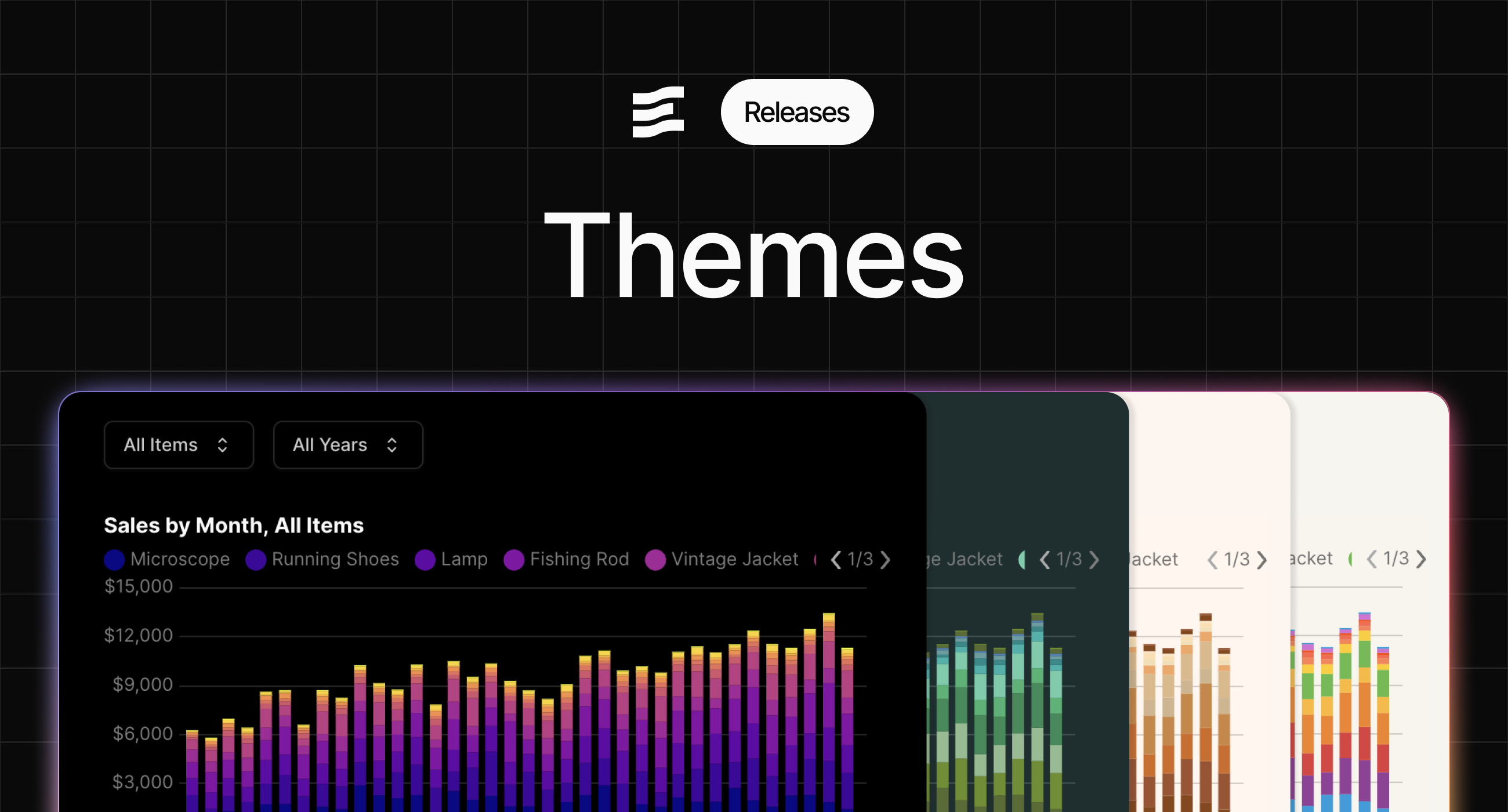
### ✨ Themes
Set color themes at the organization, project, and page level - including background, chart, and card colors
Access theme settings in page settings, project settings, or org settings. You can override theme colors at each level (e.g., project can override org theme, page overrides project and org themes)
[View Documentation](https://docs.evidence.studio/core-concepts/themes)
**December 9, 2025**
### 🚀 Improved Translation Validation Errors
Incorrect structures for translation maps will provide useful errors
**December 9, 2025**
### 🚀 Translations Editor
Modify translations with a fully featured text editor
**December 8, 2025**
### 🚀 Improved bucket docs
Adds more information about using bucket connectors
[View Documentation](https://docs.evidence.studio/data-sources)
**December 4, 2025**
### ✨ Translation Management
Define variables with different translations for multi-language apps.

[View Documentation](https://docs.evidence.studio/core-concepts/translations)
**November 30, 2025**
### ✨ Standalone Horizontal Bar Chart Component
New dedicated `horizontal_bar_chart` component makes it easier to create horizontal bar charts
We recommend migrating any existing horizontal bar charts to this new component
[View Documentation](https://docs.evidence.studio/components/horizontal_bar_chart)
**November 29, 2025**
### ✨ Display control for total and subtotals in table
Choose which totals or subtotals to display in your table
[View Documentation](https://docs.evidence.studio/components/table#param-show-subtotal-rows)
**November 28, 2025**
### ✨ Dark Mode Chart Colors
Configure colors for both light and dark mode in your project and org settings

**November 28, 2025**
### ✨ Input tabs full\_width and align attributes
Input tabs now allows the same styling configuration as the Tabs component, including full width and right align
[View Documentation](https://docs.evidence.studio/components/input_tabs#param-full-width)
**November 27, 2025**
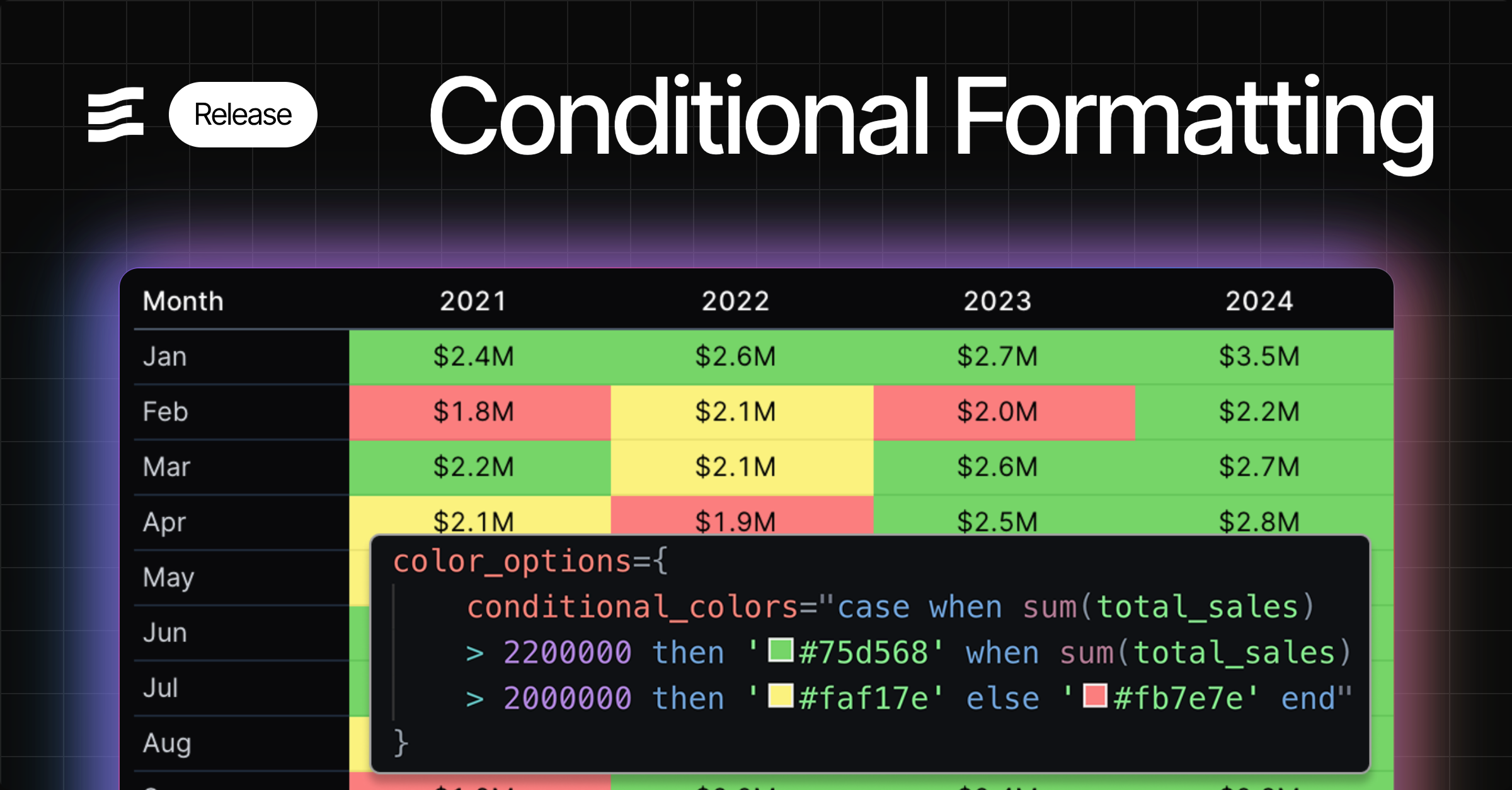
### ✨ Conditional Formatting
Apply conditional logic to choose colors for visualizations
**November 26, 2025**
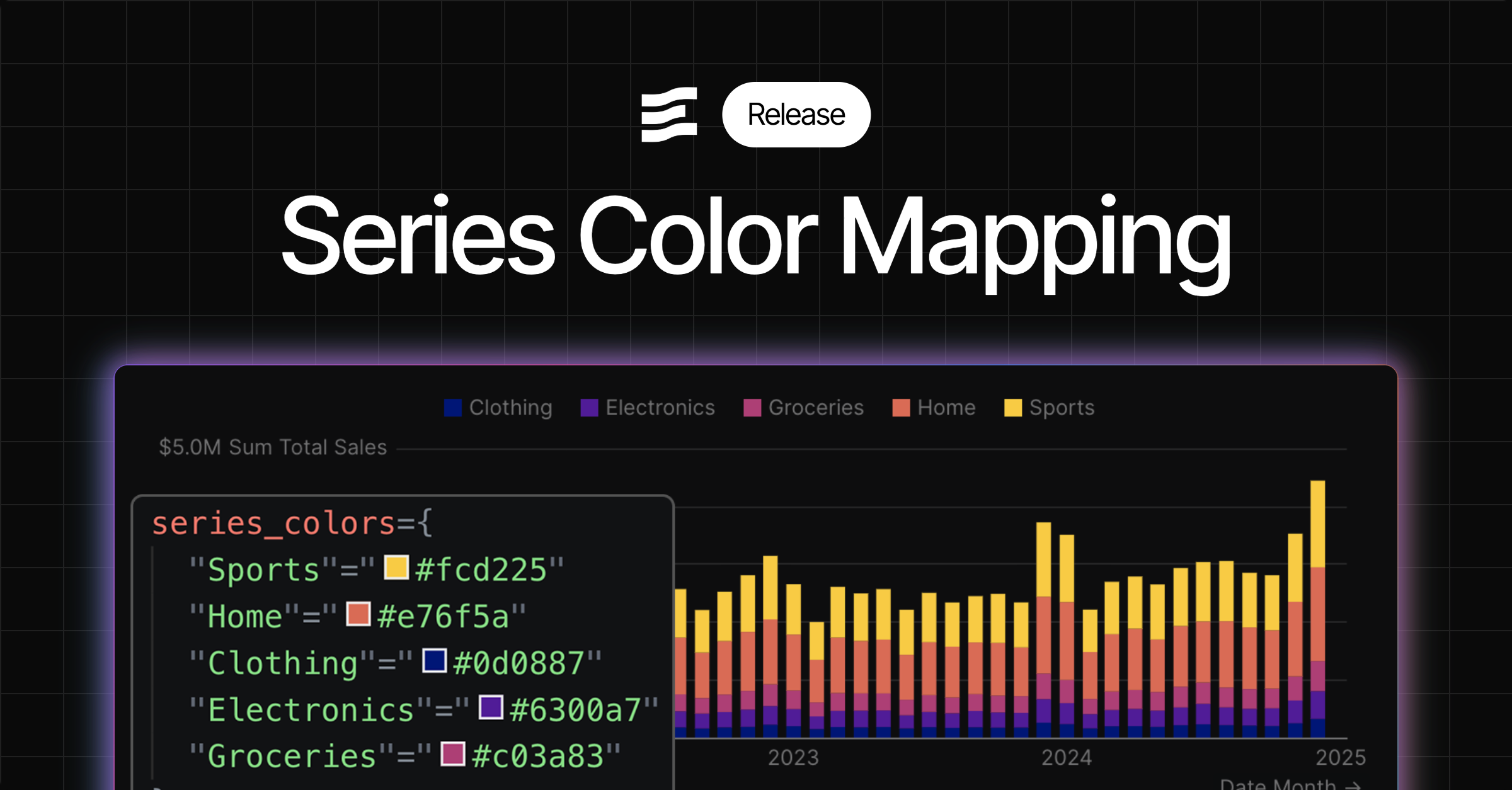
### ✨ Series Color Mapping
Option to select specific colors for series in your charts
[View Documentation](https://docs.evidence.studio/components/bar_chart#bar-chart-with-series-colors)
**November 25, 2025**
### 🚀 Assign access to pending users
You can now grant project and page access to users who have not yet accepted invitations to join the Evidence organization.
**November 24, 2025**
### 🚀 Control order of series in combo chart
Combo chart now displays your series in the order you define them in your markdown
**November 21, 2025**
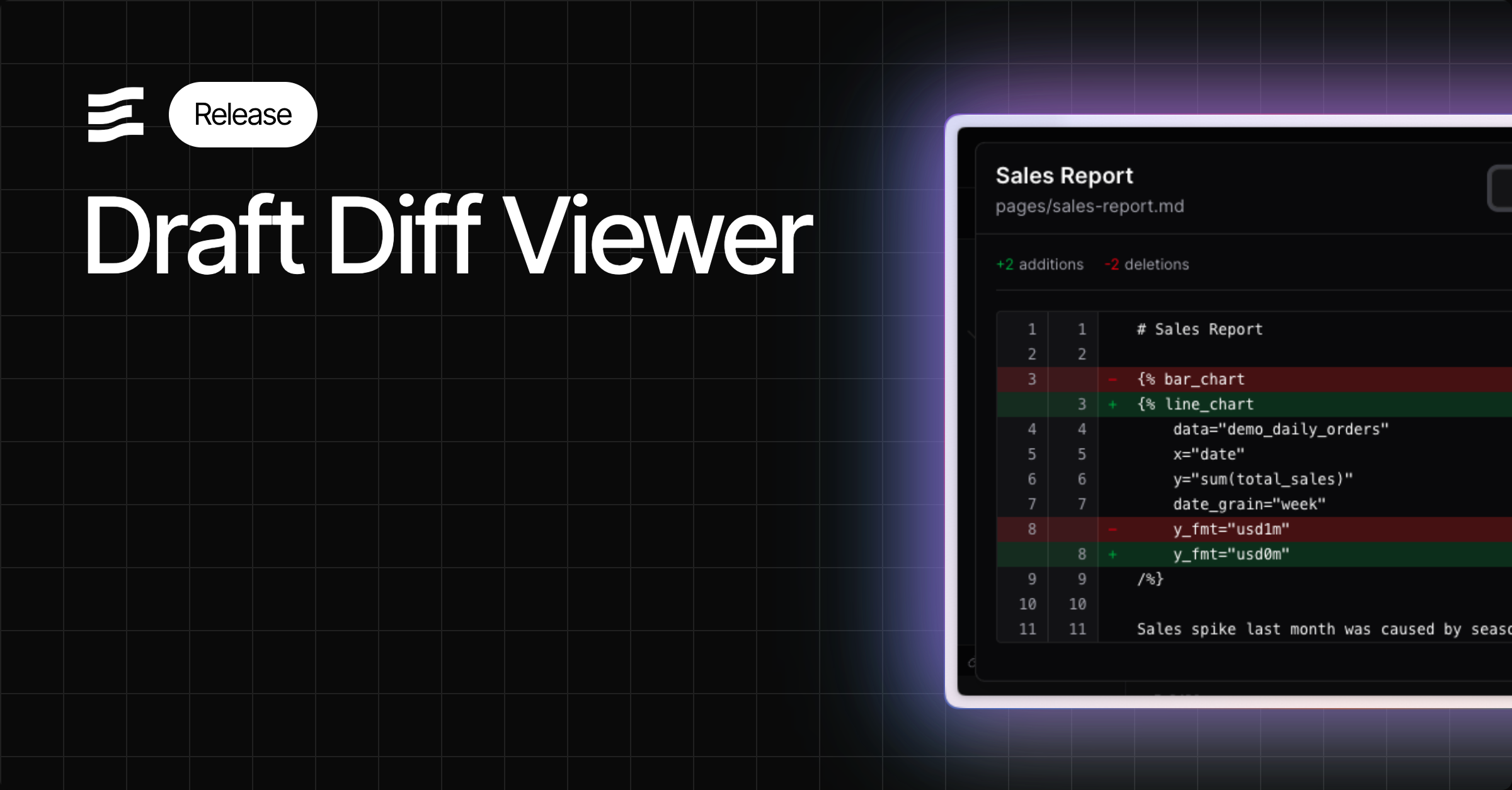
### ✨ Draft Diff Viewer
Review your changes using the diff viewer before you publish
**November 21, 2025**
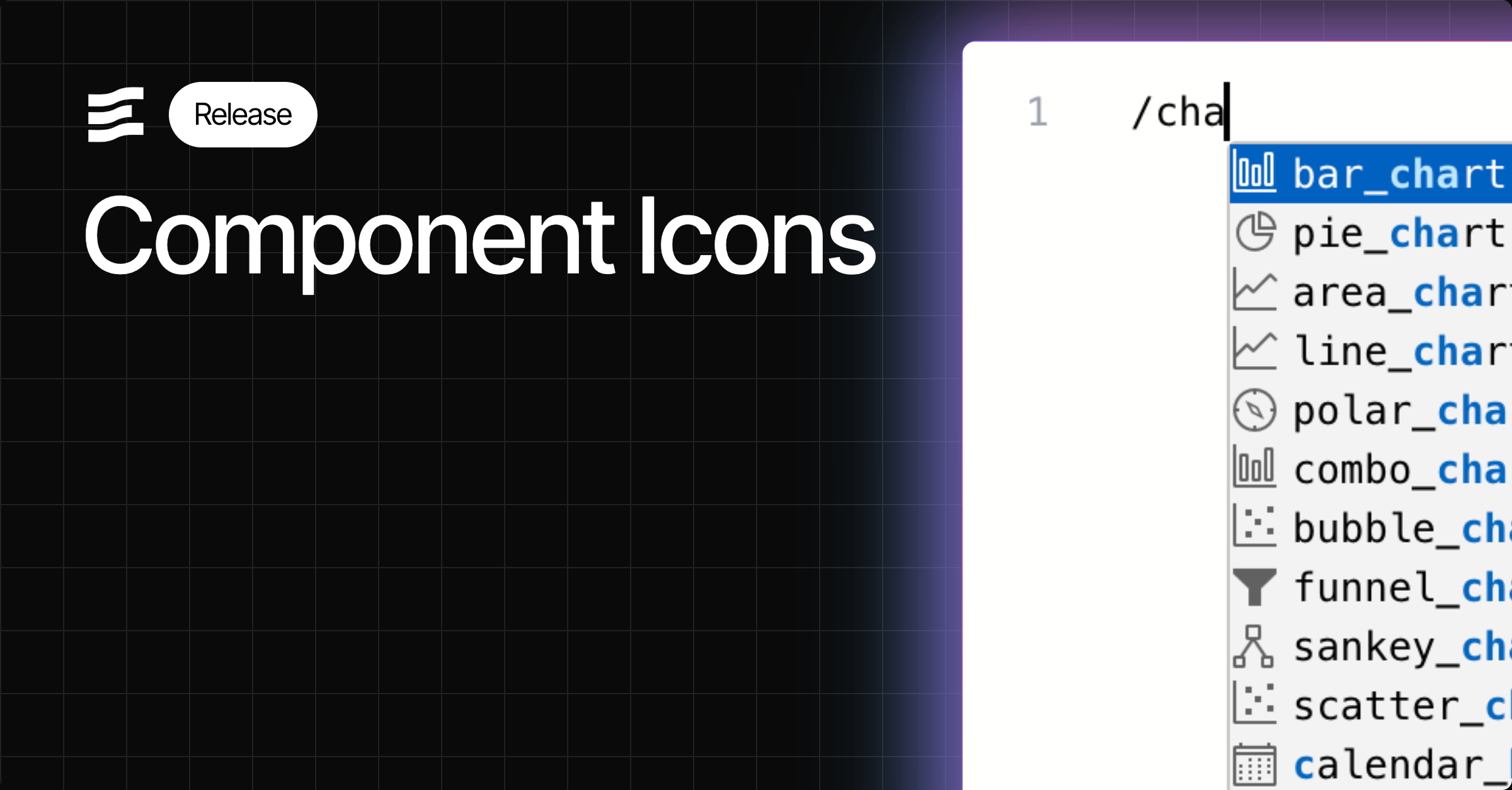
### 🚀 Icons in Autocomplete
Find components more easily in component autocomplete menus using the mini-icons
**November 18, 2025**
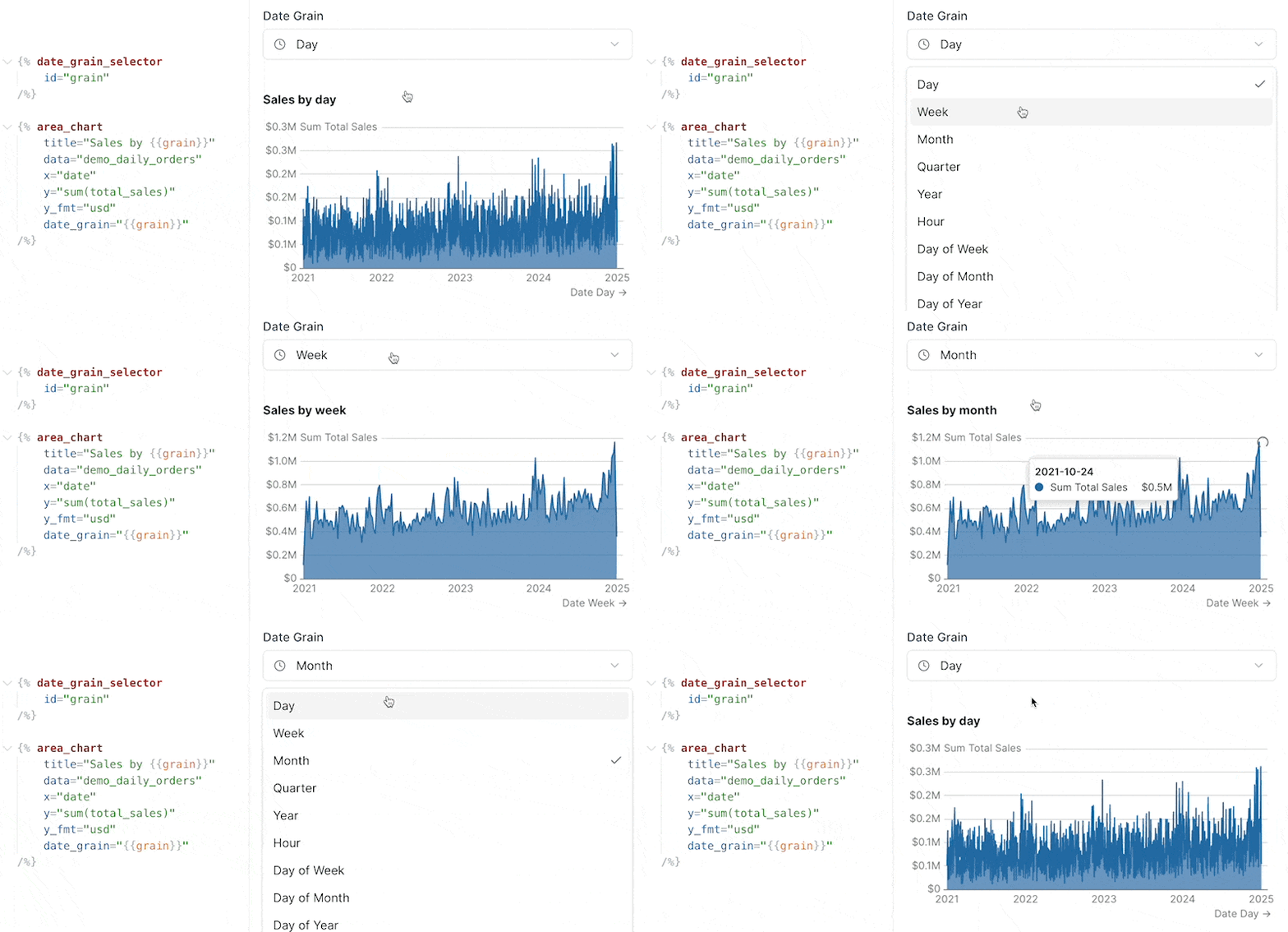
### 🚀 Smoother chart loads on input changes
Improved chart loading behaviour and animation when changing inputs on your page
**November 17, 2025**
### 🐛 Fix for table pivoting issues
Fixed issue where tables were not pivoting in certain situations
**November 17, 2025**
### ✨ `fmt` property for input options
Use dynamic formats in viz components when creating an input to select a metric - e.g., show 'usd' for sales or 'pct1' for growth
[View Documentation](https://docs.evidence.studio/components/dropdown#fmt)
**November 17, 2025**
### ✨ Variable `label` property
You can now reference the `label` property of a variable - useful when adding labels to viz components based on input selection
[View Documentation](https://docs.evidence.studio/components/dropdown#label)
**November 14, 2025**
### 🐛 Fix for custom date range end dates
Fixes issue where custom end date defined in SQL was not taking effect
**November 14, 2025**
### 🐛 Fix for scale\_column
Fixes issue where scale\_column in the measure component was not properly assigning colors
**November 14, 2025**
### 🚀 Improved handling of date grains in charts
Automatically handles formatting and positioning of labels on x-axis for date grains including month of year and day of week
**November 14, 2025**
### ✨ Table of Contents
A generated table of contents from the headings in your report. Enable from page settings.
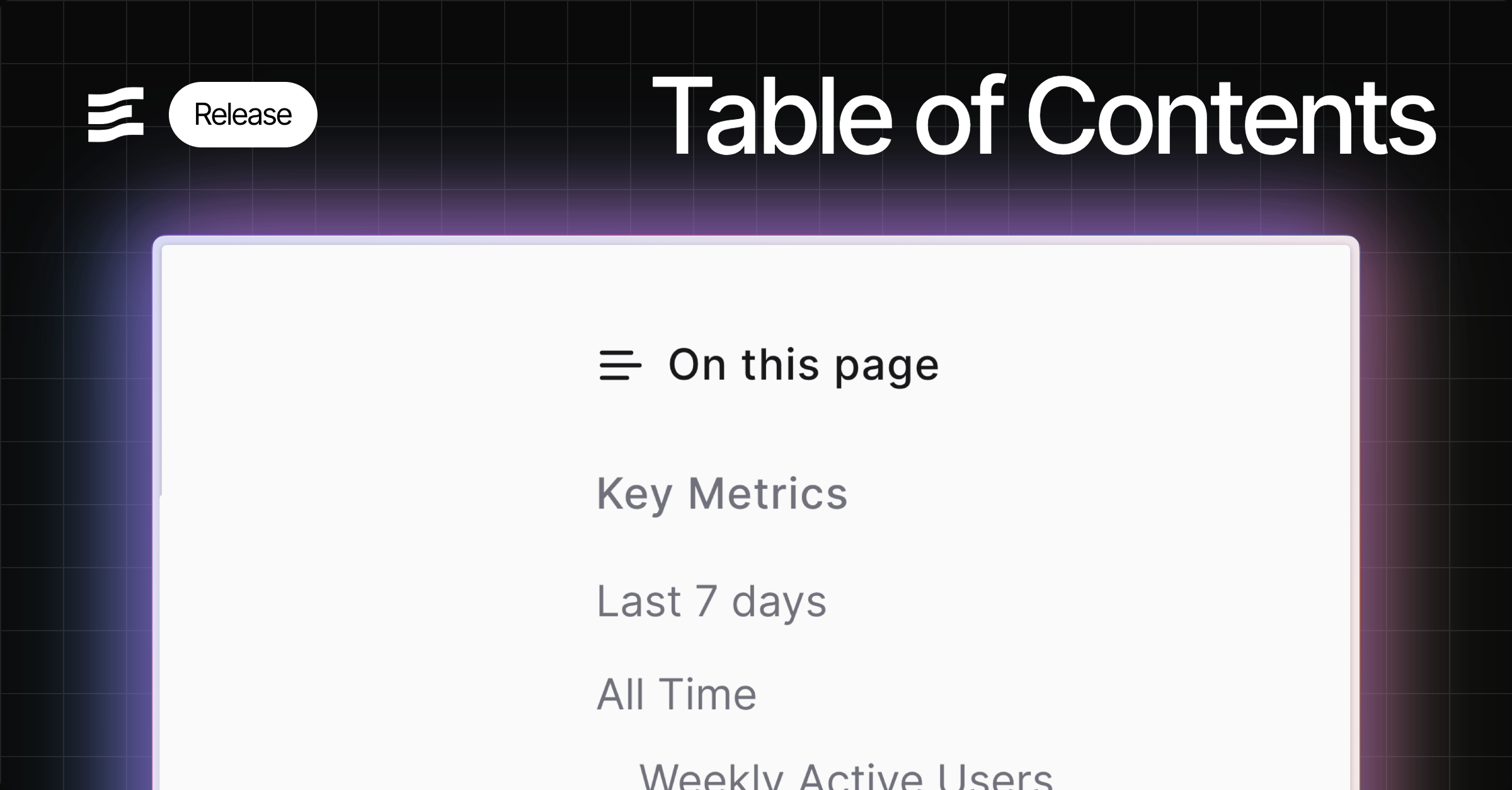
**November 14, 2025**
### ✨ Top padding option for charts
Top padding override option to allow more room for data labels - helps in cases where labels are cut off
**November 14, 2025**
### ✨ x\_sort attribute
Choose a specific sort order for your x-axis, including specifying explicit strings
**November 12, 2025**
### 🐛 Histogram support for inline queries
Fix for Histogram issue where it could not accept inline queries
**November 11, 2025**
### 🚀 Toggle `invert` attribute
Invert attribute added to make toggled state = `false` instead of `true`
**November 8, 2025**
### ✨ Slider Input
New slider input component to filter on numeric values
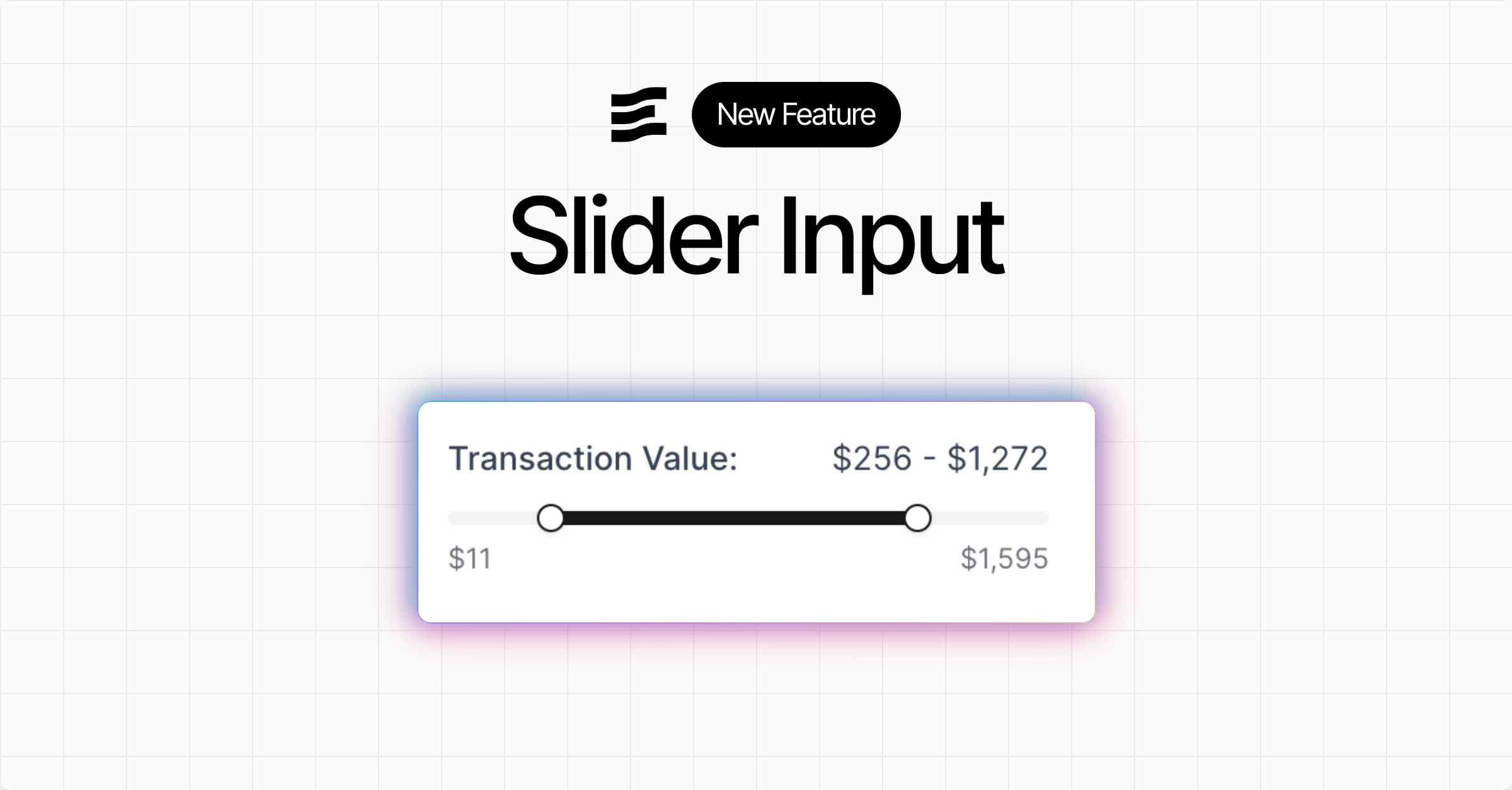
[View Documentation](https://docs.evidence.studio/components/slider)
**November 7, 2025**
### ✨ Query timing metadata
Queries in the SQL Console, and the pop out component inspector at the bottom of the editor now display how long the query took to run in the Evidence query engine
**November 6, 2025**
### ✨ Zoomable charts
Adds a new "zoom" chart option to enable zooming into the data
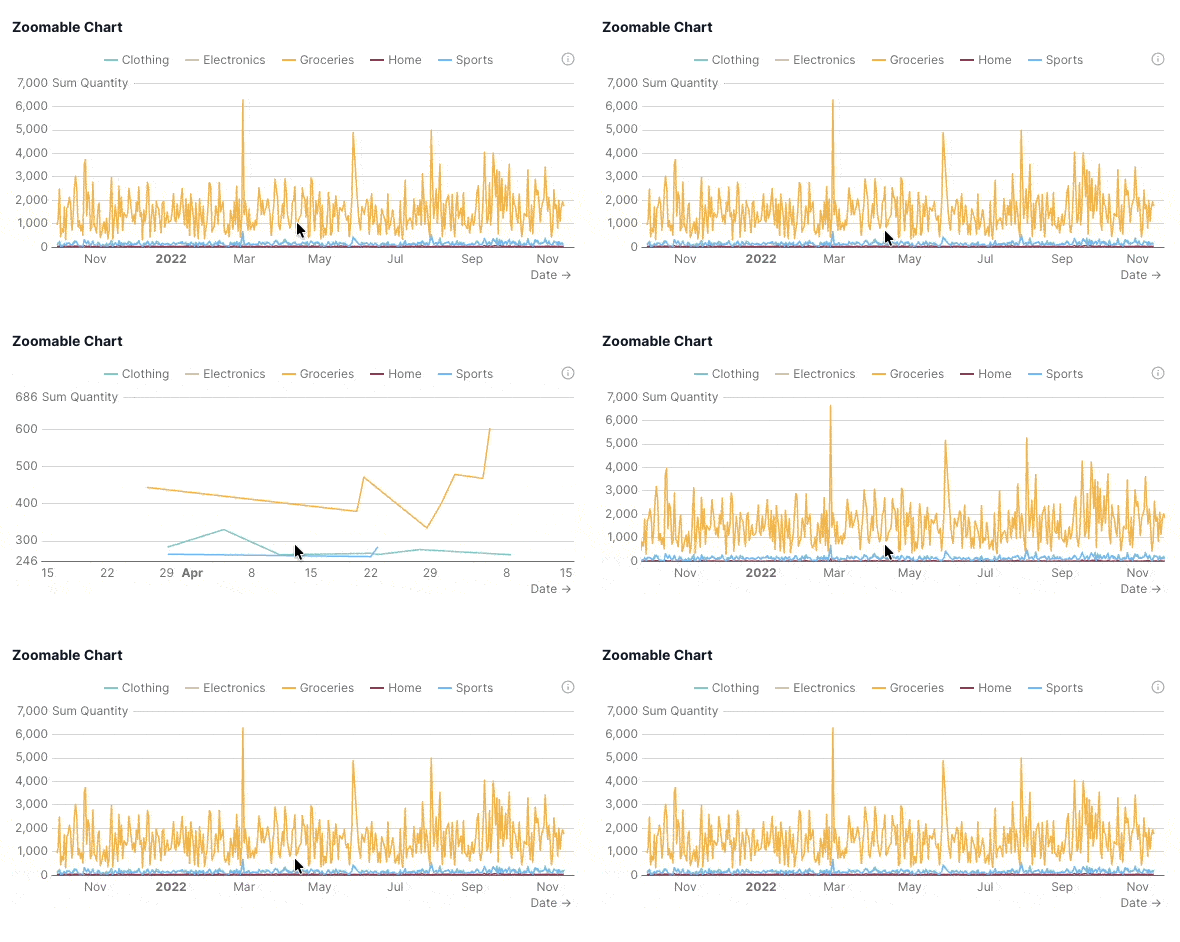
**November 4, 2025**
### ✨ Toggle input
New toggle input component which sets a boolean variable you can use in queries and components
[View Documentation](https://docs.evidence.studio/components/toggle)
**November 2, 2025**
### ✨ Button group and input tabs
New input components as visual alternatives to dropdowns: `button_group` and `input_tabs`
Note that this update also deprecates the `dropdown_option` component in favour of the more general `option` component. The `option` component can be used inside `dropdown`, `button_group`, or `input_tabs`

[View Documentation](https://docs.evidence.studio/components/button_group)
**October 31, 2025**
### 🚀 Info Links
Add links to info text popovers using `info_link` and `info_link_title` atttributes.
**October 31, 2025**
### 🚀 User Management Performance
Adding and removing users from reports is now faster
**October 30, 2025**
### 🐛 Fix for custom pivot formatting
Formatting for pivots now works as expected for custom date formats - e.g., `fmt="yyyy-mm"`
**October 30, 2025**
### ✨ Select all in dropdown
New button to select all options in a dropdown
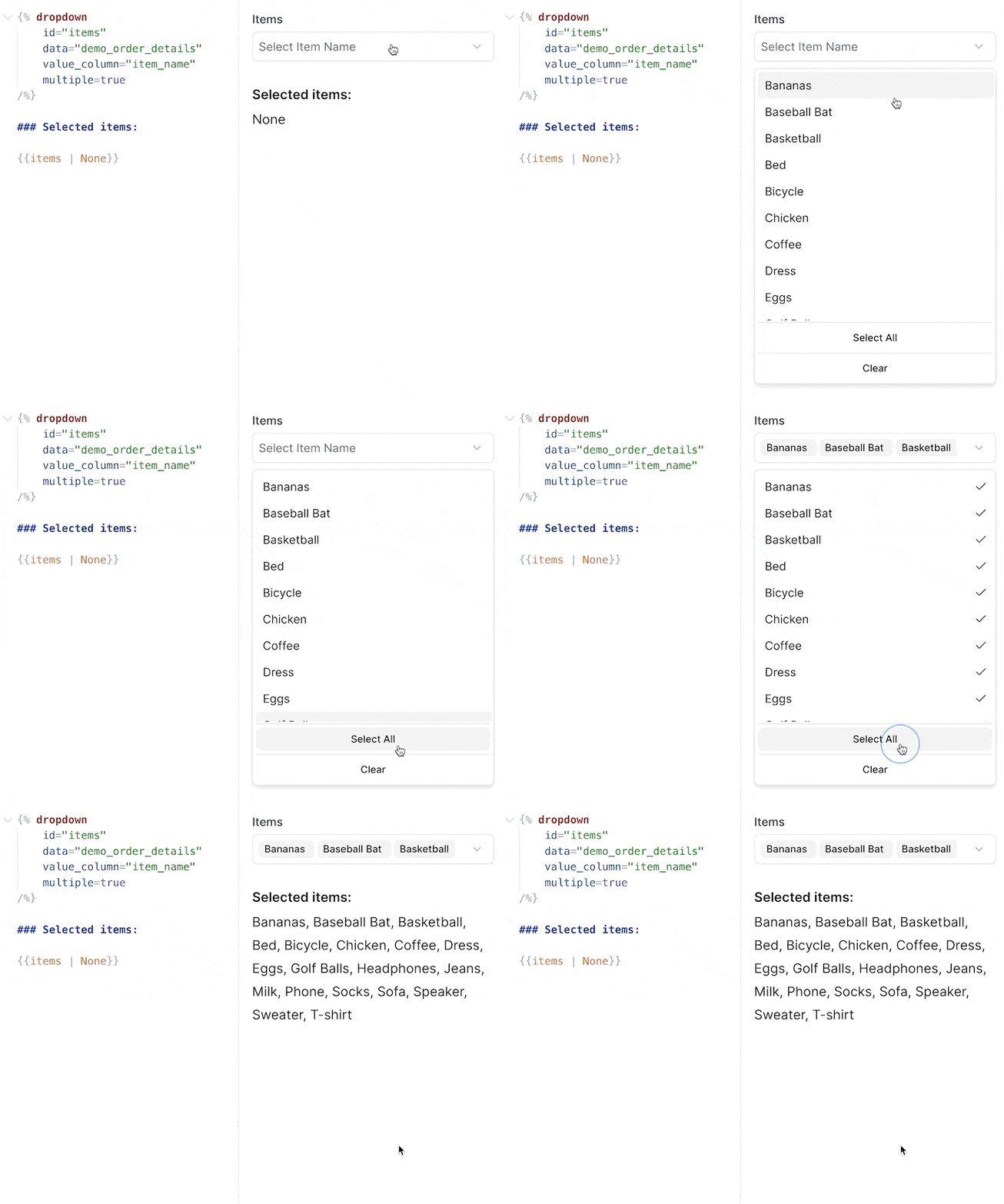
**October 26, 2025**
### ✨ Text input component
Input component accepting free text input
[View Documentation](https://docs.evidence.studio/components/text_input)
**October 25, 2025**
### ✨ Feature Requests
Submit and track feature requests directly in your settings menu
From Settings > Feature Requests, you can create requests or bug reports, and set their priority. This integrates directly with the Evidence team's roadmap, with status changes synced into your view

**October 24, 2025**
### ✨ Stacked bar series in combo charts
Bar series in combo charts can now be stacked using the new `stack_id` attribute. Bars with the same `stack_id` will be stacked together, allowing for flexible combinations of stacked and grouped bars.
[View Documentation](https://docs.evidence.studio/components/bar)
**October 23, 2025**
### ✨ Max label length for x-axis labels
Truncate labels after a certain number of characters using the `max_label_length` attribute inside `x_axis_options`
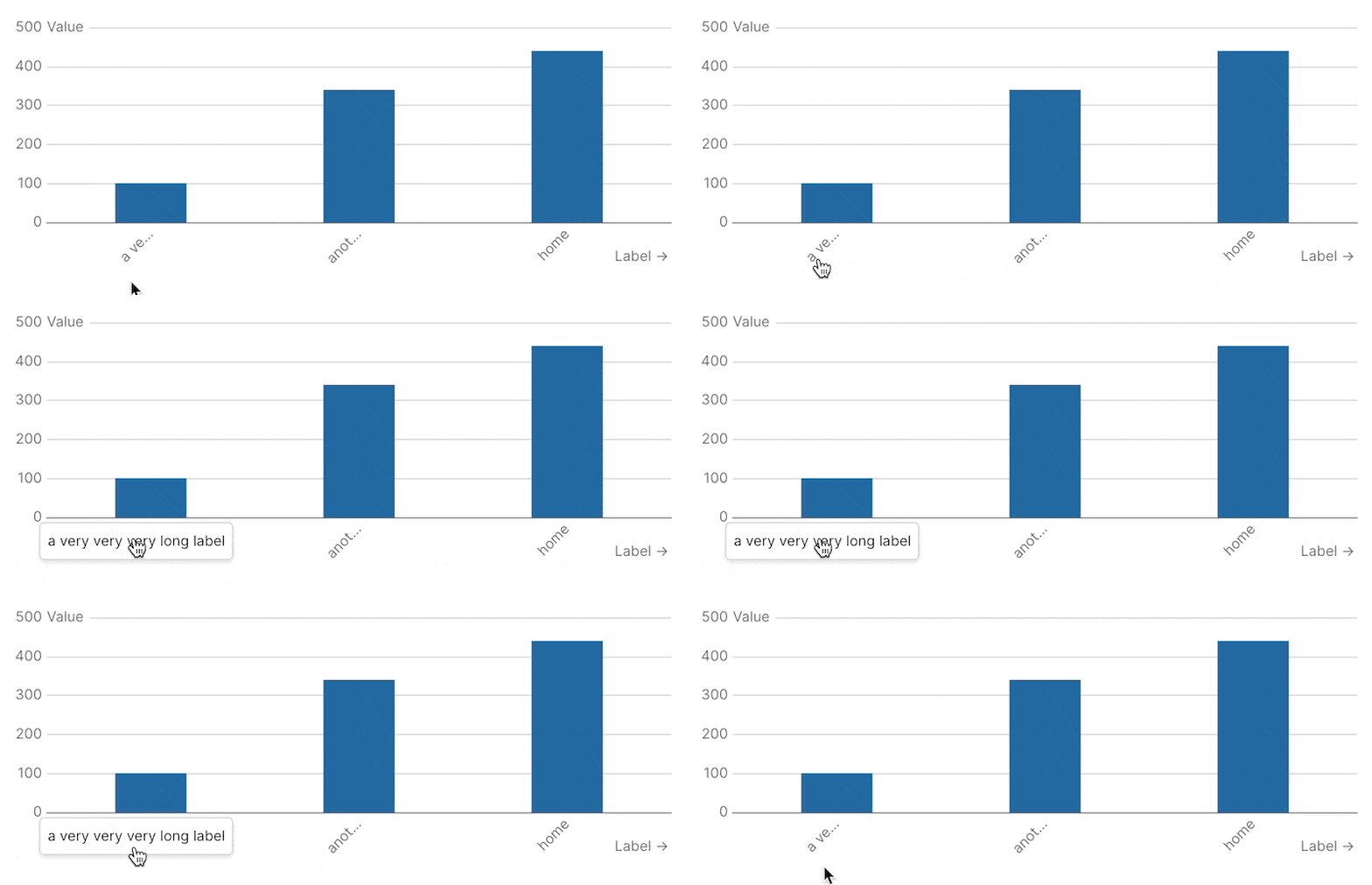
**October 21, 2025**
### ✨ Rotate x-axis labels
Use the new `label_rotate` option in `x_axis_options` to rotate the labels on your x-axis

[View Documentation](https://docs.evidence.studio/components/line_chart#param-x-axis-options)
**October 21, 2025**
### 🚀 Sidebar Icons and Sorting
Add custom icons and adjust the sort order of projects and pages in the sidebar
**October 20, 2025**
### ✨ Jump to Code
In the editor preview, Cmd/Ctrl + click on a component to jump to the code for that component
You can jump to code by Cmd/Ctrl + clicking a component in the preview pane, or you can jump to the component preview by Cmd/Ctrl + clicking the code in your editor
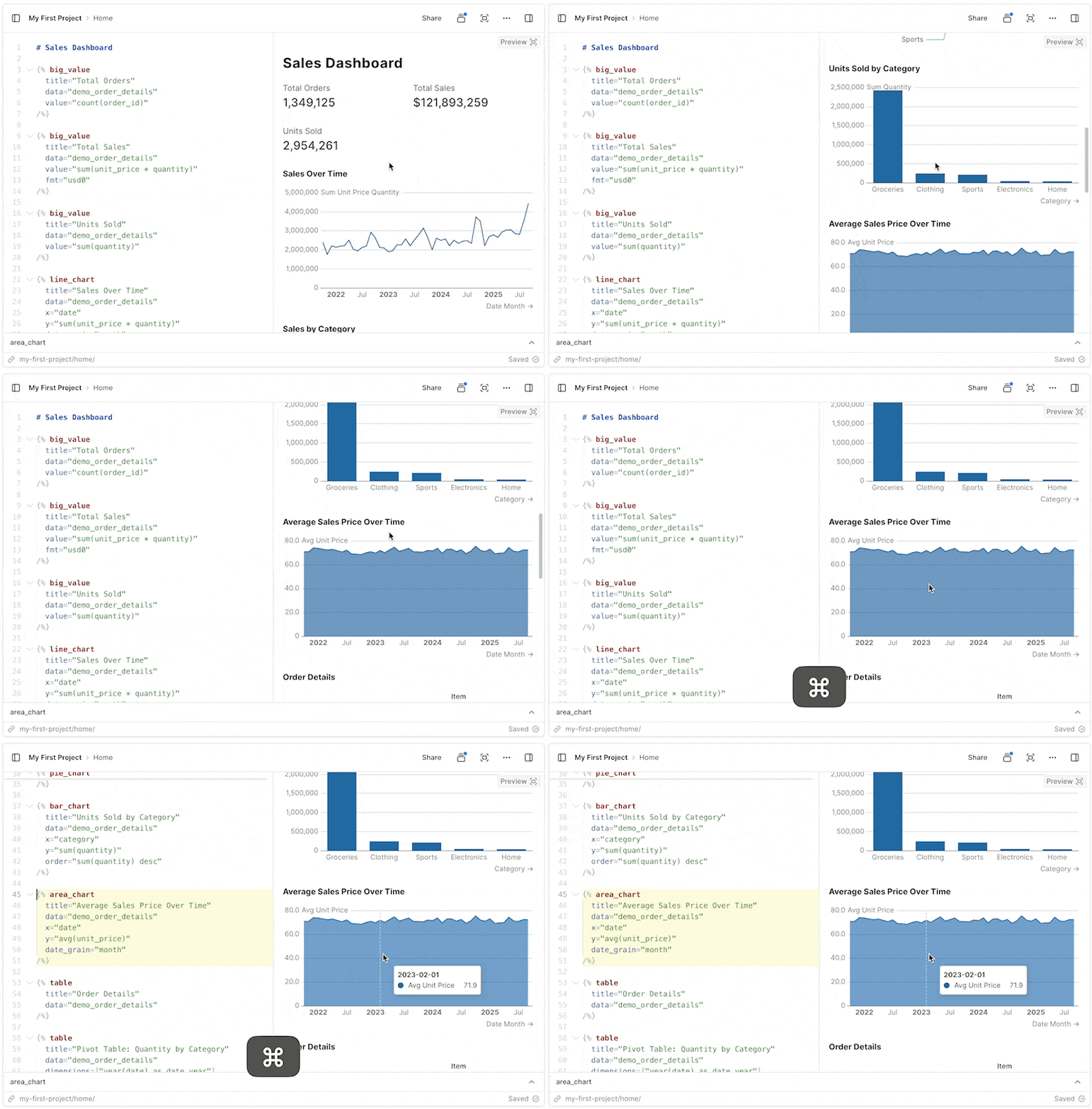
**October 17, 2025**
### 🐛 Fixes for table pivoting
Fixed issue where columns were not properly pivoting in tables
**October 16, 2025**
### 🚀 Drag and drop image support
Drag, or paste images into the editor to add them to your page.
**October 16, 2025**
### ✨ Models (Beta)
Join sources together and materialize the results to improve performance
Models can be used to execute joins across sources, centralize type casting, and create clean tables to use when building reports. Models are run and materialized every 8 hours
[View Documentation](https://docs.evidence.studio/core-concepts/models)
**October 16, 2025**
### ✨ Set custom end date for date ranges
Use a dynamic end date for date ranges based on your data or a standard offset
By default, date ranges end as of today's date, but this setting allows you to choose a date based on a standard offset (e.g., 1 day ago) or by passing a sql query to calculate the date (e.g., `select max(date) from my_table`)
**October 14, 2025**
### ✨ Bar chart opacity setting
Customize the opacity of bars in bar chart and combo chart components
**October 14, 2025**
### 🚀 Project Sections
Organize projects into sections for easier navigation during development
Sections will not impact how projects are arranged in the app published to Viewer users
**October 8, 2025**
### 🐛 Version control overflow
Fixes a bug where if you changed lots of files it overflowed the Version History panel
**October 7, 2025**
### ✨ Option to choose first day of week
In project settings, you can now choose whether weeks start on Sunday or Monday
**October 6, 2025**
### 🚀 Better SQL Autocomplete Suggestions
Improved SQL suggestions for columns, and tables after joins
**October 6, 2025**
### 🚀 Variable name shortcuts + use in markdown
Variables no longer require specifying a property - simply use the name, like `{{ my_var }}`
You can also use variables directly in markdown, including in headers and lists. You still have access to variable properties and can reference them like this: `{{ my_var.selected }}`

**October 4, 2025**
### 🚀 Performance improvement for table comparisons
Tables containing comparisons should now load much faster
**October 3, 2025**
### 🚀 More source sync info
View the number of rows in a source, and the amount of time it took for the source sync from the Sources page.
**October 2, 2025**
### ✨ Use variables inside components
You can now reference filter variables directly in component attributes
Supports the following attributes: title, subtitle, info, where, date\_grain, date\_range.range, comparison.compare\_vs

**October 1, 2025**
### ✨ Icon support for dropdowns
Include an icon in your dropdown using the icon option

**October 1, 2025**
### ✨ Selector components for date grain and comparisons
Special components for selecting date grain and comparisons
**September 30, 2025**
### 🚀 Dynamic date ranges
Input arbitrary ranges into the date\_range attribute in components, like "last 14 weeks" or "2023-01-14 to 2025-11-30"
**September 30, 2025**
### 🐛 Filter scroll fix
Fixed a bug where selecting a filter caused the page to jump back to the top.
**September 30, 2025**
### ✨ Select preset ranges in range calendar
Choose which preset ranges you want your users to see when clicking the range calendar component
**September 30, 2025**
### 🐛 SQL comments in inline queries
You can now add comments to inline queries without breaking them
**September 29, 2025**
### ✨ Option to turn legend off in charts
You can now turn off chart legends with legend=false
**September 25, 2025**
### 🚀 Conditional component render instantly
When previewing or viewing published pages, the initial state of any if/else\_if/else conditions will be pre-calculated before the page loads.
**September 24, 2025**
### 🚀 Better label spacing on x-axis
Improvement to the alignment and spacing of labels on the x-axis
**September 24, 2025**
### 🐛 Fix target comparison totals in table
Fixed an issue where target comparisons were hidden in total rows
**September 22, 2025**
### 🐛 Improved date behaviour
Previously, database columns that returned Date type would return DateTime precision, which is confusing in the UI. Now dates will return no additional time component
Values that are Date type will no longer display time component in Tables, Values, and in various input components. Eg a Date previously formatted 2025-09-22T14:05:23Z would now be returned as 2025-09-22.
**September 21, 2025**
### 🐛 Fix Explore table resize and scroll
Fixes an issue where tables on the Explore page would resize and cut off content
**September 19, 2025**
### 🚀 Comparison Tooltip Improvements
Fixed issue with percentage calculations for negative values. Added support for custom formats.
**September 18, 2025**
### ✨ Make Feature Requests in AI Chat
Now you can ask the Evidence chat to submit a feature request to the Evidence team
**September 16, 2025**
### 🐛 Fixed unexpected date offsets
In certain timezones, dates were being transposed by a small number of seconds in Chrome and Safari. This could cause date formats to render incorrectly, for example showing the day before the expected date.
**September 15, 2025**
### 🚀 RLS Enhancements
Added variable support for IN/NOT IN operators, 'Apply All' rule option, new panel interface, and per-user variable editing capabilities.
**September 10, 2025**
### 🚀 Improved Inline SQL Editor
See available variables, inline queries, and a preview of compiled SQL when editing queries in the inline SQL editor

**September 10, 2025**
### 🚀 Improved international character support in SQL queries
You can now include Japanese, Chinese, emoji, and other non-Latin characters directly in SQL passed to components
**September 10, 2025**
### ✨ Page Loading (table)
Tables now load instantly on preview and published pages
This is the first change in a journey to fully enable Server-Side Rendering in Evidence pages. The table is the first component to support this behavior, which enables the following features:\
\- Tables load instantly on preview and published pages (no more loading spinner when the page loads)\
\- Chat can now debug SQL query errors in Table components\
\
This change lays the groundwork for other components to opt into this new Server-Side Rendering system.
**September 8, 2025**
### ✨ Add optional dark\_url prop to image component
Image components can now display different images in light and dark modes using the new `dark_url` prop.
**September 8, 2025**
### ✨ Themes
Define a custom color palette to apply to all charts in a project

**September 3, 2025**
### 🚀 Improved Default Funnel Chart Styling
Funnel Charts are more intuitive to read, with a squared off style

[View Documentation](https://docs.evidence.studio/components/funnel_chart)
**September 2, 2025**
### 🐛 Fix Comparison Issues
Fixed bug for target comparisons which resulted in undefined error
**August 28, 2025**
### ✨ Inline SQL Editor
A new SQL editor for running and modifying inline queries on your page

**August 26, 2025**
### ✨ Icon Component
Add icons inline into markdown, with configuration for color and size

[View Documentation](https://docs.evidence.studio/components/icon)
**August 22, 2025**
### ✨ Row Level Security
Add rules to restrict which rows of are visible to users from sources
Add RLS rules to data source columns, and add user variables to determine which values in these columns allow access.
[View Documentation](https://docs.evidence.studio/features/row-level-security)
**August 20, 2025**
### 🚀 Custom Color Palettes
All charts now support custom color palettes via the "chart\_options" attribute
Pass an array of hex codes to the color\_palette option e.g. `color_palette=["#ff0000","#00ff00"]`

[View Documentation](https://docs.evidence.studio/components/pie_chart#with-custom-colors)
**August 20, 2025**
### 🐛 Fix Editor Overwriting Bug
Fixed bug where switching pages and then hitting Ctrl+Z would overwrite your page with the content of the previous page.
**August 19, 2025**
### 🚀 Sidebar Hover Text
Adds hover text to sidebar items that are truncated due to length
**August 19, 2025**
### 🐛 Table Filter Option Overflow
Fixed a bug where long string values in the table filter overlapped each other
**August 18, 2025**
### 🚀 Charting Library Upgrade
Upgraded to ECharts 6, fixed some issues where labels got cut off

**August 18, 2025**
### 🐛 Expose SQL Errors
Exposes some SQL errors that were not being shown
**August 18, 2025**
### 🐛 Fix High Precision Decimals in Postgres
Resolves issue where tables containing decimal columns with more that 9 digits of precision were failing to publish
**August 12, 2025**
### 🚀 Editor Loading Speed
We've significantly improved the load speeds when switching between pages in the editor.
**August 12, 2025**
### ✨ Link Button
Use the link button to link to another page in Evidence or an external location
[View Documentation](https://docs.evidence.studio/components/link_button)
**August 12, 2025**
### ✨ Print Format Components
Add page breaks, print groups, and hide elements from PDF downloads
**August 11, 2025**
### ✨ PDF Download
Download your page as a PDF
**August 7, 2025**
### 🐛 If / Else Behaviour Fix
Fixed some issues with the if /else components which sometimes caused them to not display information when they should
**August 5, 2025**
### ✨ Accordian components
Organize content into collapsible accordian sections
**August 5, 2025**
### ✨ Axis Label Interval Control
More control over the intervals between labels on charts
**July 30, 2025**
### 🐛 Long Page Name Overflow
Long page and directory names now truncate in the sidebar to prevent the action button being hidden

**July 30, 2025**
### ✨ Range Calendar Input
New range calendar component for date filtering.
**July 29, 2025**
### ✨ Tabs
New Tabs, and Tab components for tabbed layouts.
**July 29, 2025**
### ✨ Variables
Define variables in frontmatter and use them in markdown, SQL and components
[View Documentation](https://docs.evidence.studio/core-concepts/variables)
**July 28, 2025**
### ✨ Column-level control for tables
Control formatting for each column in a table
**July 28, 2025**
### ✨ Conditional formatting in tables
Use color scale to conditionallyformat values in a table
**July 28, 2025**
### ✨ Image support in tables
Add images to columns in a table
**July 28, 2025**
### 🚀 Improved Explore page
Supports more date grain options and improved share experience
**July 28, 2025**
### 🚀 Improved pivot table
Table now supports more complex pivot table scenarios
**July 28, 2025**
### ✨ Link support in tables
Add links to columns in a table, or set up row links
**July 28, 2025**
### 🚀 New date grain options
Inclues special grains like 'day of week' and 'month of year', with built-in labels
**July 28, 2025**
### ✨ New table visualizations
Add bar charts, sparklines, and deltas to your columns
**July 28, 2025**
### ✨ Period over period comparisons
Automatically compare values vs. prior year, prior period, or target. Available in table and big value.
**July 22, 2025**
### 🐛 Delete Connections Fix
Fixed a bug which only allowed you to delete the most recently added connection
**July 22, 2025**
### ✨ Hubspot Connector
Import data from Hubspot directly into Evidence
[View Documentation](https://docs.evidence.studio/data-sources/hubspot)
**July 22, 2025**
### ✨ Modals
New modal component that can contain content in a dialogue or drawer.
[View Documentation](https://docs.evidence.studio/components/modal)
**July 17, 2025**
### ✨ Motherduck Connector
Add data sources from your Motherduck DB
[View Documentation](https://docs.evidence.studio/data-sources/motherduck)
**July 17, 2025**
### ✨ Page linking
Link to other Evidence pages using markdown links with Intellisense support
[View Documentation](https://docs.evidence.studio/components/link)
**July 16, 2025**
### 🐛 Respect columns option in table filter
Fix bug which ignored columns selection in table filter
**July 16, 2025**
### 🐛 Table filter responsiveness
Fix bug which prevented table filter inputs from taking effect immediately after adding the table filter to the page.
**July 15, 2025**
### ✨ Filter interpolation
Reference filter values inside of inlined queries, and view the state of your filters in the new filters pane of the devtools sidebar.
[View Documentation](https://docs.evidence.studio/core-concepts/markdown#filters)
**July 14, 2025**
### 🚀 Agent Keyboard Shortcut
Ctrl+Alt+I (Mac: Cmd+Shift+I) to open a chat with the Evidence agent from anywhere in the Editor
**July 11, 2025**
### ✨ If, Else If, Else
Use conditional blocks to choose what to render based on data.
[View Documentation](https://docs.evidence.studio/components/if)
**July 10, 2025**
### ✨ Reference Components
Use `reference_line`, `reference_area`, and `reference_point` to add reference annotations to your charts
[View Documentation](https://docs.evidence.studio/components/reference_line)
**July 7, 2025**
### 🚀 Postgres Schema Support
Use tables in any Postgres schema (not just the default "public" schema)
**July 3, 2025**
### ✨ Import Views as Sources
All supported DBs now allow importing views as sources
**July 3, 2025**
### 🚀 Public Documentation
We've published full documentation at [https://docs.evidence.studio](https://docs.evidence.studio)
**June 28, 2025**
### ✨ Card Option for Row and Stack Components
Added `card` option to `row` and `stack` components to display their contents as a single card.
**June 27, 2025**
### ✨ Data Point Labels
Label each data point in your chart with the `data_labels` option
**June 26, 2025**
### ✨ Downloadable Data
Right click any chart to download its data, or use the kebab menu in the top left of the published page to download a whole page's data.
**June 25, 2025**
### ✨ Chart, Axis, and Series Options
New `chart_options`, `x_axis_options`, `y_axis_options`, `y2_axis_options`, and series options for customizing your charts.
**June 25, 2025**
### ✨ Partials
Define sections of markdown for re-use across pages.
**June 19, 2025**
### ✨ Polar Chart
Added a new polar chart component.
**June 19, 2025**
### ✨ Table Search
Search bar for the Table component.
**June 17, 2025**
### 🐛 Inline Query Date Validation
Fixes issue creating visualizations using inline queries with dates
**June 16, 2025**
### ✨ Histogram
Added a new histogram chart component.
**June 16, 2025**
### ✨ Markdown Comments
Adds support for mardown comments with ``. Mac: Cmd + / Windows: Ctrl + /
**June 13, 2025**
### ✨ Calendar Heatmap
Added a new calendar heatmap chart.
**June 13, 2025**
### ✨ Combo Chart
Added a `combo_chart` component that allows you to combine `area`, `bar`, `bubble`, `line`, and `scatter` series on one chart.
**June 12, 2025**
### ✨ Accept and Reject Changes Panel in Diff View
Added accept and reject buttons to the top of the diff view.
**June 12, 2025**
### 🚀 Connection Documentation
Added generaldocumentation for data connections.
**June 12, 2025**
### 🐛 Fix to give AI agent knowledge of inline queries
Fixed the issue where the AI agent did not know about inline queries on your page.
**June 12, 2025**
### 🐛 Fix to Maintain Chart Height
Fixed the issue where the chart height was shrinking when title and legend were added.
**June 12, 2025**
### ✨ Heatmap Chart
Added a new heatmap chart component.
**June 12, 2025**
### 🚀 Link to All Docs in Sidepane
Added a link to all docs in the docs tab of the editor.
**June 11, 2025**
### ✨ Custom X and Y Chart Titles
Added the ability to customize `x_title` and `y_title` for charts.
**June 11, 2025**
### ✨ Funnel Chart
Added a new funnel chart component.
**June 11, 2025**
### ✨ Sankey Chart
Added a new sankey chart component.
**June 10, 2025**
### ✨ Changelog
We're shipping features and fixes very quickly. Keep an eye out here for updates.
**June 10, 2025**
### 🐛 Fix Slash Commands When Inside Parent Component
Fixed the issue where slash commands were not working when inside a parent component.
**June 10, 2025**
### 🚀 Helpful Warning for Aggregating Columns
Added a warning to consider aggregating a column for a chart.
**June 10, 2025**
### ✨ Open Chat Automatically for Fix in Chat
When the fix in chat button is pressed, the chat window will open automatically.
**June 10, 2025**
### ✨ Pie and Donut Charts
Added a new pie chart component.
**June 9, 2025**
### 🚀 Collapse the Sidebar
Added the ability to collapse and expand the sidebar on all screen sizes.
**June 9, 2025**
### 🚀 Faster Sources Page
Significantly improved loading performance on the sources page.
**June 9, 2025**
### 🚀 Fix in Chat Now Available on All Error Messages
Error messages throughout the platform now include the fix in chat feature.
**June 9, 2025**
### 🚀 More Readable SQL Errors
SQL error messages have been redesigned to be clearer and more actionable.
**June 9, 2025**
### 🐛 Row and Stack Components
Fixed issues with Row and Stack components rendering and layout behavior.
**February 3, 2025**
### ✨ European Number Formatting
Support for European number format using comma as the decimal separator (e.g., 1.234,56 instead of 1,234.56).
**January 22, 2025**
### ✨ Azure Postgres Connector
Connect your Azure Database for PostgreSQL to Evidence and sync your data automatically.
[View Documentation](https://docs.evidence.studio/data-sources/azure-postgres)
**January 20, 2025**
### ✨ SQL Files
Create reusable SQL queries as standalone files. SQL files can be referenced from components using `data="path/to/query"` and from inline queries using `{{path/to/query}}` syntax.
# Commands
Source: https://docs.evidence.dev/cli/commands
Reference for all Evidence CLI commands.
## Development
### `evidence init`
Scaffold a new Evidence project.
```bash theme={null}
evidence init my-project
evidence init my-project --warehouse snowflake
```
| Option | Description |
| - | - |
| `--warehouse` | Scaffold a `connection.yaml` for a direct warehouse connection: `snowflake` or `bigquery`. See [Connecting a Warehouse](/cli/connections). |
Without `--warehouse`, the project uses the managed Evidence Warehouse. With it, the CLI writes a `connection.yaml` (gitignored) so queries run directly against your own warehouse.
### `evidence dev`
Start the local development server.
```bash theme={null}
evidence dev
evidence dev --port 8080
```
| Option | Description |
| - | - |
| `--port`, `-p` | Port to run on (default: 3000) |
## Deploy
### `evidence launch`
Connect this project to Evidence Studio and GitHub, then deploy by pushing to your repo. Interactive by default — it walks you through installing the GitHub App and creating (or linking) the Studio project.
```bash theme={null}
evidence launch
evidence launch --name "My Project" --upload-credentials
```
| Option | Description |
| - | - |
| `--name` | Name for the Studio project to create. |
| `--branch` | Branch to publish from (default: auto-detected). |
| `--root-directory` | Project root within the repo (default: auto-detected). |
| `--upload-credentials` | Upload warehouse credentials from [`connection.yaml`](/cli/connections) to your org. Prompted for interactively; required to opt in when running non-interactively. |
`evidence launch` recognizes GitHub.com and GitHub Enterprise Cloud (`*.ghe.com`) remotes over HTTPS and SSH. If the detected GHE.com host is not connected yet, the CLI opens Organization Settings to guide an Evidence admin through creating and installing the private Enterprise GitHub App. GHE.com connections require Evidence Studio on the Enterprise plan.
### `evidence link`
Attach this repo to an **existing** Studio project. The project's content becomes git-managed — the next `git push` overwrites it with the repo's contents.
```bash theme={null}
evidence link my-project
evidence link --project my-project
```
| Option | Description |
| - | - |
| `--project` | Studio project to attach, by slug or id. Also accepted as a positional argument. |
| `--branch` | Branch to publish from (default: auto-detected). |
| `--root-directory` | Project root within the repo (default: auto-detected). |
The repository host must match the GitHub host connected to the Evidence organization.
### `evidence unlink`
Disconnect this repo from its Studio project. The org's GitHub App install and the project itself are left intact.
```bash theme={null}
evidence unlink
evidence unlink --project my-project
```
| Option | Description |
| - | - |
| `--project` | Studio project to unlink, by slug or id. Inferred from the repo's binding when omitted. Also accepted as a positional argument. |
## Data
### `evidence query`
Run a SQL query against connected data sources.
```bash theme={null}
evidence query "SELECT * FROM orders LIMIT 10"
evidence query --file query.sql
cat query.sql | evidence query -
```
| Option | Description |
| - | - |
| `--format` | Output format: `json` (default), `jsonl`, `table`, `csv` |
| `--limit`, `-l` | Limit number of rows |
| `--quiet`, `-q` | Suppress status messages |
| `--columns` | Output only column names and types |
| `--file` | Read SQL from a file |
| `--output`, `-o` | Write results to a file |
### `evidence tables`
List available data tables.
```bash theme={null}
evidence tables
```
### `evidence describe`
Show schema for a table.
```bash theme={null}
evidence describe demo_daily_orders
```
### `evidence schema`
Show all tables with their columns.
```bash theme={null}
evidence schema
```
### `evidence connectors`
List all connectors with health status.
```bash theme={null}
evidence connectors
evidence connectors --json
```
Shows connector name, type, status, last sync, schedule, table count, and reference count for all connector types.
### `evidence models`
List all models with refresh status.
```bash theme={null}
evidence models
evidence models --json
```
Shows model name, status, last refresh time, and schedule.
### `evidence lineage`
Show where connections and tables are used across projects, pages, models, and queries.
```bash theme={null}
evidence lineage
evidence lineage table orders
evidence lineage --branch dev/alex
evidence lineage --json
```
| Option | Description |
| - | - |
| `table ` | Show where a specific table is referenced |
| `--branch` | Query a specific branch (default: main) |
| `--json` | Output JSON for tooling |
## Project
### `evidence validate`
Validate all markdown files in the current project.
```bash theme={null}
evidence validate
evidence validate --json
```
### `evidence docs`
Browse and search component documentation.
```bash theme={null}
evidence docs # Overview
evidence docs search "chart" # Search docs
evidence docs component bar_chart # Component details
```
## Authentication
### `evidence signup`
Create an account and workspace. Opens Evidence in your browser; once done, run `evidence login` to connect the CLI.
```bash theme={null}
evidence signup
```
### `evidence login`
Authenticate with Evidence Studio using your browser.
```bash theme={null}
evidence login
```
### `evidence logout`
Clear stored credentials.
```bash theme={null}
evidence logout
```
### `evidence whoami`
Show the currently authenticated user.
```bash theme={null}
evidence whoami
```
### `evidence orgs`
List available organizations.
```bash theme={null}
evidence orgs
```
### `evidence switch`
Switch to a different organization.
```bash theme={null}
evidence switch "My Organization"
```
### `evidence token`
Generate a token for headless/CI use. Prints an `EVIDENCE_AUTH_TOKEN` value you can set as an environment variable to authenticate without an interactive login. Requires an active login and a selected organization.
```bash theme={null}
evidence token
```
> [!WARNING]
>
> The generated token contains a long-lived access token. Treat it as a secret.
## Utility
### `evidence version`
Print the current CLI version.
```bash theme={null}
evidence version
```
### `evidence upgrade`
Upgrade to the latest CLI version.
```bash theme={null}
evidence upgrade
```
### `evidence help`
Show help and available commands.
```bash theme={null}
evidence help
```
### `evidence telemetry`
Show or change anonymous usage reporting. See [Telemetry](/cli#telemetry) for what is sent.
```bash theme={null}
evidence telemetry # same as status
evidence telemetry status
evidence telemetry disable
evidence telemetry enable
```
## Self-hosting
### `evidence serve`
Serve the project as a self-hosted site. Runs the built-in production server — no Evidence Studio account or session required.
```bash theme={null}
evidence serve
evidence serve --port 8080
evidence serve --host 0.0.0.0
```
| Option | Description |
| - | - |
| `--port`, `-p` | Port to run on (default: 3000) |
| `--host` | Bind address (default: `127.0.0.1`) |
| `--open` | Open the browser after starting (default: off) |
Requires a direct connector configured in [`connection.yaml`](/cli/connections) — the managed query engine is not supported for self-hosting.
To serve beyond localhost, set `EVIDENCE_BASIC_USER` and `EVIDENCE_BASIC_PASSWORD` to protect the site with HTTP Basic Auth. The server refuses to start on a non-localhost `--host` without these set.
On a trusted private network (VPN, Tailscale, internal VPC), `EVIDENCE_AUTH_DISABLED=true` skips authentication entirely.
# Connect your CLI to your data
Source: https://docs.evidence.dev/cli/connections
With an Evidence Studio account, run evidence login. Use connection.yaml only without an account, with different credentials, or offline.
**If you have an Evidence Studio account, you don't need a `connection.yaml`. Run `evidence login` and the CLI uses the same data connection as your Studio organization.**
```bash theme={null}
evidence login
```
This works whether your organization uses the [Evidence Warehouse](/evidence-warehouse) or a [direct connection](/evidence-warehouse#direct-connectors) to a warehouse you own (Snowflake, BigQuery, and so on). Queries run through Evidence Studio, so they use the connection, credentials, and access rules your organization has already set up.
## When to use `connection.yaml` instead
Add a `connection.yaml` to your project root only if you need one of these:
* **No Evidence Studio account.** For example, you [self-host](/self-host) Evidence.
* **Different credentials.** For example, a development database or your own warehouse role instead of your organization's.
* **Offline work.** The CLI queries your warehouse directly from your machine, without going through Evidence Studio.
> [!NOTE]
>
> If a `connection.yaml` is present, the CLI always uses it, even when you're logged in and your organization has a connection. If the file is invalid, queries fail with its error; the CLI does not fall back to your organization's connection. To use your organization's connection, delete the file.
### Scaffold with `evidence init`
The quickest way to create a `connection.yaml` is to pass `--warehouse` to `evidence init`:
```bash theme={null}
evidence init my-project --warehouse snowflake
# or
evidence init my-project --warehouse bigquery
```
This writes a `connection.yaml` in the project root pre-filled with placeholder values, and adds it to `.gitignore` (the file holds credentials — keep it out of version control).
> [!WARNING]
>
> `connection.yaml` and any files it references — the Snowflake private-key `.pem` or the BigQuery service-account JSON — contain credentials. Never commit them. `evidence init --warehouse` gitignores `connection.yaml` for you, but **not** the referenced key files: add those to `.gitignore` yourself, or use the inline `private_key` / `keyfile_json` fields so there's no separate file to leak.
Fill in the placeholders with your own connection details. If `--warehouse` is omitted, no `connection.yaml` is written and the project uses your Evidence Studio organization's connection after `evidence login`.
### Configuration
**Snowflake**
```yaml theme={null}
type: snowflake
account: xy12345.us-east-1
user: evidence_user
private_key_path: ./snowflake-key.pem
warehouse: COMPUTE_WH
database: ANALYTICS
# role: EVIDENCE_READER
# schema: { production: ANALYTICS, devSchemas: [DEV_ALICE] }
```
Provide exactly one of `password`, `private_key`, or `private_key_path`. Paths (`private_key_path`) are resolved relative to `connection.yaml`.
See the [Snowflake direct connector](/direct-connectors/snowflake) for the full field reference and how to create a read-only Snowflake user.
**BigQuery**
```yaml theme={null}
type: bigquery
project: my-gcp-project
keyfile: ./evidence-bq-primary.json
datasets:
- analytics
- reporting
# dataset: analytics
# location: US
```
Provide exactly one of `keyfile`, `keyfile_json`, or `adc: true`. The `keyfile` path is resolved relative to `connection.yaml`. With `adc: true`, Evidence uses [Application Default Credentials](https://cloud.google.com/docs/authentication/application-default-credentials), such as your `gcloud auth application-default login` session.
See the [BigQuery direct connector](/direct-connectors/bigquery) for the full field reference and the service-account setup steps.
# CLI
Source: https://docs.evidence.dev/cli/index
Develop Evidence Studio projects locally or with the agent of your choice.
The Evidence CLI lets you run and develop Evidence projects locally from the command line.
It includes a development server for previewing your reports locally as you work, commands for running queries, viewing metadata, and validating your code.
If you are going to use the CLI for development, you should set up the [GitHub Integration](../features/version-control#github-integration).
## Install
**macOS / Linux**
```bash theme={null}
curl -fsSL https://evidence.studio/install.sh | sh
```
Installs to `/usr/local/bin` (falls back to `~/.local/bin` if not writable).
**Windows**
```powershell theme={null}
irm https://evidence.studio/install.ps1 | iex
```
Installs to `%LOCALAPPDATA%\Evidence\bin` and adds it to your user PATH. Restart your terminal after install.
Both `evidence` and `evd` commands are available after install.
### Supported Platforms
* macOS arm64 (Apple Silicon)
* macOS x64 (Intel)
* Linux x64
* Linux arm64
* Windows x64
### Verify Installation
```bash theme={null}
evidence version
```
## Getting Started
1. **Create a project** in [Evidence Studio](https://evidence.studio) and connect it to a GitHub repo.
2. **Clone the repo** to your local machine.
3. **Log in** to your Evidence account via the CLI:
```bash theme={null}
evidence login
```
The CLI now uses your organization's data connection. You don't need a `connection.yaml` (see [Connections](/cli/connections)).
4. **Start developing** from inside your cloned project directory:
```bash theme={null}
evidence dev
```
5. Open a pull request on the repo. Evidence Studio will reply with a preview link. Merging the PR releases your changes.
## Upgrade
```bash theme={null}
evidence upgrade
```
The CLI checks for updates on startup. If a newer version is available, you'll see a warning. If your version is below the minimum supported version, the CLI will require an upgrade before running.
## Telemetry
The CLI reports anonymous usage so we can tell how many people use Evidence, which commands matter, and which versions are still in the wild. Nothing about your data, queries, file paths, or repository is ever sent.
### Opting out
Any one of these turns telemetry off:
```bash theme={null}
evidence telemetry disable # persists in ~/.evd/telemetry.json
export EVIDENCE_TELEMETRY_DISABLED=1
export DO_NOT_TRACK=1 # the cross-tool convention
```
`evidence telemetry status` shows the current state and why. Telemetry is also skipped automatically on CI (`CI`, `GITHUB_ACTIONS`, `GITLAB_CI`, `CIRCLECI`, `BUILDKITE`, `TF_BUILD`, `JENKINS_URL`).
### What is sent
One `cli_command` event per invocation, one `cli_installed` event from the install script, and — for `evidence serve` only — a `serve_heartbeat` once every 24 hours so long-running deployments stay counted, plus a `serve_preflight_failed` event (with a `reason` such as `no_connection_yaml`) when `serve` refuses to start, so we can spot broken self-host deployments.
| Field | Example | Purpose |
| - | - | - |
| `machineId` | random UUID | Stored in `~/.evd/machine-id` on first run (or in your temp dir if home isn't writable); counts developer machines without knowing who you are |
| `id_source` | `home` / `tmp` | Where the machine id was stored |
| `command` | `dev` | Which command ran |
| `version` | `0.9.3` | CLI version |
| `os`, `arch` | `darwin`, `arm64` | Platform mix |
| `connector` | `direct` / `managed` | Whether the project has a `connection.yaml` or uses the managed warehouse |
| `logged_in` | `false` | Whether a Studio login exists on this machine |
| `project_id` | random UUID | `telemetry.id` from `evidence.config.yaml`; counts deployments of a project rather than restarts of a container |
| `agent` | `cursor` | Set when a coding agent (Cursor, Claude Code, Codex, Gemini) is driving the CLI |
| `tty` | `true` | Whether a person is at an interactive terminal |
| `runtime` | `docker` / `bare` | Whether the CLI is running in a container |
| `first_run` | `true` | Whether this is the first run on this machine |
| `sandbox` | `false` | First run inside an agent or container; these never count as users |
| `instance_id` | random UUID | Per-process id, used only to count restarts of a deployment |
Requests carry your IP like any HTTP request; it is used for country-level geolocation only.
### Project id
`evidence init` writes a random `telemetry.id` into `evidence.config.yaml`. It identifies the project, not you or your machine, and is what lets us count a self-hosted deployment once rather than once per container restart. Delete the key to opt a project out of that count.
### When you are logged in
Commands that talk to Evidence Studio (`launch`, `link`, `publish`, `models`, and others) are authenticated API calls, and Studio records that your account and organization used the CLI, the same way it records use of the web app. Anonymous local usage is never linked to an account.
# Accordion
Source: https://docs.evidence.dev/components/accordion
An accordion component that organizes content into collapsible sections.
```liquid theme={null}
{% accordion %}
...
{% /accordion %}
```
## Attributes
**single** `boolean` (default: false)
Whether only one item can be open at a time
**variant** `string` (default: default)
Visual style variant of the accordion
**Allowed values:**
* `default`
* `well`
* `card`
**width** `number`
Set the width of this component (in percent) relative to the page width
## Allowed Children
* [accordion\_item](/components/accordion_item)
# Accordion Item
Source: https://docs.evidence.dev/components/accordion_item
An accordion item that can be expanded or collapsed.
```liquid theme={null}
{% accordion %}
{% accordion_item title="Section 1" open=true %}
Content for section 1.
{% /accordion_item %}
{% accordion_item title="Section 2" %}
Content for section 2.
{% /accordion_item %}
{% accordion_item title="Section 3" icon="settings" %}
Content for section 3 with an icon.
{% /accordion_item %}
{% /accordion %}
```
## Examples
### Accordion with Items
```liquid theme={null}
{% accordion %}
{% accordion_item title="Section 1" open=true %}
Content for section 1.
{% /accordion_item %}
{% accordion_item title="Section 2" %}
Content for section 2.
{% /accordion_item %}
{% accordion_item title="Section 3" icon="settings" %}
Content for section 3 with an icon.
{% /accordion_item %}
{% /accordion %}
```
## Attributes
**title** `string`
Title displayed in the accordion item header. For rich titles (e.g. containing another component), nest an `accordion_title` tag instead. When both are provided, the nested `accordion_title` takes precedence and this attribute is ignored.
**icon** `string`
Icon to display in the accordion item header
**Allowed values:**
* `trending-up`
* `trending-down`
* `clock`
* `calendar`
* `check`
* `x`
* `info`
* `alert-circle`
* `help-circle`
* `eye`
* `eye-off`
* `user`
* `users`
* `settings`
* `cog`
* `plus`
* `minus`
* `up`
* `down`
* `right`
* `left`
* `star`
* `heart`
* `search`
* `file`
* `file-text`
* `home`
* `mail`
* `filter`
* `share`
* `bell`
* `trash`
* `credit-card`
* `globe`
* `key`
* `croissant`
* `map`
* `rotate`
* `rewind`
* `bank`
* `receipt`
* `activity`
* `chart-column`
* `chart-pie`
* `chart-no-axes-combined`
* `goal`
* `rocket`
* `trophy`
* `apple`
* `cookie`
* `donut`
* `beef`
* `cake`
* `soup`
* `utensils`
* `milk`
* `nut`
* `pyramid`
* `triangle`
* `arrow-down`
* `arrow-left`
* `arrow-right`
* `arrow-up`
* `chevron-down`
* `chevron-left`
* `chevron-right`
* `chevron-up`
* `chevrons-down`
* `chevrons-left`
* `chevrons-right`
* `chevrons-up`
* `menu`
* `external-link`
* `check-circle`
* `x-circle`
* `edit`
* `trash-2`
* `copy`
* `save`
* `download`
* `upload`
* `send`
* `refresh`
* `redo`
* `undo`
* `folder`
* `folder-open`
* `image`
* `file-image`
* `user-plus`
* `user-minus`
* `user-check`
* `lock`
* `unlock`
* `log-in`
* `log-out`
* `message-square`
* `message-circle`
* `phone`
* `phone-call`
* `bell-off`
* `video`
* `video-off`
* `play`
* `pause`
* `stop`
* `skip-back`
* `skip-forward`
* `volume`
* `volume-1`
* `volume-2`
* `volume-off`
* `volume-x`
* `bookmark`
* `tag`
* `link`
* `unlink`
* `share-2`
* `alert-triangle`
* `loader`
* `more-vertical`
* `more-horizontal`
* `grid`
* `list`
* `maximize`
* `minimize`
* `zoom-in`
* `zoom-out`
* `thumbs-up`
* `thumbs-down`
* `shopping-cart`
* `dollar-sign`
* `camera`
* `printer`
* `monitor`
* `smartphone`
* `laptop`
* `calculator`
* `cloud-sun-rain`
* `sun-snow`
* `thermometer-sun`
* `thermometer-snowflake`
* `cloudy`
* `cloud-rain-wind`
* `cloud-rain`
* `wind`
* `sun`
* `cloud-snow`
* `thermometer`
* `cloud-drizzle`
* `cloud-sun`
* `cloud`
* `cloud-lightning`
* `snowflake`
* `flame`
* `atom`
* `fuel`
* `magnet`
* `factory`
* `tree-deciduous`
* `waypoints`
* `plug`
* `dam`
* `battery`
**open** `boolean` (default: false)
Whether the accordion item is initially open
## Allowed Parents
* [accordion](/components/accordion)
# Accordion Title
Source: https://docs.evidence.dev/components/accordion_title
Rich title content for an accordion item. Use this instead of the `title` attribute when the title needs to contain other components (e.g. `big_value`).
## Examples
### Accordion item with a big\_value in the title
```liquid theme={null}
{% accordion %}
{% accordion_item %}
{% accordion_title padding_top=8 padding_bottom=8 %}
{% big_value data="orders" value="sum(sales)" fmt="usd" /%}
{% /accordion_title %}
Body content for this section.
{% /accordion_item %}
{% /accordion %}
```
## Attributes
**padding\_top** `number` (default: 16)
Top padding of the accordion trigger, in pixels. Lower this when the slotted content already provides its own top padding.
**padding\_bottom** `number` (default: 16)
Bottom padding of the accordion trigger, in pixels. Lower this when the slotted content already provides its own bottom padding.
## Allowed Parents
* [accordion\_item](/components/accordion_item)
# Area
Source: https://docs.evidence.dev/components/area
Add an area series to a [combo_chart](/components/combo_chart)
```liquid theme={null}
{% combo_chart data="demo.daily_orders" x="date" date_grain="month" %}
{% area y="sum(total_sales)" /%}
{% /combo_chart %}
```
## Examples
### Basic Area Series
```liquid theme={null}
{% combo_chart data="demo.daily_orders" x="date" date_grain="month" %}
{% area y="sum(total_sales)" /%}
{% /combo_chart %}
```
### Unstacked Areas
```liquid theme={null}
{% combo_chart data="demo.daily_orders" x="date" date_grain="month" %}
{% area y="sum(total_sales)" series="category" stacked=false /%}
{% /combo_chart %}
```
### Area with Gradient Fill
```liquid theme={null}
{% combo_chart data="demo.daily_orders" x="date" date_grain="month" %}
{% area y="sum(total_sales)" stacked=false options={
gradient=true
} /%}
{% /combo_chart %}
```
## Attributes
**y** `string`
Column name for y-axis. Aggregated at the parent combo\_chart's `x=`. Omit when using `metric`.
**metric** `string`
Semantic metric name to display, from metrics/\*.yaml. Use instead of the raw data/value/x/y attributes.
**series** `string`
Column name for series grouping
**axis** `string` (default: y1)
The axis to render the series on
**Allowed values:**
* `y1`
* `y2`
**fmt** `string`
Format for this series' values. See [Value Formatting](/core-concepts/value-formatting) for available formats.
**tooltip\_fields** `array`
Extra columns to include in the tooltip on hover. Each entry is `{ value, label?, fmt?, color_by_sign?, down_is_good? }`. See the [tooltip fields guide](/components/tooltip-fields) for examples.
**data\_labels** `options group`
Label each point in the series with its value
**Example:**
```
data_labels={
position = "above"
fmt = "date"
size = 0
distance = 0
rotate = 0
color = "string"
border_color = "string"
show_overlap = true
}
```
**Attributes:**
* position: `string` - Position the label relative to its data point
* **Allowed values:**
* `above`
* `below`
* `left`
* `right`
* `middle`
* fmt: `string` - Format the label value. Defaults to series or axis fmt.
* **Allowed values:** See [Value Formatting](/core-concepts/value-formatting) for all available formats.
* size: `number` - Font size in px
* distance: `number` - How far the label is from the data point
* rotate: `number` - Rotate each label (degrees)
* color: `string` - Change the text color of the labels
* border\_color: `string` - Change the border color surrounding text labels, defaults to chart background
* show\_overlap: `boolean` - Show labels for every point even when they overlap
**options** `options group`
**Example:**
```
options={
step = "start"
smooth = true
gradient = true
}
```
**Attributes:**
* step: `string` - Show a stepped line rather than a smooth line between points and control where the step happens (start, middle, or end)
* **Allowed values:**
* `start`
* `middle`
* `end`
* smooth: `boolean`
* gradient: `boolean` - Apply a color-to-transparent gradient fill to the area, fading from the series color at the top to transparent at the bottom
**echarts\_options** `map`
Raw [ECharts series options](https://echarts.apache.org/en/option.html#series) deep-merged into this series only. For overrides that apply to every series on the chart, set `echarts_series_options` on the parent chart instead.
**Example:**
```
echarts_options={
endLabel={ show=true }
markPoint={ data=[{ type="max" }, { type="min" }] }
}
```
**stacked** `boolean | string` (default: true)
Whether to stack areas with the same series value. Set to "100%" for percentage stacking.
**stack\_id** `string`
Stack identifier - areas with the same stack\_id value will be stacked together. Overrides the stacked prop.
## Allowed Parents
* [combo\_chart](/components/combo_chart)
# Area Chart
Source: https://docs.evidence.dev/components/area_chart
Display an area chart

```liquid theme={null}
{% area_chart
data="demo.daily_orders"
x="date"
y="sum(total_sales)"
date_grain="month"
/%}
```
## Examples
### Basic Usage

```liquid theme={null}
{% area_chart
data="demo.daily_orders"
x="date"
y="sum(total_sales)"
date_grain="month"
/%}
```
### Area Chart with Series

```liquid theme={null}
{% area_chart
data="demo.daily_orders"
x="date"
y="sum(total_sales)"
series="category"
date_grain="month"
/%}
```
### Area Chart with Formatting

```liquid theme={null}
{% area_chart
data="demo.daily_orders"
x="date"
y="sum(total_sales)"
y_fmt="usd"
title="Sales Over Time"
subtitle="Monthly sales performance"
date_grain="month"
/%}
```
### 100% Stacked Area Chart

```liquid theme={null}
{% area_chart
data="demo.daily_orders"
x="date"
y="sum(total_sales)"
series="category"
stacked="100%"
date_grain="month"
title="Sales Distribution by Category"
/%}
```
### Revenue by Day of Week

```liquid theme={null}
{% area_chart
data="demo.daily_orders"
x="date"
y="sum(total_sales)"
y_fmt="usd"
date_grain="day of week"
title="Revenue by Day of Week"
subtitle="Weekday vs weekend sales patterns"
/%}
```
### Seasonality Analysis (Month of Year)

```liquid theme={null}
{% area_chart
data="demo.daily_orders"
x="date"
y="sum(total_sales)"
y_fmt="usd"
date_grain="month of year"
title="Seasonality Analysis"
subtitle="Sales patterns across months"
/%}
```
### Quarterly Trends

```liquid theme={null}
{% area_chart
data="demo.daily_orders"
x="date"
y="sum(total_sales)"
y_fmt="usd"
date_grain="quarter of year"
title="Quarterly Performance"
subtitle="Q1 through Q4 comparison"
/%}
```
### Monthly Billing Cycle Patterns

```liquid theme={null}
{% area_chart
data="demo.daily_orders"
x="date"
y="sum(total_sales)"
y_fmt="usd"
date_grain="day of month"
title="Daily Revenue by Day of Month"
subtitle="Identify billing cycle patterns"
/%}
```
### Week Number Analysis

```liquid theme={null}
{% area_chart
data="demo.daily_orders"
x="date"
y="sum(total_sales)"
y_fmt="usd"
date_grain="week of year"
title="Revenue by Week of Year"
subtitle="Weekly performance across the year"
/%}
```
### Day of Year Analysis

```liquid theme={null}
{% area_chart
data="demo.daily_orders"
x="date"
y="sum(total_sales)"
y_fmt="usd"
date_grain="day of year"
title="Revenue by Day of Year"
subtitle="Identify patterns across 365 days"
/%}
```
### Area Chart with Gradient Fill

```liquid theme={null}
{% area_chart
data="demo.daily_orders"
x="date"
y="sum(total_sales)"
y_fmt="usd"
date_grain="month"
stacked=false
area_options={
gradient=true
}
/%}
```
## Attributes
**data** `string`
Name of the table to query. Required unless every child series uses `metric="..."` — metric children resolve their own base from the metric view.
**filters** `array`
IDs of filters to apply to the query
**date\_range** `options group`
Filter data to a time period. `date_range` is an OBJECT with `range` (the period) and optionally `date` (which column to filter on when the table has more than one). Shape: `date_range={ range="last 12 months" date="order_date" }`. `range` accepts predefined values (`last 7 days`, `month to date`), dynamic patterns (`Last 90 days`), custom windows (`2020-01-01 to 2023-03-01`), or partial ranges (`from 2020-01-01`, `until 2023-03-01`). Pass a plain string for `range` — the whole object is NOT a string.
**Example:**
```
date_range={
range = "today"
date = "string"
}
```
**Attributes:**
* range: `string` - Time period to filter. Use presets like 'last 7 days', dynamic patterns like 'Last 90 days', custom ranges like '2020-01-01 to 2023-03-01', or partial ranges like 'from 2020-01-01'.
* **Allowed values:**
* `today`
* `yesterday`
* `last 7 days`
* `last 30 days`
* `last 3 months`
* `last 6 months`
* `last 12 months`
* `previous week`
* `previous month`
* `previous quarter`
* `previous year`
* `this week`
* `this month`
* `this quarter`
* `this year`
* `next week`
* `next month`
* `next quarter`
* `next year`
* `week to date`
* `month to date`
* `quarter to date`
* `year to date`
* `all time`
* date: `string` - Date column to filter on. Required when the data has multiple date columns.
**date\_grain** `string`
Bucket dates into a grain. Pass the raw date column as `x` and the chart truncates and groups for you. Temporal grains (`day`, `week`, `month`, `quarter`, `year`, `hour`) preserve the year — use for time-series. Seasonality grains (`day of week`, `day of month`, `day of year`, `week of year`, `month of year`, `quarter of year`) collapse across years — use for cyclical patterns like "which month sells most regardless of year".
**Allowed values:**
* `day`
* `week`
* `month`
* `quarter`
* `year`
* `hour`
* `day of week`
* `day of month`
* `day of year`
* `week of year`
* `month of year`
* `quarter of year`
**handle\_missing** `string` (default: connect)
How to handle missing data points. "connect" auto-connects points (default), "gaps" shows visual breaks, "zero" fills with zeros.
**Allowed values:**
* `connect`
* `gaps`
* `zero`
**x** `string`
Column name for x-axis. Required unless every child series uses `metric="..."` — metric children fall back to the metric view's time column.
**x\_fmt** `string`
Format for x values and axis labels. See [Value Formatting](/core-concepts/value-formatting) for available formats.
**y\_fmt** `string`
Format for y values and axis labels. See [Value Formatting](/core-concepts/value-formatting) for available formats.
**y2\_fmt** `string`
Format for y2 values and axis labels. See [Value Formatting](/core-concepts/value-formatting) for available formats.
**series** `string`
Column name for series grouping (applies to all series)
**point\_title** `string`
Column name for individual point labels displayed at the top of the tooltip
**title** `string`
Title to display above the component
**subtitle** `string`
Subtitle to display below the title
**info** `string`
Information tooltip text (can only be used with title). Displays an info icon next to the title.
**info\_link** `string`
URL to link the info text to (can only be used with info)
**info\_link\_title** `string`
Create a custom link title for the info link, placed after the info text (can only be used with info\_link)
**refresh\_interval** `number`
Time in seconds between automatic data refreshes (minimum 30). Overrides the page-level auto-refresh setting for this component.
**where** `string`
Custom SQL WHERE condition to apply to the query. For date filters, use date\_range instead.
**having** `string`
Custom SQL HAVING condition to apply to the query after GROUP BY
**limit** `number`
Maximum number of rows to return from the query. Note: When used with tables, limit will disable subtotals to prevent incomplete subtotal rows.
**order** `string`
Column name(s) with optional direction (e.g. "column\_name", "column\_name desc")
**qualify** `string`
Custom SQL QUALIFY condition to filter windowed results
**width** `number`
Set the width of this component (in percent) relative to the page width
**height** `number`
Set a fixed height for the chart in pixels
**connect\_group** `string`
Link this chart to others sharing the same id, syncing their tooltips, axis-pointer, and zoom
**x\_sort** `string`
Sort order for x-axis categories. Options: `asc` (alphabetical), `desc` (reverse alphabetical), `data` (preserve query order), or an array for custom order like `["A", "B", "C"]`
**Allowed values:**
* `asc`
* `desc`
* `data`
**y\_axis\_options** `options group`
Configure the y-axis
**Example:**
```
y_axis_options={
title = "string"
title_position = "top"
ticks = true
baseline = true
labels = true
gridlines = true
min = 0
max = 0
fit_to_data = true
interval = 0
}
```
**Attributes:**
* title: `string`
* title\_position: `string` - Position of the axis title. "top" places it horizontally at the top, "side" places it vertically along the axis. Defaults to "side" for 100% stacked charts, "top" otherwise.
* **Allowed values:**
* `top`
* `side`
* ticks: `boolean`
* baseline: `boolean`
* labels: `boolean` - Show/hide axis labels
* gridlines: `boolean` - Show/hide gridlines
* min: `number` - Minimum value for this axis (number for numeric axes, date string for date axes)
* max: `number` - Maximum value for this axis (number for numeric axes, date string for date axes)
* fit\_to\_data: `boolean` - Fit the axis to the data instead of including 0
* interval: `number` - Interval between axis ticks for numeric axes. This option is a suggestion, the actual interval may differ.
**y2\_axis\_options** `options group`
Configure the secondary y-axis
**Example:**
```
y2_axis_options={
title = "string"
title_position = "top"
ticks = true
baseline = true
labels = true
gridlines = true
min = 0
max = 0
fit_to_data = true
interval = 0
}
```
**Attributes:**
* title: `string`
* title\_position: `string` - Position of the axis title. "top" places it horizontally at the top, "side" places it vertically along the axis. Defaults to "side" for 100% stacked charts, "top" otherwise.
* **Allowed values:**
* `top`
* `side`
* ticks: `boolean`
* baseline: `boolean`
* labels: `boolean` - Show/hide axis labels
* gridlines: `boolean` - Show/hide gridlines
* min: `number` - Minimum value for this axis (number for numeric axes, date string for date axes)
* max: `number` - Maximum value for this axis (number for numeric axes, date string for date axes)
* fit\_to\_data: `boolean` - Fit the axis to the data instead of including 0
* interval: `number` - Interval between axis ticks for numeric axes. This option is a suggestion, the actual interval may differ.
**x\_axis\_options** `options group`
Configure the x-axis
**Example:**
```
x_axis_options={
title = "string"
show_title = true
label_wrap = true
ticks = true
baseline = true
labels = true
gridlines = true
min = 0
max = 0
fit_to_data = true
min_interval = "year"
max_interval = "year"
interval = 0
label_rotate = 0
title_arrow = true
max_label_length = 0
}
```
**Attributes:**
* title: `string`
* show\_title: `boolean` - When `true`, renders the auto-derived axis title (the x column name) below the chart. Ignored when `title` is set explicitly. Defaults to `false` — auto-derived column-name titles usually read as visual noise and the axis labels speak for themselves.
* label\_wrap: `boolean`
* ticks: `boolean`
* baseline: `boolean`
* labels: `boolean` - Show/hide axis labels
* gridlines: `boolean` - Show/hide gridlines
* min: `number` - Minimum value for this axis (number for numeric axes, date string for date axes)
* max: `number` - Maximum value for this axis (number for numeric axes, date string for date axes)
* fit\_to\_data: `boolean` - Fit the axis to the data instead of including 0. Defaults to true for numeric x-axes, false otherwise.
* min\_interval: `string` - Minimum interval between axis ticks for time-based axes. This option is a suggestion, the actual interval may differ.
* **Allowed values:**
* `year`
* `quarter`
* `month`
* `week`
* `day`
* `hour`
* max\_interval: `string` - Maximum interval between axis ticks for time-based axes. This option is a suggestion, the actual interval may differ.
* **Allowed values:**
* `year`
* `quarter`
* `month`
* `week`
* `day`
* `hour`
* interval: `number` - Interval between axis ticks for numeric axes. This option is a suggestion, the actual interval may differ.
* label\_rotate: `number` - Rotation angle of axis label in degrees. Positive values rotate clockwise, negative values rotate counter-clockwise.
* title\_arrow: `boolean` - Show/hide the arrow (→) on the axis title
* max\_label\_length: `number` - Maximum character length for axis labels. Labels exceeding this length will be truncated with an ellipsis. Defaults to 20 characters when labels are rotated.
**legend** `boolean` (default: true)
Show legend. Studio's built-in legend renders a compact color swatch + series name. For chart-wide style overrides that need the legend to reflect them precisely (line width, custom symbols, richer styling), set `legend=false` and provide `legend={ show=true ... }` inside `echarts_options` to use ECharts' native legend instead.
**legend\_location** `string` (default: top)
Position of the legend (top or bottom)
**Allowed values:**
* `top`
* `bottom`
**series\_order** `array`
Array of series names to define the order of series in the chart and legend. Series not in the array will appear after the ordered ones.
**chart\_options** `options group`
Studio-shaped chart styling shortcuts (palette, series colors, zoom, padding). For raw ECharts overrides, use `echarts_options` instead.
**Example:**
```
chart_options={
color_palette = ["#3b82f6", "#8b5cf6", "#ec4899"]
series_colors = {
"Series A" = "#3b82f6"
"Series B" = "#10b981"
"Series C" = "#f59e0b"
}
zoom = true
top_padding = 0
}
```
**Attributes:**
* color\_palette: `array of strings` - Array of hex color codes to use for series colors
* series\_colors: `map of key-value pairs` - Map of series names to hex color codes for custom series coloring
* zoom: `boolean` - Enables zoom by dragging on the chart area
* top\_padding: `number` - Additional padding (in px) above the chart area to prevent labels from being cut off
**echarts\_options** `map`
Raw [ECharts options](https://echarts.apache.org/en/option.html) deep-merged over the chart's final configuration. Use for anything the structured props do not expose — `dataZoom`, `visualMap`, `graphic`, tooltip styling, and so on. Partial overrides win key-by-key without clobbering Studio's computed siblings. For per-series overrides, use `echarts_series_options` or the per-series `echarts_options` on a `line`/`bar`/etc. child.
**Example:**
```
echarts_options={
tooltip={ position="top" }
dataZoom=[{ type="slider" }]
}
```
**echarts\_series\_options** `map`
Raw [ECharts series options](https://echarts.apache.org/en/option.html#series) deep-merged into every data series in the chart. Use when the same override should apply to all series. Skips reference lines/areas/points. For a single series, set `echarts_options` on the series child instead.
**Example:**
```
echarts_series_options={
itemStyle={ borderRadius=8 }
markLine={ data=[{ type="average" }] }
}
```
**y** `string | array`
Column name for y-axis
**metric** `string | array`
Semantic metric name(s) to display, from metrics/\*.yaml. Use instead of the raw data/value/x/y attributes. Pass an array for multiple series (e.g. `metric=["revenue", "orders"]`).
**fmt** `string`
Format for this series' values. See [Value Formatting](/core-concepts/value-formatting) for available formats.
**tooltip\_fields** `array`
Extra columns to include in the tooltip on hover. Each entry is `{ value, label?, fmt?, color_by_sign?, down_is_good? }`. See the [tooltip fields guide](/components/tooltip-fields) for examples.
**data\_labels** `options group`
Label each point in the series with its value
**Example:**
```
data_labels={
position = "above"
fmt = "date"
size = 0
distance = 0
rotate = 0
color = "string"
border_color = "string"
show_overlap = true
}
```
**Attributes:**
* position: `string` - Position the label relative to its data point
* **Allowed values:**
* `above`
* `below`
* `left`
* `right`
* `middle`
* fmt: `string` - Format the label value. Defaults to series or axis fmt.
* **Allowed values:** See [Value Formatting](/core-concepts/value-formatting) for all available formats.
* size: `number` - Font size in px
* distance: `number` - How far the label is from the data point
* rotate: `number` - Rotate each label (degrees)
* color: `string` - Change the text color of the labels
* border\_color: `string` - Change the border color surrounding text labels, defaults to chart background
* show\_overlap: `boolean` - Show labels for every point even when they overlap
**options** `options group`
**Example:**
```
options={
step = "start"
smooth = true
gradient = true
}
```
**Attributes:**
* step: `string` - Show a stepped line rather than a smooth line between points and control where the step happens (start, middle, or end)
* **Allowed values:**
* `start`
* `middle`
* `end`
* smooth: `boolean`
* gradient: `boolean` - Apply a color-to-transparent gradient fill to the area, fading from the series color at the top to transparent at the bottom
**stacked** `boolean | string` (default: true)
Whether to stack the areas. Set to "100%" for percentage stacking where each area shows its proportion of the total.
**y2** `string | array`
Column name for secondary y-axis
**area\_options** `options group`
**Example:**
```
area_options={
step = "start"
smooth = true
gradient = true
}
```
**Attributes:**
* step: `string` - Show a stepped line rather than a smooth line between points and control where the step happens (start, middle, or end)
* **Allowed values:**
* `start`
* `middle`
* `end`
* smooth: `boolean`
* gradient: `boolean` - Apply a color-to-transparent gradient fill to the area, fading from the series color at the top to transparent at the bottom
## Allowed Children
* [reference\_line](/components/reference_line)
* [reference\_area](/components/reference_area)
* [reference\_point](/components/reference_point)
# Area Layer
Source: https://docs.evidence.dev/components/area_layer
Add a choropleth layer to a map
```liquid theme={null}
{% map %}
{% area_layer
geography="us_states"
match_by="name"
data="state_sales"
area_id="state"
value="sum(sales)"
/%}
{% /map %}
```
## Examples
### US States by Name
```liquid theme={null}
{% map %}
{% area_layer
geography="us_states"
match_by="name"
data="state_sales"
area_id="state"
value="sum(sales)"
/%}
{% /map %}
```
### US States by Abbreviation
```liquid theme={null}
{% map %}
{% area_layer
geography="us_states"
match_by="abbr"
data="state_sales"
area_id="state_abbr"
value="sum(sales)"
/%}
{% /map %}
```
### US Counties by State + County
```liquid theme={null}
{% map %}
{% area_layer
geography="us_counties"
match_by="state-county"
data="county_sales"
area_id="state || '-' || county"
value="sum(sales)"
/%}
{% /map %}
```
### US Counties by FIPS
```liquid theme={null}
{% map %}
{% area_layer
geography="us_counties"
match_by="fips"
data="county_sales"
area_id="state_fips || county_fips"
value="sum(sales)"
/%}
{% /map %}
```
### Custom GeoJSON
```liquid theme={null}
{% area_layer
geojson_url="https://example.com/custom.geojson"
geojson_id="id"
data="my_data"
area_id="region_id"
value="sum(sales)"
/%}
```
### Diverging Scale Centered at 0
```liquid theme={null}
{% map %}
{% area_layer
geography="us_states"
match_by="abbr"
data="state_growth"
area_id="state_abbr"
value="growth_pct"
color_scale=["#d73027", "#ffffbf", "#1a9850"]
min=-100
max=100
midpoint=0
/%}
{% /map %}
```
### Custom Breakpoints
```liquid theme={null}
{% map %}
{% area_layer
geography="us_states"
match_by="abbr"
data="state_sales"
area_id="state_abbr"
value="sum(sales)"
color_stops=[
{ value=0 color="#ffffff" },
{ value=10000 color="#f59e0b" },
{ value=50000 color="#1a9850" }
]
/%}
{% /map %}
```
## Attributes
**data** `string` *required*
Name of the table to query
**filters** `array`
Array of filter IDs to apply
**geography** `string`
Pre-provided geography (use this OR geojson\_url + geojson\_id)
**Allowed values:**
* `us_states`
* `us_counties`
**match\_by** `string`
How to match areas. For us\_states: "name", "abbr", or "fips". For us\_counties: "state-county" or "fips".
**geojson\_url** `string`
URL to custom GeoJSON file (use with geojson\_id for custom maps)
**geojson\_id** `string`
GeoJSON property to join on. Use a string for single property (e.g., "NAME") or array for composite key (e.g., \["STATE", "COUNTY"]).
**area\_id** `string` *required*
Column name in data that matches geo\_id (e.g., "state\_id")
**value** `string` *required*
Column or expression for coloring the choropleth (e.g., "sum(sales)")
**color\_scale** `array`
Array of colors for the choropleth gradient. A single-color array auto-expands to \[background, color].
**color\_palette** `array`
Deprecated. Use `color_scale`.
**min** `number`
Lower bound for the color scale. Values below this clamp to the first color in the scale. Defaults to the minimum value in the data.
**max** `number`
Upper bound for the color scale. Values above this clamp to the last color in the scale. Defaults to the maximum value in the data.
**midpoint** `number`
Anchor a specific value (typically 0) at the middle of a diverging color scale. Requires a color\_scale with 3 or more colors.
**color\_stops** `array`
Pin specific data values to specific colors, interpolating between them. Provide an array of value and color pairs. Values beyond the first and last breakpoint are clamped to the end colors. Takes precedence over color\_scale, min, max, and midpoint.
**show\_unmatched** `boolean` (default: true)
Whether to show areas that do not have matching data
**tooltip** `boolean` (default: true)
Show tooltips on hover
**tooltip\_fields** `array`
Array of SQL expressions for additional fields to show in tooltip (e.g., \["category", "emissions"])
**name\_property** `string`
GeoJSON property to use for area name in tooltip (defaults to "NAME")
**value\_fmt** `string` (default: num)
Format for values in tooltip. See [Value Formatting](/core-concepts/value-formatting) for available formats.
**zoom\_threshold** `array`
Zoom range \[min, max] where this layer is visible (e.g., \[0, 8] shows layer from zoom 0 to 8)
**legend** `boolean` (default: true)
Show legend for this layer
**legend\_label** `string`
Custom label for the legend (defaults to table name)
**date\_range** `options group`
Filter data to a time period. `date_range` is an OBJECT with `range` (the period) and optionally `date` (which column to filter on when the table has more than one). Shape: `date_range={ range="last 12 months" date="order_date" }`. `range` accepts predefined values (`last 7 days`, `month to date`), dynamic patterns (`Last 90 days`), custom windows (`2020-01-01 to 2023-03-01`), or partial ranges (`from 2020-01-01`, `until 2023-03-01`). Pass a plain string for `range` — the whole object is NOT a string.
**Example:**
```
date_range={
range = "today"
date = "string"
}
```
**Attributes:**
* range: `string` - Time period to filter. Use presets like 'last 7 days', dynamic patterns like 'Last 90 days', custom ranges like '2020-01-01 to 2023-03-01', or partial ranges like 'from 2020-01-01'.
* **Allowed values:**
* `today`
* `yesterday`
* `last 7 days`
* `last 30 days`
* `last 3 months`
* `last 6 months`
* `last 12 months`
* `previous week`
* `previous month`
* `previous quarter`
* `previous year`
* `this week`
* `this month`
* `this quarter`
* `this year`
* `next week`
* `next month`
* `next quarter`
* `next year`
* `week to date`
* `month to date`
* `quarter to date`
* `year to date`
* `all time`
* date: `string` - Date column to filter on. Required when the data has multiple date columns.
**where** `string`
Custom SQL WHERE condition to apply to the query. For date filters, use date\_range instead.
**having** `string`
Custom SQL HAVING condition to apply to the query after GROUP BY
**limit** `number`
Maximum number of rows to return from the query. Note: When used with tables, limit will disable subtotals to prevent incomplete subtotal rows.
**order** `string`
Column name(s) with optional direction (e.g. "column\_name", "column\_name desc")
**qualify** `string`
Custom SQL QUALIFY condition to filter windowed results
## Allowed Parents
* [map](/components/map)
# Audio
Source: https://docs.evidence.dev/components/audio
Embed an audio player for mp3, wav, and other audio formats
```liquid theme={null}
{% audio url="https://files.example.com/podcast/episode-01.mp3" /%}
```
## Examples
### Basic Audio Player
```liquid theme={null}
{% audio url="https://files.example.com/podcast/episode-01.mp3" /%}
```
### WAV File with Title
```liquid theme={null}
{% audio url="https://files.example.com/recordings/call.wav" type="wav" title="Call Recording" /%}
```
## Attributes
**url** `string` *required*
URL of the audio file (may include query parameters such as SAS tokens)
**type** `string` (default: mpeg)
MIME subtype of the audio file (e.g. mpeg, wav, ogg, mp4). Mapped to audio/\[type] for the browser.
**title** `string`
Accessible label for the audio player
# Bar
Source: https://docs.evidence.dev/components/bar
Add a bar series to a [combo_chart](/components/combo_chart)
```liquid theme={null}
{% combo_chart data="demo.daily_orders" x="date" date_grain="month" %}
{% bar y="sum(total_sales)" /%}
{% /combo_chart %}
```
## Examples
### Basic Bar Series
```liquid theme={null}
{% combo_chart data="demo.daily_orders" x="date" date_grain="month" %}
{% bar y="sum(total_sales)" /%}
{% /combo_chart %}
```
### Unstacked Bars
```liquid theme={null}
{% combo_chart data="demo.daily_orders" x="date" date_grain="month" %}
{% bar y="sum(total_sales)" series="category" stacked=false /%}
{% /combo_chart %}
```
### Multiple Stacks
```liquid theme={null}
{% combo_chart data="demo.daily_orders" x="date" date_grain="month" %}
{% bar y="sum(total_sales)" stack_id="sales" /%}
{% bar y="sum(total_sales)+1000000" stack_id="sales" /%}
{% bar y="sum(quantity)" stack_id="quantity" /%}
{% /combo_chart %}
```
### Extra tooltip fields
```liquid theme={null}
{% combo_chart data="demo.daily_orders" x="date" date_grain="month" %}
{% bar
y="sum(total_sales)"
fmt="usd"
tooltip_fields=[
{ value="count(distinct order_id)" label="Orders" },
{ value="sum(total_sales) - lag(sum(total_sales)) over (order by date_trunc('month', date))" label="MoM Δ" fmt="usd" color_by_sign=true }
]
/%}
{% /combo_chart %}
```
## Attributes
**y** `string`
Column name for y-axis. Aggregated at the parent combo\_chart's `x=`. Omit when using `metric`.
**metric** `string`
Semantic metric name to display, from metrics/\*.yaml. Use instead of the raw data/value/x/y attributes.
**series** `string`
Column name for series grouping
**axis** `string` (default: y1)
The axis to render the series on
**Allowed values:**
* `y1`
* `y2`
**fmt** `string`
Format for this series' values. See [Value Formatting](/core-concepts/value-formatting) for available formats.
**tooltip\_fields** `array`
Extra columns to include in the tooltip on hover. Each entry is `{ value, label?, fmt?, color_by_sign?, down_is_good? }`. See the [tooltip fields guide](/components/tooltip-fields) for examples.
**data\_labels** `options group`
Label each point in the series with its value
**Example:**
```
data_labels={
position = "above"
fmt = "date"
size = 0
distance = 0
rotate = 0
color = "string"
border_color = "string"
show_overlap = true
}
```
**Attributes:**
* position: `string` - Position the label relative to its data point
* **Allowed values:**
* `above`
* `below`
* `left`
* `right`
* `middle`
* fmt: `string` - Format the label value. Defaults to series or axis fmt.
* **Allowed values:** See [Value Formatting](/core-concepts/value-formatting) for all available formats.
* size: `number` - Font size in px
* distance: `number` - How far the label is from the data point
* rotate: `number` - Rotate each label (degrees)
* color: `string` - Change the text color of the labels
* border\_color: `string` - Change the border color surrounding text labels, defaults to chart background
* show\_overlap: `boolean` - Show labels for every point even when they overlap
**options** `options group`
**Attributes:**
* color: `string`
* opacity: `number` - Between 0 and 1
**echarts\_options** `map`
Raw [ECharts series options](https://echarts.apache.org/en/option.html#series) deep-merged into this series only. For overrides that apply to every series on the chart, set `echarts_series_options` on the parent chart instead.
**Example:**
```
echarts_options={
endLabel={ show=true }
markPoint={ data=[{ type="max" }, { type="min" }] }
}
```
**stacked** `boolean | string` (default: true)
Whether to stack bars with the same series value. Set to "100%" for percentage stacking.
**stack\_id** `string`
Stack identifier - bars with the same stack\_id value will be stacked together. Overrides the stacked prop.
## Allowed Parents
* [combo\_chart](/components/combo_chart)
# Bar Chart
Source: https://docs.evidence.dev/components/bar_chart
Display a bar chart

```liquid theme={null}
{% bar_chart
data="demo.daily_orders"
x="category"
y="sum(total_sales)"
/%}
```
## Examples
### Basic Usage

```liquid theme={null}
{% bar_chart
data="demo.daily_orders"
x="category"
y="sum(total_sales)"
/%}
```
### Bar Chart with Date Grain

```liquid theme={null}
{% bar_chart
data="demo.daily_orders"
x="date"
y="sum(total_sales)"
date_grain="month"
/%}
```
### Sorting by Value

```liquid theme={null}
{% bar_chart
data="demo.daily_orders"
x="category"
y="sum(total_sales)"
order="sum(total_sales) desc"
/%}
```
### Custom Category Order

```liquid theme={null}
{% bar_chart
data="demo.daily_orders"
x="category"
y="sum(total_sales)"
x_sort=["Clothing", "Home", "Sports", "Electronics"]
/%}
```
### Bar Chart with Series Colors

```liquid theme={null}
{% bar_chart
data="demo.daily_orders"
x="category"
y="sum(total_sales)"
series="case when sum(total_sales) > 7000 then '>$7k' when sum(total_sales) > 3500 then '>$3.5k' else '<$3.5k' end"
title="Sales by Category and Performance"
chart_options={
series_colors={
">$7k"="#22c55e"
">$3.5k"="#f59e0b"
"<$3.5k"="#ef4444"
}
}
/%}
```
### 100% Stacked Bar Chart

```liquid theme={null}
{% bar_chart
data="demo.daily_orders"
x="date"
y="sum(total_sales)"
series="category"
stacked="100%"
date_grain="month"
title="Sales Distribution by Category"
/%}
```
### Revenue by Day of Week

```liquid theme={null}
{% bar_chart
data="demo.daily_orders"
x="date"
y="sum(total_sales)"
y_fmt="usd"
date_grain="day of week"
title="Revenue by Day of Week"
subtitle="Weekday vs weekend sales patterns"
/%}
```
### Seasonality Analysis (Month of Year)

```liquid theme={null}
{% bar_chart
data="demo.daily_orders"
x="date"
y="sum(total_sales)"
y_fmt="usd"
date_grain="month of year"
title="Seasonality Analysis"
subtitle="Sales patterns across months"
/%}
```
### Quarterly Trends

```liquid theme={null}
{% bar_chart
data="demo.daily_orders"
x="date"
y="sum(total_sales)"
y_fmt="usd"
date_grain="quarter of year"
title="Quarterly Performance"
subtitle="Q1 through Q4 comparison"
/%}
```
### Monthly Billing Cycle Patterns

```liquid theme={null}
{% bar_chart
data="demo.daily_orders"
x="date"
y="sum(total_sales)"
y_fmt="usd"
date_grain="day of month"
title="Daily Revenue by Day of Month"
subtitle="Identify billing cycle patterns"
/%}
```
### Week Number Analysis

```liquid theme={null}
{% bar_chart
data="demo.daily_orders"
x="date"
y="sum(total_sales)"
y_fmt="usd"
date_grain="week of year"
title="Revenue by Week of Year"
subtitle="Weekly performance across the year"
/%}
```
### Day of Year Analysis

```liquid theme={null}
{% bar_chart
data="demo.daily_orders"
x="date"
y="sum(total_sales)"
y_fmt="usd"
date_grain="day of year"
title="Revenue by Day of Year"
subtitle="Identify patterns across 365 days"
/%}
```
### Extra tooltip fields
```liquid theme={null}
{% bar_chart
data="demo.daily_orders"
x="date"
y="sum(total_sales)"
y_fmt="usd"
date_grain="month"
tooltip_fields=[
{ value="count(distinct order_id)" label="Orders" },
{ value="sum(total_sales) / nullif(count(distinct order_id), 0)" label="Avg order" fmt="usd" }
]
/%}
```
### Raw ECharts overrides (rounded bars, background track)
```liquid theme={null}
{% bar_chart
data="demo.daily_orders"
x="category"
y="sum(total_sales)"
echarts_series_options={
itemStyle={ borderRadius=[6, 6, 0, 0] }
showBackground=true
backgroundStyle={ color="rgba(0,0,0,0.04)" }
}
/%}
```
## Attributes
**data** `string`
Name of the table to query. Required unless every child series uses `metric="..."` — metric children resolve their own base from the metric view.
**filters** `array`
IDs of filters to apply to the query
**date\_range** `options group`
Filter data to a time period. `date_range` is an OBJECT with `range` (the period) and optionally `date` (which column to filter on when the table has more than one). Shape: `date_range={ range="last 12 months" date="order_date" }`. `range` accepts predefined values (`last 7 days`, `month to date`), dynamic patterns (`Last 90 days`), custom windows (`2020-01-01 to 2023-03-01`), or partial ranges (`from 2020-01-01`, `until 2023-03-01`). Pass a plain string for `range` — the whole object is NOT a string.
**Example:**
```
date_range={
range = "today"
date = "string"
}
```
**Attributes:**
* range: `string` - Time period to filter. Use presets like 'last 7 days', dynamic patterns like 'Last 90 days', custom ranges like '2020-01-01 to 2023-03-01', or partial ranges like 'from 2020-01-01'.
* **Allowed values:**
* `today`
* `yesterday`
* `last 7 days`
* `last 30 days`
* `last 3 months`
* `last 6 months`
* `last 12 months`
* `previous week`
* `previous month`
* `previous quarter`
* `previous year`
* `this week`
* `this month`
* `this quarter`
* `this year`
* `next week`
* `next month`
* `next quarter`
* `next year`
* `week to date`
* `month to date`
* `quarter to date`
* `year to date`
* `all time`
* date: `string` - Date column to filter on. Required when the data has multiple date columns.
**date\_grain** `string`
Bucket dates into a grain. Pass the raw date column as `x` and the chart truncates and groups for you. Temporal grains (`day`, `week`, `month`, `quarter`, `year`, `hour`) preserve the year — use for time-series. Seasonality grains (`day of week`, `day of month`, `day of year`, `week of year`, `month of year`, `quarter of year`) collapse across years — use for cyclical patterns like "which month sells most regardless of year".
**Allowed values:**
* `day`
* `week`
* `month`
* `quarter`
* `year`
* `hour`
* `day of week`
* `day of month`
* `day of year`
* `week of year`
* `month of year`
* `quarter of year`
**handle\_missing** `string` (default: connect)
How to handle missing data points. "connect" auto-connects points (default), "gaps" shows visual breaks, "zero" fills with zeros.
**Allowed values:**
* `connect`
* `gaps`
* `zero`
**x** `string`
Column name for x-axis. Required unless every child series uses `metric="..."` — metric children fall back to the metric view's time column.
**x\_fmt** `string`
Format for x values and axis labels. See [Value Formatting](/core-concepts/value-formatting) for available formats.
**y\_fmt** `string`
Format for y values and axis labels. See [Value Formatting](/core-concepts/value-formatting) for available formats.
**y2\_fmt** `string`
Format for y2 values and axis labels. See [Value Formatting](/core-concepts/value-formatting) for available formats.
**series** `string`
Column name for series grouping (applies to all series)
**point\_title** `string`
Column name for individual point labels displayed at the top of the tooltip
**title** `string`
Title to display above the component
**subtitle** `string`
Subtitle to display below the title
**info** `string`
Information tooltip text (can only be used with title). Displays an info icon next to the title.
**info\_link** `string`
URL to link the info text to (can only be used with info)
**info\_link\_title** `string`
Create a custom link title for the info link, placed after the info text (can only be used with info\_link)
**refresh\_interval** `number`
Time in seconds between automatic data refreshes (minimum 30). Overrides the page-level auto-refresh setting for this component.
**where** `string`
Custom SQL WHERE condition to apply to the query. For date filters, use date\_range instead.
**having** `string`
Custom SQL HAVING condition to apply to the query after GROUP BY
**limit** `number`
Maximum number of rows to return from the query. Note: When used with tables, limit will disable subtotals to prevent incomplete subtotal rows.
**order** `string`
Column name(s) with optional direction (e.g. "column\_name", "column\_name desc")
**qualify** `string`
Custom SQL QUALIFY condition to filter windowed results
**width** `number`
Set the width of this component (in percent) relative to the page width
**height** `number`
Set a fixed height for the chart in pixels
**connect\_group** `string`
Link this chart to others sharing the same id, syncing their tooltips, axis-pointer, and zoom
**x\_sort** `string`
Sort order for x-axis categories. Options: `asc` (alphabetical), `desc` (reverse alphabetical), `data` (preserve query order), or an array for custom order like `["A", "B", "C"]`
**Allowed values:**
* `asc`
* `desc`
* `data`
**y\_axis\_options** `options group`
Configure the y-axis
**Example:**
```
y_axis_options={
title = "string"
title_position = "top"
ticks = true
baseline = true
labels = true
gridlines = true
min = 0
max = 0
fit_to_data = true
interval = 0
}
```
**Attributes:**
* title: `string`
* title\_position: `string` - Position of the axis title. "top" places it horizontally at the top, "side" places it vertically along the axis. Defaults to "side" for 100% stacked charts, "top" otherwise.
* **Allowed values:**
* `top`
* `side`
* ticks: `boolean`
* baseline: `boolean`
* labels: `boolean` - Show/hide axis labels
* gridlines: `boolean` - Show/hide gridlines
* min: `number` - Minimum value for this axis (number for numeric axes, date string for date axes)
* max: `number` - Maximum value for this axis (number for numeric axes, date string for date axes)
* fit\_to\_data: `boolean` - Fit the axis to the data instead of including 0
* interval: `number` - Interval between axis ticks for numeric axes. This option is a suggestion, the actual interval may differ.
**y2\_axis\_options** `options group`
Configure the secondary y-axis
**Example:**
```
y2_axis_options={
title = "string"
title_position = "top"
ticks = true
baseline = true
labels = true
gridlines = true
min = 0
max = 0
fit_to_data = true
interval = 0
}
```
**Attributes:**
* title: `string`
* title\_position: `string` - Position of the axis title. "top" places it horizontally at the top, "side" places it vertically along the axis. Defaults to "side" for 100% stacked charts, "top" otherwise.
* **Allowed values:**
* `top`
* `side`
* ticks: `boolean`
* baseline: `boolean`
* labels: `boolean` - Show/hide axis labels
* gridlines: `boolean` - Show/hide gridlines
* min: `number` - Minimum value for this axis (number for numeric axes, date string for date axes)
* max: `number` - Maximum value for this axis (number for numeric axes, date string for date axes)
* fit\_to\_data: `boolean` - Fit the axis to the data instead of including 0
* interval: `number` - Interval between axis ticks for numeric axes. This option is a suggestion, the actual interval may differ.
**x\_axis\_options** `options group`
Configure the x-axis
**Example:**
```
x_axis_options={
title = "string"
show_title = true
label_wrap = true
ticks = true
baseline = true
labels = true
gridlines = true
min = 0
max = 0
fit_to_data = true
min_interval = "year"
max_interval = "year"
interval = 0
label_rotate = 0
title_arrow = true
max_label_length = 0
}
```
**Attributes:**
* title: `string`
* show\_title: `boolean` - When `true`, renders the auto-derived axis title (the x column name) below the chart. Ignored when `title` is set explicitly. Defaults to `false` — auto-derived column-name titles usually read as visual noise and the axis labels speak for themselves.
* label\_wrap: `boolean`
* ticks: `boolean`
* baseline: `boolean`
* labels: `boolean` - Show/hide axis labels
* gridlines: `boolean` - Show/hide gridlines
* min: `number` - Minimum value for this axis (number for numeric axes, date string for date axes)
* max: `number` - Maximum value for this axis (number for numeric axes, date string for date axes)
* fit\_to\_data: `boolean` - Fit the axis to the data instead of including 0. Defaults to true for numeric x-axes, false otherwise.
* min\_interval: `string` - Minimum interval between axis ticks for time-based axes. This option is a suggestion, the actual interval may differ.
* **Allowed values:**
* `year`
* `quarter`
* `month`
* `week`
* `day`
* `hour`
* max\_interval: `string` - Maximum interval between axis ticks for time-based axes. This option is a suggestion, the actual interval may differ.
* **Allowed values:**
* `year`
* `quarter`
* `month`
* `week`
* `day`
* `hour`
* interval: `number` - Interval between axis ticks for numeric axes. This option is a suggestion, the actual interval may differ.
* label\_rotate: `number` - Rotation angle of axis label in degrees. Positive values rotate clockwise, negative values rotate counter-clockwise.
* title\_arrow: `boolean` - Show/hide the arrow (→) on the axis title
* max\_label\_length: `number` - Maximum character length for axis labels. Labels exceeding this length will be truncated with an ellipsis. Defaults to 20 characters when labels are rotated.
**legend** `boolean` (default: true)
Show legend. Studio's built-in legend renders a compact color swatch + series name. For chart-wide style overrides that need the legend to reflect them precisely (line width, custom symbols, richer styling), set `legend=false` and provide `legend={ show=true ... }` inside `echarts_options` to use ECharts' native legend instead.
**legend\_location** `string` (default: top)
Position of the legend (top or bottom)
**Allowed values:**
* `top`
* `bottom`
**series\_order** `array`
Array of series names to define the order of series in the chart and legend. Series not in the array will appear after the ordered ones.
**chart\_options** `options group`
Studio-shaped chart styling shortcuts (palette, series colors, zoom, padding). For raw ECharts overrides, use `echarts_options` instead.
**Example:**
```
chart_options={
color_palette = ["#3b82f6", "#8b5cf6", "#ec4899"]
series_colors = {
"Series A" = "#3b82f6"
"Series B" = "#10b981"
"Series C" = "#f59e0b"
}
zoom = true
top_padding = 0
}
```
**Attributes:**
* color\_palette: `array of strings` - Array of hex color codes to use for series colors
* series\_colors: `map of key-value pairs` - Map of series names to hex color codes for custom series coloring
* zoom: `boolean` - Enables zoom by dragging on the chart area
* top\_padding: `number` - Additional padding (in px) above the chart area to prevent labels from being cut off
**echarts\_options** `map`
Raw [ECharts options](https://echarts.apache.org/en/option.html) deep-merged over the chart's final configuration. Use for anything the structured props do not expose — `dataZoom`, `visualMap`, `graphic`, tooltip styling, and so on. Partial overrides win key-by-key without clobbering Studio's computed siblings. For per-series overrides, use `echarts_series_options` or the per-series `echarts_options` on a `line`/`bar`/etc. child.
**Example:**
```
echarts_options={
tooltip={ position="top" }
dataZoom=[{ type="slider" }]
}
```
**echarts\_series\_options** `map`
Raw [ECharts series options](https://echarts.apache.org/en/option.html#series) deep-merged into every data series in the chart. Use when the same override should apply to all series. Skips reference lines/areas/points. For a single series, set `echarts_options` on the series child instead.
**Example:**
```
echarts_series_options={
itemStyle={ borderRadius=8 }
markLine={ data=[{ type="average" }] }
}
```
**y** `string | array`
Column name for y-axis
**metric** `string | array`
Semantic metric name(s) to display, from metrics/\*.yaml. Use instead of the raw data/value/x/y attributes. Pass an array for multiple series (e.g. `metric=["revenue", "orders"]`).
**fmt** `string`
Format for this series' values. See [Value Formatting](/core-concepts/value-formatting) for available formats.
**tooltip\_fields** `array`
Extra columns to include in the tooltip on hover. Each entry is `{ value, label?, fmt?, color_by_sign?, down_is_good? }`. See the [tooltip fields guide](/components/tooltip-fields) for examples.
**data\_labels** `options group`
Label each point in the series with its value
**Example:**
```
data_labels={
position = "above"
fmt = "date"
size = 0
distance = 0
rotate = 0
color = "string"
border_color = "string"
show_overlap = true
}
```
**Attributes:**
* position: `string` - Position the label relative to its data point
* **Allowed values:**
* `above`
* `below`
* `left`
* `right`
* `middle`
* fmt: `string` - Format the label value. Defaults to series or axis fmt.
* **Allowed values:** See [Value Formatting](/core-concepts/value-formatting) for all available formats.
* size: `number` - Font size in px
* distance: `number` - How far the label is from the data point
* rotate: `number` - Rotate each label (degrees)
* color: `string` - Change the text color of the labels
* border\_color: `string` - Change the border color surrounding text labels, defaults to chart background
* show\_overlap: `boolean` - Show labels for every point even when they overlap
**options** `options group`
**Attributes:**
* color: `string`
* opacity: `number` - Between 0 and 1
**stacked** `boolean | string` (default: true)
Whether to stack the bars. Set to "100%" for percentage stacking where each bar shows its proportion of the total.
**y2** `string | array`
Column name for secondary y-axis
**bar\_options** `options group`
**Attributes:**
* color: `string`
* opacity: `number` - Between 0 and 1
## Allowed Children
* [reference\_line](/components/reference_line)
* [reference\_area](/components/reference_area)
* [reference\_point](/components/reference_point)
# Benchmark Comparison
Source: https://docs.evidence.dev/components/benchmark_comparison
Define a custom benchmark comparison option for a comparison_selector
```liquid theme={null}
{% benchmark_comparison
name="vs Franchisees"
agg="avg"
subject="store_id"
where="ownership_type = 'franchise'"
/%}
```
## Examples
### Compare vs Franchisees
```liquid theme={null}
{% benchmark_comparison
name="vs Franchisees"
agg="avg"
subject="store_id"
where="ownership_type = 'franchise'"
/%}
```
### Compare vs Full Network
```liquid theme={null}
{% benchmark_comparison
name="vs Full Network"
agg="avg"
subject="store_id"
/%}
```
### Compare vs Region Average
```liquid theme={null}
{% benchmark_comparison
name="vs Region Avg"
agg="avg"
subject="store_id"
within=["region"]
/%}
```
## Attributes
**name** `string` *required*
Display name shown in the dropdown (e.g., "vs Franchisees")
**agg** `string` *required*
Aggregation function to apply across benchmark entities. Options: avg, median, min, max, sum, count, count\_distinct
**Allowed values:**
* `avg`
* `median`
* `min`
* `max`
* `sum`
* `count`
* `count_distinct`
**subject** `string` *required*
Column that defines individual entities (e.g., "store\_id", "customer\_id"). Required for benchmark calculations.
**value** `string`
Optional column or expression to use for benchmark calculation. If not specified, uses the main value column. Useful if you have a pre-aggregated benchmark table for RLS reasons.
**where** `string`
SQL WHERE clause to filter which entities are included in the benchmark (e.g., "ownership\_type = 'franchise'")
**within** `array`
Dimension columns to group the benchmark by (e.g., \["region"]). Leave empty for dataset-wide benchmark.
**exclude\_self** `boolean` (default: false)
Exclude the current row from its own benchmark calculation (table context only). Default: false
**display\_type** `string`
Default display type for this comparison. Options: pct (percentage change), abs (absolute change), compared\_value (benchmark value)
**Allowed values:**
* `pct`
* `abs`
* `compared_value`
**text** `string`
Custom comparison label text (overrides default "vs ")
**pct\_fmt** `string`
Format code for percentage values. See [Value Formatting](/core-concepts/value-formatting) for available formats.
**abs\_fmt** `string`
Format code for absolute values. See [Value Formatting](/core-concepts/value-formatting) for available formats.
**down\_is\_good** `boolean`
If true, negative changes are shown as positive (green). Defaults to the page's `down_is_good` setting.
## Allowed Parents
* [comparison\_selector](/components/comparison_selector)
# Big Value
Source: https://docs.evidence.dev/components/big_value
Display a big value with optional comparison, delta, and sparkline

```liquid theme={null}
{% big_value
data="demo.daily_orders"
value="sum(total_sales)"
fmt="usd1m"
/%}
```
## Examples
### Basic Usage

```liquid theme={null}
{% big_value
data="demo.daily_orders"
value="sum(total_sales)"
fmt="usd1m"
/%}
```
### Comparison

```liquid theme={null}
{% big_value
data="demo.daily_orders"
value="sum(total_sales)"
fmt="usd1m"
date_range={
date="date"
range="last 12 months"
}
comparison={
compare_vs="prior year"
}
/%}
```
### Sparkline

```liquid theme={null}
{% big_value
data="demo.daily_orders"
value="sum(total_sales)"
fmt="usd1m"
sparkline={
type="line"
x="date"
}
/%}
```
### Text Size

```liquid theme={null}
{% big_value
data="demo.daily_orders"
value="sum(total_sales)"
fmt="usd1m"
text_size="4xl"
/%}
```
## Attributes
**data** `string`
Table or view to query. Omit when using `metric`.
**metric** `string`
Semantic metric to display (the whole reference — a metric is a single number). Use instead of `data` + `value`.
**value** `string`
The SQL aggregation to display (with `data`). Omit when using `metric`.
**date\_range** `options group`
Filter data to a time period. `date_range` is an OBJECT with `range` (the period) and optionally `date` (which column to filter on when the table has more than one). Shape: `date_range={ range="last 12 months" date="order_date" }`. `range` accepts predefined values (`last 7 days`, `month to date`), dynamic patterns (`Last 90 days`), custom windows (`2020-01-01 to 2023-03-01`), or partial ranges (`from 2020-01-01`, `until 2023-03-01`). Pass a plain string for `range` — the whole object is NOT a string.
**Example:**
```
date_range={
range = "today"
date = "string"
}
```
**Attributes:**
* range: `string` - Time period to filter. Use presets like 'last 7 days', dynamic patterns like 'Last 90 days', custom ranges like '2020-01-01 to 2023-03-01', or partial ranges like 'from 2020-01-01'.
* **Allowed values:**
* `today`
* `yesterday`
* `last 7 days`
* `last 30 days`
* `last 3 months`
* `last 6 months`
* `last 12 months`
* `previous week`
* `previous month`
* `previous quarter`
* `previous year`
* `this week`
* `this month`
* `this quarter`
* `this year`
* `next week`
* `next month`
* `next quarter`
* `next year`
* `week to date`
* `month to date`
* `quarter to date`
* `year to date`
* `all time`
* date: `string` - Date column to filter on. Required when the data has multiple date columns.
**comparison** `options group`
Comparison configuration object
**Example:**
```
comparison={
compare_vs = "prior year"
display_type = "compared_value"
target = "string"
benchmark = {
agg = "avg"
subject = "store_name"
within = ["region"]
}
hide_pct = true
pct_fmt = "string"
abs_fmt = "string"
text = "string"
delta = true
down_is_good = true
neutral_range = []
}
```
**Attributes:**
* compare\_vs: `string` - Type of comparison to perform. Options: prior year (same period last year), prior period (previous period of same duration), target (compare against a target value), benchmark (compare against group average/aggregate)
* **Allowed values:**
* `prior year`
* `prior period`
* `target`
* `benchmark`
* display\_type: `string` - What to display for comparison. Options: compared\_value (comparison period value), abs (absolute change), pct (percentage change). Default: pct
* **Allowed values:**
* `compared_value`
* `abs`
* `pct`
* target: `string` - Target value for target comparison. Can be a column name, aggregation (e.g., "sum(target\_sales)"), or literal value.
* benchmark: `options group`
* **Options:**
* agg: `string` - Aggregation function to apply across benchmark group. Options: avg (average), median, min, max, sum, count, count\_distinct
* **Allowed values:**
* `avg`
* `median`
* `min`
* `max`
* `sum`
* `count`
* `count_distinct`
* subject: `string` - Column or expression that defines individual entities in the benchmark (e.g., "store\_name", "customer\_id"). Required for single-value components.
* value: `string` - Optional column or expression to use for benchmark calculation. If not specified, uses the main value column. Useful if you have a pre-aggregated benchmark table for RLS reasons.
* within: `array of strings` - Dimension columns to group the benchmark by (e.g., \["region"]). Leave empty for dataset-wide benchmark.
* where: `string` - SQL WHERE clause to filter which entities are included in the benchmark
* exclude\_self: `boolean` - Exclude the current row from its own benchmark calculation (table context only). Default: false
* hide\_pct: `boolean` - Hide the percentage change line in comparison tooltips
* pct\_fmt: `string` - Format code for percentage values in comparison tooltips
* abs\_fmt: `string` - Format code for absolute values in comparison tooltips
* text: `string` - Text displayed after the comparison value
* delta: `boolean` - Whether to display the comparison as a delta
* down\_is\_good: `boolean` - Whether a decrease is considered positive. Defaults to the page's `down_is_good` setting.
* neutral\_range: `array` - Range \[min, max] for neutral values. Use null for infinity (e.g., \[null, 0] means anything ≤ 0 is neutral)
**sparkline** `options group`
Sparkline configuration object
**Example:**
```
sparkline={
type = "line"
color = "string"
x = "string"
y_fmt = "string"
x_fmt = "string"
fit_to_data = true
connect_group = "string"
date_grain = "year"
date_range = {
range = "today"
date = "string"
}
}
```
**Attributes:**
* type: `string` - The type of sparkline to display
* **Allowed values:**
* `line`
* `area`
* `bar`
* color: `string` - Color for the sparkline
* x: `string` - X column for the sparkline
* y\_fmt: `string` - Value format for the sparkline tooltips
* x\_fmt: `string` - Date format for the sparkline tooltips
* fit\_to\_data: `boolean` - Whether to fit the Y axis scale to the data range
* connect\_group: `string` - Connect group for the sparkline
* date\_grain: `string` - Time grain for the sparkline data points
* **Allowed values:**
* `year`
* `quarter`
* `month`
* `week`
* `day`
* `hour`
* `minute`
* date\_range: `options group`
* **Options:**
* range: `string` - Time period to filter. Use presets like 'last 7 days', dynamic patterns like 'Last 90 days', custom ranges like '2020-01-01 to 2023-03-01', or partial ranges like 'from 2020-01-01'.
* **Allowed values:**
* `today`
* `yesterday`
* `last 7 days`
* `last 30 days`
* `last 3 months`
* `last 6 months`
* `last 12 months`
* `previous week`
* `previous month`
* `previous quarter`
* `previous year`
* `this week`
* `this month`
* `this quarter`
* `this year`
* `next week`
* `next month`
* `next quarter`
* `next year`
* `week to date`
* `month to date`
* `quarter to date`
* `year to date`
* `all time`
* date: `string` - Date column to filter on. Required when the data has multiple date columns.
**fmt** `string`
Format for the main value. See [Value Formatting](/core-concepts/value-formatting) for available formats.
**title** `string`
Title for the main value
**max\_width** `string` (default: fit-content)
Maximum width of the component
**min\_width** `string` (default: auto)
Minimum width of the component
**text\_size** `string`
Text size for the value. Options: sm, base, lg, xl (default), 2xl, 3xl, 4xl, 5xl
**Allowed values:**
* `sm`
* `base`
* `lg`
* `xl`
* `2xl`
* `3xl`
* `4xl`
* `5xl`
**title\_class** `string`
Additional CSS classes for the title
**value\_class** `string`
Additional CSS classes for the value
**link** `string`
URL to link the title to
**info** `string`
Information tooltip text
**info\_link** `string`
URL to link the info text to (can only be used with info)
**info\_link\_title** `string`
Create a custom link title for the info link, placed after the info text (can only be used with info\_link)
**filters** `array`
IDs of filters to apply to the query
**where** `string`
Custom SQL WHERE condition to apply to the query. For date filters, use date\_range instead.
**having** `string`
Custom SQL HAVING condition to apply to the query after GROUP BY
**limit** `number`
Maximum number of rows to return from the query. Note: When used with tables, limit will disable subtotals to prevent incomplete subtotal rows.
**order** `string`
Column name(s) with optional direction (e.g. "column\_name", "column\_name desc")
**qualify** `string`
Custom SQL QUALIFY condition to filter windowed results
**class\_name** `string`
Additional CSS classes for the component
**refresh\_interval** `number`
Time in seconds between automatic data refreshes (minimum 30). Overrides the page-level auto-refresh setting for this component.
**width** `number`
Set the width of this component (in percent) relative to the page width
# Bubble
Source: https://docs.evidence.dev/components/bubble
Add a bubble series to a [combo_chart](/components/combo_chart)
```liquid theme={null}
{% combo_chart data="demo.daily_orders" x="date" date_grain="month" %}
{% bubble
y="avg(avg_transaction_value)"
size="sum(transactions)"
/%}
{% /combo_chart %}
```
## Examples
### Basic Bubble Series
```liquid theme={null}
{% combo_chart data="demo.daily_orders" x="date" date_grain="month" %}
{% bubble
y="avg(avg_transaction_value)"
size="sum(transactions)"
/%}
{% /combo_chart %}
```
## Attributes
**y** `string`
Column name for y-axis. Aggregated at the parent combo\_chart's `x=`. Omit when using `metric`.
**metric** `string`
Semantic metric name to display, from metrics/\*.yaml. Use instead of the raw data/value/x/y attributes.
**series** `string`
Column name for series grouping
**axis** `string` (default: y1)
The axis to render the series on
**Allowed values:**
* `y1`
* `y2`
**fmt** `string`
Format for this series' values. See [Value Formatting](/core-concepts/value-formatting) for available formats.
**tooltip\_fields** `array`
Extra columns to include in the tooltip on hover. Each entry is `{ value, label?, fmt?, color_by_sign?, down_is_good? }`. See the [tooltip fields guide](/components/tooltip-fields) for examples.
**data\_labels** `options group`
Label each point in the series with its value
**Example:**
```
data_labels={
position = "above"
fmt = "date"
size = 0
distance = 0
rotate = 0
color = "string"
border_color = "string"
show_overlap = true
}
```
**Attributes:**
* position: `string` - Position the label relative to its data point
* **Allowed values:**
* `above`
* `below`
* `left`
* `right`
* `middle`
* fmt: `string` - Format the label value. Defaults to series or axis fmt.
* **Allowed values:** See [Value Formatting](/core-concepts/value-formatting) for all available formats.
* size: `number` - Font size in px
* distance: `number` - How far the label is from the data point
* rotate: `number` - Rotate each label (degrees)
* color: `string` - Change the text color of the labels
* border\_color: `string` - Change the border color surrounding text labels, defaults to chart background
* show\_overlap: `boolean` - Show labels for every point even when they overlap
**opacity** `number` (default: 0.7)
The opacity of the series
**size** `string` *required*
Column to use for the size of the bubbles
**echarts\_options** `map`
Raw [ECharts series options](https://echarts.apache.org/en/option.html#series) deep-merged into this series only. For overrides that apply to every series on the chart, set `echarts_series_options` on the parent chart instead.
**Example:**
```
echarts_options={
endLabel={ show=true }
markPoint={ data=[{ type="max" }, { type="min" }] }
}
```
## Allowed Parents
* [combo\_chart](/components/combo_chart)
# Bubble Chart
Source: https://docs.evidence.dev/components/bubble_chart
Display a bubble chart

```liquid theme={null}
{% bubble_chart
data="demo.daily_orders"
x="sum(total_sales)"
y="avg(avg_transaction_value)"
size="sum(transactions)"
series="category"
/%}
```
## Examples
### Basic Usage

```liquid theme={null}
{% bubble_chart
data="demo.daily_orders"
x="sum(total_sales)"
y="avg(avg_transaction_value)"
size="sum(transactions)"
series="category"
/%}
```
### Bubble Chart with Formatting

```liquid theme={null}
{% bubble_chart
data="demo.daily_orders"
x="sum(total_sales)"
y="avg(avg_transaction_value)"
size="sum(transactions)"
x_fmt="usd"
y_fmt="usd"
title="Sales Performance Analysis"
subtitle="Bubble size represents transaction count"
series="category"
/%}
```
### Bubble Chart with Point Titles

```liquid theme={null}
{% bubble_chart
data="demo.daily_orders"
x="sum(total_sales)"
y="avg(avg_transaction_value)"
size="sum(transactions)"
point_title="category"
x_fmt="usd"
y_fmt="usd"
/%}
```
## Attributes
**data** `string` *required*
Name of the table to query. Required unless every child series uses `metric="..."` — metric children resolve their own base from the metric view.
**filters** `array`
IDs of filters to apply to the query
**date\_range** `options group`
Filter data to a time period. `date_range` is an OBJECT with `range` (the period) and optionally `date` (which column to filter on when the table has more than one). Shape: `date_range={ range="last 12 months" date="order_date" }`. `range` accepts predefined values (`last 7 days`, `month to date`), dynamic patterns (`Last 90 days`), custom windows (`2020-01-01 to 2023-03-01`), or partial ranges (`from 2020-01-01`, `until 2023-03-01`). Pass a plain string for `range` — the whole object is NOT a string.
**Example:**
```
date_range={
range = "today"
date = "string"
}
```
**Attributes:**
* range: `string` - Time period to filter. Use presets like 'last 7 days', dynamic patterns like 'Last 90 days', custom ranges like '2020-01-01 to 2023-03-01', or partial ranges like 'from 2020-01-01'.
* **Allowed values:**
* `today`
* `yesterday`
* `last 7 days`
* `last 30 days`
* `last 3 months`
* `last 6 months`
* `last 12 months`
* `previous week`
* `previous month`
* `previous quarter`
* `previous year`
* `this week`
* `this month`
* `this quarter`
* `this year`
* `next week`
* `next month`
* `next quarter`
* `next year`
* `week to date`
* `month to date`
* `quarter to date`
* `year to date`
* `all time`
* date: `string` - Date column to filter on. Required when the data has multiple date columns.
**date\_grain** `string`
Bucket dates into a grain. Pass the raw date column as `x` and the chart truncates and groups for you. Temporal grains (`day`, `week`, `month`, `quarter`, `year`, `hour`) preserve the year — use for time-series. Seasonality grains (`day of week`, `day of month`, `day of year`, `week of year`, `month of year`, `quarter of year`) collapse across years — use for cyclical patterns like "which month sells most regardless of year".
**Allowed values:**
* `day`
* `week`
* `month`
* `quarter`
* `year`
* `hour`
* `day of week`
* `day of month`
* `day of year`
* `week of year`
* `month of year`
* `quarter of year`
**handle\_missing** `string` (default: connect)
How to handle missing data points. "connect" auto-connects points (default), "gaps" shows visual breaks, "zero" fills with zeros.
**Allowed values:**
* `connect`
* `gaps`
* `zero`
**x** `string` *required*
Column name for x-axis. Required unless every child series uses `metric="..."` — metric children fall back to the metric view's time column.
**x\_fmt** `string`
Format for x values and axis labels. See [Value Formatting](/core-concepts/value-formatting) for available formats.
**y\_fmt** `string`
Format for y values and axis labels. See [Value Formatting](/core-concepts/value-formatting) for available formats.
**y2\_fmt** `string`
Format for y2 values and axis labels. See [Value Formatting](/core-concepts/value-formatting) for available formats.
**series** `string`
Column name for series grouping (applies to all series)
**point\_title** `string`
Column name for individual point labels displayed at the top of the tooltip
**title** `string`
Title to display above the component
**subtitle** `string`
Subtitle to display below the title
**info** `string`
Information tooltip text (can only be used with title). Displays an info icon next to the title.
**info\_link** `string`
URL to link the info text to (can only be used with info)
**info\_link\_title** `string`
Create a custom link title for the info link, placed after the info text (can only be used with info\_link)
**refresh\_interval** `number`
Time in seconds between automatic data refreshes (minimum 30). Overrides the page-level auto-refresh setting for this component.
**where** `string`
Custom SQL WHERE condition to apply to the query. For date filters, use date\_range instead.
**having** `string`
Custom SQL HAVING condition to apply to the query after GROUP BY
**limit** `number`
Maximum number of rows to return from the query. Note: When used with tables, limit will disable subtotals to prevent incomplete subtotal rows.
**order** `string`
Column name(s) with optional direction (e.g. "column\_name", "column\_name desc")
**qualify** `string`
Custom SQL QUALIFY condition to filter windowed results
**width** `number`
Set the width of this component (in percent) relative to the page width
**height** `number`
Set a fixed height for the chart in pixels
**connect\_group** `string`
Link this chart to others sharing the same id, syncing their tooltips, axis-pointer, and zoom
**x\_sort** `string`
Sort order for x-axis categories. Options: `asc` (alphabetical), `desc` (reverse alphabetical), `data` (preserve query order), or an array for custom order like `["A", "B", "C"]`
**Allowed values:**
* `asc`
* `desc`
* `data`
**y\_axis\_options** `options group`
Configure the y-axis
**Example:**
```
y_axis_options={
title = "string"
title_position = "top"
ticks = true
baseline = true
labels = true
gridlines = true
min = 0
max = 0
fit_to_data = true
interval = 0
}
```
**Attributes:**
* title: `string`
* title\_position: `string` - Position of the axis title. "top" places it horizontally at the top, "side" places it vertically along the axis. Defaults to "side" for 100% stacked charts, "top" otherwise.
* **Allowed values:**
* `top`
* `side`
* ticks: `boolean`
* baseline: `boolean`
* labels: `boolean` - Show/hide axis labels
* gridlines: `boolean` - Show/hide gridlines
* min: `number` - Minimum value for this axis (number for numeric axes, date string for date axes)
* max: `number` - Maximum value for this axis (number for numeric axes, date string for date axes)
* fit\_to\_data: `boolean` - Fit the axis to the data instead of including 0
* interval: `number` - Interval between axis ticks for numeric axes. This option is a suggestion, the actual interval may differ.
**y2\_axis\_options** `options group`
Configure the secondary y-axis
**Example:**
```
y2_axis_options={
title = "string"
title_position = "top"
ticks = true
baseline = true
labels = true
gridlines = true
min = 0
max = 0
fit_to_data = true
interval = 0
}
```
**Attributes:**
* title: `string`
* title\_position: `string` - Position of the axis title. "top" places it horizontally at the top, "side" places it vertically along the axis. Defaults to "side" for 100% stacked charts, "top" otherwise.
* **Allowed values:**
* `top`
* `side`
* ticks: `boolean`
* baseline: `boolean`
* labels: `boolean` - Show/hide axis labels
* gridlines: `boolean` - Show/hide gridlines
* min: `number` - Minimum value for this axis (number for numeric axes, date string for date axes)
* max: `number` - Maximum value for this axis (number for numeric axes, date string for date axes)
* fit\_to\_data: `boolean` - Fit the axis to the data instead of including 0
* interval: `number` - Interval between axis ticks for numeric axes. This option is a suggestion, the actual interval may differ.
**x\_axis\_options** `options group`
Configure the x-axis
**Example:**
```
x_axis_options={
title = "string"
show_title = true
label_wrap = true
ticks = true
baseline = true
labels = true
gridlines = true
min = 0
max = 0
fit_to_data = true
min_interval = "year"
max_interval = "year"
interval = 0
label_rotate = 0
title_arrow = true
max_label_length = 0
}
```
**Attributes:**
* title: `string`
* show\_title: `boolean` - When `true`, renders the auto-derived axis title (the x column name) below the chart. Ignored when `title` is set explicitly. Defaults to `false` — auto-derived column-name titles usually read as visual noise and the axis labels speak for themselves.
* label\_wrap: `boolean`
* ticks: `boolean`
* baseline: `boolean`
* labels: `boolean` - Show/hide axis labels
* gridlines: `boolean` - Show/hide gridlines
* min: `number` - Minimum value for this axis (number for numeric axes, date string for date axes)
* max: `number` - Maximum value for this axis (number for numeric axes, date string for date axes)
* fit\_to\_data: `boolean` - Fit the axis to the data instead of including 0. Defaults to true for numeric x-axes, false otherwise.
* min\_interval: `string` - Minimum interval between axis ticks for time-based axes. This option is a suggestion, the actual interval may differ.
* **Allowed values:**
* `year`
* `quarter`
* `month`
* `week`
* `day`
* `hour`
* max\_interval: `string` - Maximum interval between axis ticks for time-based axes. This option is a suggestion, the actual interval may differ.
* **Allowed values:**
* `year`
* `quarter`
* `month`
* `week`
* `day`
* `hour`
* interval: `number` - Interval between axis ticks for numeric axes. This option is a suggestion, the actual interval may differ.
* label\_rotate: `number` - Rotation angle of axis label in degrees. Positive values rotate clockwise, negative values rotate counter-clockwise.
* title\_arrow: `boolean` - Show/hide the arrow (→) on the axis title
* max\_label\_length: `number` - Maximum character length for axis labels. Labels exceeding this length will be truncated with an ellipsis. Defaults to 20 characters when labels are rotated.
**legend** `boolean` (default: true)
Show legend. Studio's built-in legend renders a compact color swatch + series name. For chart-wide style overrides that need the legend to reflect them precisely (line width, custom symbols, richer styling), set `legend=false` and provide `legend={ show=true ... }` inside `echarts_options` to use ECharts' native legend instead.
**legend\_location** `string` (default: top)
Position of the legend (top or bottom)
**Allowed values:**
* `top`
* `bottom`
**series\_order** `array`
Array of series names to define the order of series in the chart and legend. Series not in the array will appear after the ordered ones.
**chart\_options** `options group`
Studio-shaped chart styling shortcuts (palette, series colors, zoom, padding). For raw ECharts overrides, use `echarts_options` instead.
**Example:**
```
chart_options={
color_palette = ["#3b82f6", "#8b5cf6", "#ec4899"]
series_colors = {
"Series A" = "#3b82f6"
"Series B" = "#10b981"
"Series C" = "#f59e0b"
}
zoom = true
top_padding = 0
}
```
**Attributes:**
* color\_palette: `array of strings` - Array of hex color codes to use for series colors
* series\_colors: `map of key-value pairs` - Map of series names to hex color codes for custom series coloring
* zoom: `boolean` - Enables zoom by dragging on the chart area
* top\_padding: `number` - Additional padding (in px) above the chart area to prevent labels from being cut off
**echarts\_options** `map`
Raw [ECharts options](https://echarts.apache.org/en/option.html) deep-merged over the chart's final configuration. Use for anything the structured props do not expose — `dataZoom`, `visualMap`, `graphic`, tooltip styling, and so on. Partial overrides win key-by-key without clobbering Studio's computed siblings. For per-series overrides, use `echarts_series_options` or the per-series `echarts_options` on a `line`/`bar`/etc. child.
**Example:**
```
echarts_options={
tooltip={ position="top" }
dataZoom=[{ type="slider" }]
}
```
**echarts\_series\_options** `map`
Raw [ECharts series options](https://echarts.apache.org/en/option.html#series) deep-merged into every data series in the chart. Use when the same override should apply to all series. Skips reference lines/areas/points. For a single series, set `echarts_options` on the series child instead.
**Example:**
```
echarts_series_options={
itemStyle={ borderRadius=8 }
markLine={ data=[{ type="average" }] }
}
```
**y** `string | array` *required*
Column name for y-axis
**metric** `string`
Semantic metric name to display, from metrics/\*.yaml. Use instead of the raw data/value/x/y attributes.
**fmt** `string`
Format for this series' values. See [Value Formatting](/core-concepts/value-formatting) for available formats.
**tooltip\_fields** `array`
Extra columns to include in the tooltip on hover. Each entry is `{ value, label?, fmt?, color_by_sign?, down_is_good? }`. See the [tooltip fields guide](/components/tooltip-fields) for examples.
**data\_labels** `options group`
Label each point in the series with its value
**Example:**
```
data_labels={
position = "above"
fmt = "date"
size = 0
distance = 0
rotate = 0
color = "string"
border_color = "string"
show_overlap = true
}
```
**Attributes:**
* position: `string` - Position the label relative to its data point
* **Allowed values:**
* `above`
* `below`
* `left`
* `right`
* `middle`
* fmt: `string` - Format the label value. Defaults to series or axis fmt.
* **Allowed values:** See [Value Formatting](/core-concepts/value-formatting) for all available formats.
* size: `number` - Font size in px
* distance: `number` - How far the label is from the data point
* rotate: `number` - Rotate each label (degrees)
* color: `string` - Change the text color of the labels
* border\_color: `string` - Change the border color surrounding text labels, defaults to chart background
* show\_overlap: `boolean` - Show labels for every point even when they overlap
**opacity** `number` (default: 0.7)
The opacity of the series
**size** `string` *required*
Column to use for the size of the bubbles
**y2** `string | array`
Column name for secondary y-axis
**size\_fmt** `string`
Format for size values in tooltips. See [Value Formatting](/core-concepts/value-formatting) for available formats.
## Allowed Children
* [reference\_line](/components/reference_line)
* [reference\_area](/components/reference_area)
* [reference\_point](/components/reference_point)
# Button Group
Source: https://docs.evidence.dev/components/button_group
Display a segmented button group with distinct values from a database column to use in filters

```liquid theme={null}
{% button_group
id="category_filter"
data="demo.daily_orders"
value_column="category"
/%}
{% bar_chart
data="demo.daily_orders"
x="date"
y="sum(total_sales)"
filters=["category_filter"]
date_grain="month"
/%}
```
## Examples
### Using `filters`

```liquid theme={null}
{% button_group
id="category_filter"
data="demo.daily_orders"
value_column="category"
/%}
{% bar_chart
data="demo.daily_orders"
x="date"
y="sum(total_sales)"
filters=["category_filter"]
date_grain="month"
/%}
```
### Using `where`

```liquid theme={null}
{% button_group
id="category_filter"
data="demo.daily_orders"
value_column="category"
/%}
{% bar_chart
data="demo.daily_orders"
x="date"
y="sum(total_sales)"
where="category = {{category_filter}}"
date_grain="month"
/%}
```
### Using Inline SQL
````liquid theme={null}
{% button_group
id="category_filter"
data="demo.daily_orders"
value_column="category"
/%}
```sql filtered_orders
select * from demo.daily_orders
where category = {{category_filter}}
```
{% table data="filtered_orders" /%}
````
### Vertical orientation inside a row

```liquid theme={null}
{% row %}
{% button_group
id="category_filter"
data="demo.daily_orders"
value_column="category"
orientation="vertical"
/%}
{% bar_chart
data="demo.daily_orders"
x="date"
y="sum(total_sales)"
filters=["category_filter"]
date_grain="month"
/%}
{% /row %}
```
## Attributes
**id** `string` *required*
The id of the button group to be used in a `filters` prop
**data** `string`
Name of the table to query
**filters** `array`
Array of filter IDs to apply when querying for options
**value\_column** `string`
Column name to use as the value for each option, and the column to filter by when this button group's `id` is used in the `filters` prop of a chart
**label\_column** `string`
Column name to use as the label for each option
**title** `string`
Text displayed above the button group
**info** `string`
Information tooltip text
**initial\_value** `string | number | array`
Initial selected value(s)
**multiple** `boolean` (default: false)
Allows multiple selections
**select\_first** `boolean` (default: false)
Automatically select the first option when the component loads
**orientation** `string` (default: horizontal)
Layout direction of the button group. Use "vertical" to stack buttons in a column. Best paired with a sibling element inside a `row` so the stack sits alongside its target content.
**Allowed values:**
* `horizontal`
* `vertical`
**max\_height** `number`
Maximum height in pixels for the button stack when `orientation="vertical"`. Buttons scroll if the list overflows. Ignored when horizontal.
**order** `string`
Column name(s) with optional direction (e.g. "column\_name", "column\_name desc")
**where** `string`
Custom SQL WHERE condition to apply to the query. For date filters, use date\_range instead.
**date\_range** `options group`
Filter data to a time period. `date_range` is an OBJECT with `range` (the period) and optionally `date` (which column to filter on when the table has more than one). Shape: `date_range={ range="last 12 months" date="order_date" }`. `range` accepts predefined values (`last 7 days`, `month to date`), dynamic patterns (`Last 90 days`), custom windows (`2020-01-01 to 2023-03-01`), or partial ranges (`from 2020-01-01`, `until 2023-03-01`). Pass a plain string for `range` — the whole object is NOT a string.
**Example:**
```
date_range={
range = "today"
date = "string"
}
```
**Attributes:**
* range: `string` - Time period to filter. Use presets like 'last 7 days', dynamic patterns like 'Last 90 days', custom ranges like '2020-01-01 to 2023-03-01', or partial ranges like 'from 2020-01-01'.
* **Allowed values:**
* `today`
* `yesterday`
* `last 7 days`
* `last 30 days`
* `last 3 months`
* `last 6 months`
* `last 12 months`
* `previous week`
* `previous month`
* `previous quarter`
* `previous year`
* `this week`
* `this month`
* `this quarter`
* `this year`
* `next week`
* `next month`
* `next quarter`
* `next year`
* `week to date`
* `month to date`
* `quarter to date`
* `year to date`
* `all time`
* date: `string` - Date column to filter on. Required when the data has multiple date columns.
## Using the Filter Variable
Reference this filter using `{{filter_id}}`. The value returned depends on where you use it.
The examples below show values for three scenarios:
* **No selection**
* **Single select:** "Electronics" selected
* **Multi select:** "Sports" and "Home" selected (when `multiple=true`)
| Context | Default Property | No Selection | Single Select | Multi Select |
| - | - | - | - | - |
| Inline SQL query | `.selected` | `''` | `'Electronics'` | `('Sports', 'Home')` |
| `where` attribute | `.selected` | `''` | `'Electronics'` | `('Sports', 'Home')` |
| Text / Markdown | `.literal` | | `Electronics` | `Sports, Home` |
### Available Properties
You can also access specific properties using `{{filter_id.property}}`:
#### .filter
Returns a complete SQL filter expression ready to use in WHERE clauses. Returns `true` when no value is selected.
````liquid theme={null}
{% button_group id="category_filter" data="products" value_column="category" /%}
```sql filtered_products
select * from products
where {{category_filter.filter}}
```
````
| No Selection | Single Select | Multi Select |
| - | - | - |
| `true` | `category = 'Electronics'` | `category IN ('Sports', 'Home')` |
#### .selected
Returns the selected value(s) wrapped in quotes, suitable for SQL comparisons. Returns an empty string when no value is selected.
````liquid theme={null}
{% button_group id="category_filter" data="products" value_column="category" /%}
```sql products_by_category
select * from products
where category = {{category_filter.selected}}
```
````
| No Selection | Single Select | Multi Select |
| - | - | - |
| `''` | `'Electronics'` | `('Sports', 'Home')` |
#### .literal
Returns the raw unescaped selected value(s), useful for display in text or dynamic column selection.
````liquid theme={null}
{% button_group id="sort_column" data="products" value_column="column_name" /%}
```sql dynamic_sort
select * from products
order by {{sort_column.literal}}
```
````
| No Selection | Single Select | Multi Select |
| - | - | - |
| \`\` | `Electronics` | `Sports, Home` |
#### .label
Returns the display label for the selected option(s). Falls back to the value if no label is defined.
```liquid theme={null}
{% button_group id="category_filter" %}
{% option value="Electronics" label="Electronics" /%}
{% option value="Sports" label="Sports" /%}
{% option value="Home" label="Home" /%}
{% /button_group %}
Selected: {{category_filter.label}}
```
| No Selection | Single Select | Multi Select |
| - | - | - |
| \`\` | `Electronics` | `Sports, Home` |
#### .fmt
Returns the format string associated with the selected option. For multiple selections, returns the first format.
```liquid theme={null}
{% button_group id="metric_selector" %}
{% option value="revenue" label="Revenue" fmt="usd" /%}
{% option value="growth_rate" label="Growth Rate" fmt="pct1" /%}
{% /button_group %}
{% big_value data={metrics} value=value fmt={{metric_selector.fmt}} /%}
```
| No Selection | Single Select | Multi Select |
| - | - | - |
| \`\` | `usd` | `usd` |
## Allowed Children
* [option](/components/option)
# Calendar Heatmap
Source: https://docs.evidence.dev/components/calendar_heatmap
Display a calendar heatmap visualization

```liquid theme={null}
{% calendar_heatmap
data="demo.daily_orders"
date="date"
value="sum(total_sales)"
/%}
```
## Examples
### Basic Usage

```liquid theme={null}
{% calendar_heatmap
data="demo.daily_orders"
date="date"
value="sum(total_sales)"
/%}
```
### Calendar Heatmap with Custom Colors

```liquid theme={null}
{% calendar_heatmap
data="demo.daily_orders"
date="date"
value="sum(total_sales)"
title="Daily Sales Heatmap"
chart_options={
color_scale = ["#0d0887", "#6300a7", "#a62098", "#d5546e", "#f68d45", "#fcd225", "#f0f921"]
}
/%}
```
### Calendar Heatmap with Conditional Colors

```liquid theme={null}
{% calendar_heatmap
data="demo.daily_orders"
date="date"
value="sum(total_sales)"
title="Sales Performance Heatmap"
chart_options={
conditional_colors = "case when sum(total_sales) > 65000 then '#22c55e' when sum(total_sales) > 40000 then '#f59e0b' else '#ef4444' end"
}
/%}
```
### Calendar Heatmap with Conditional Colors and Legend

```liquid theme={null}
{% calendar_heatmap
data="demo.daily_orders"
date="date"
value="sum(total_sales)"
title="Sales Performance Heatmap"
chart_options={
conditional_colors="case when sum(total_sales) > 65000 then '#22c55e' when sum(total_sales) > 40000 then '#f59e0b' else '#ef4444' end"
color_map={
"#22c55e"="High Sales"
"#f59e0b"="Medium Sales"
"#ef4444"="Low Sales"
}
}
/%}
```
## Attributes
**data** `string`
Name of the table to query. Omit when using `metric`.
**metric** `string`
Semantic metric name to display, from metrics/\*.yaml. Use instead of the raw data/value/x/y attributes.
**filters** `array`
IDs of filters to apply to the query
**date\_range** `options group`
Filter data to a time period. `date_range` is an OBJECT with `range` (the period) and optionally `date` (which column to filter on when the table has more than one). Shape: `date_range={ range="last 12 months" date="order_date" }`. `range` accepts predefined values (`last 7 days`, `month to date`), dynamic patterns (`Last 90 days`), custom windows (`2020-01-01 to 2023-03-01`), or partial ranges (`from 2020-01-01`, `until 2023-03-01`). Pass a plain string for `range` — the whole object is NOT a string.
**Example:**
```
date_range={
range = "today"
date = "string"
}
```
**Attributes:**
* range: `string` - Time period to filter. Use presets like 'last 7 days', dynamic patterns like 'Last 90 days', custom ranges like '2020-01-01 to 2023-03-01', or partial ranges like 'from 2020-01-01'.
* **Allowed values:**
* `today`
* `yesterday`
* `last 7 days`
* `last 30 days`
* `last 3 months`
* `last 6 months`
* `last 12 months`
* `previous week`
* `previous month`
* `previous quarter`
* `previous year`
* `this week`
* `this month`
* `this quarter`
* `this year`
* `next week`
* `next month`
* `next quarter`
* `next year`
* `week to date`
* `month to date`
* `quarter to date`
* `year to date`
* `all time`
* date: `string` - Date column to filter on. Required when the data has multiple date columns.
**date** `string` *required*
Column name for dates
**value** `string`
Column name for cell values. Omit when using `metric`.
**title** `string`
Title to display above the chart
**subtitle** `string`
Subtitle to display below the title
**info** `string`
Information tooltip text (can only be used with title)
**info\_link** `string`
URL to link the info text to (can only be used with info)
**info\_link\_title** `string`
Create a custom link title for the info link, placed after the info text (can only be used with info\_link)
**value\_fmt** `string`
Format for values (defaults to `num`, or the metric format in metric mode). See [Value Formatting](/core-concepts/value-formatting) for available formats.
**legend** `boolean` (default: true)
Show color scale legend
**borders** `boolean` (default: true)
Show borders between calendar cells
**chart\_options** `options group`
Color and styling options for the heatmap
**Example:**
```
chart_options={
color_scale = ["value1", "value2"]
color_palette = ["value1", "value2"]
conditional_colors = "string"
color_map = {
"key1" = "value1"
"key2" = "value2"
}
}
```
**Attributes:**
* color\_scale: `array of strings` - Array of hex colors for the heatmap gradient. A single-color array auto-expands to \[background, color].
* color\_palette: `array of strings` - Deprecated. Use `color_scale`.
* conditional\_colors: `string` - SQL CASE expression returning hex colors based on value
* color\_map: `map of key-value pairs` - Maps hex colors to legend labels when using conditional\_colors
**refresh\_interval** `number`
Time in seconds between automatic data refreshes (minimum 30). Overrides the page-level auto-refresh setting for this component.
**where** `string`
Custom SQL WHERE condition to apply to the query. For date filters, use date\_range instead.
**having** `string`
Custom SQL HAVING condition to apply to the query after GROUP BY
**limit** `number`
Maximum number of rows to return from the query. Note: When used with tables, limit will disable subtotals to prevent incomplete subtotal rows.
**order** `string`
Column name(s) with optional direction (e.g. "column\_name", "column\_name desc")
**qualify** `string`
Custom SQL QUALIFY condition to filter windowed results
**width** `number`
Set the width of this component (in percent) relative to the page width
**connect\_group** `string`
Link this chart to others sharing the same id, syncing their tooltips, axis-pointer, and zoom
**tooltip\_fields** `array`
Extra columns to include in the tooltip on hover. Each entry is `{ value, label?, fmt?, color_by_sign?, down_is_good? }`. See the [tooltip fields guide](/components/tooltip-fields) for examples.
**echarts\_options** `map`
Raw [ECharts options](https://echarts.apache.org/en/option.html) deep-merged over the chart's final configuration. Use for anything the structured props do not expose — `graphic`, `visualMap`, tooltip styling, and so on. Partial overrides win key-by-key without clobbering Studio's computed siblings. For overrides scoped to the data series, use `echarts_series_options`.
**Example:**
```
echarts_options={
tooltip={ position="top" }
graphic=[{ type="text" }]
}
```
**echarts\_series\_options** `map`
Raw [ECharts series options](https://echarts.apache.org/en/option.html#series) deep-merged into the chart series. Use for series-level styling the structured props do not expose.
**Example:**
```
echarts_series_options={
itemStyle={ borderRadius=8 }
}
```
# Callout
Source: https://docs.evidence.dev/components/callout
Add a callout box to show a message or highlight a section of text

```liquid theme={null}
{% callout type="info" title="Report Info"%}
This is an info callout
{% /callout %}
```
## Examples
### Basic Usage

```liquid theme={null}
{% callout type="info" title="Report Info"%}
This is an info callout
{% /callout %}
```
## Attributes
**type** `string` (default: info)
**Allowed values:**
* `info`
* `success`
* `warning`
* `error`
**title** `string`
**width** `number`
Set the width of this component (in percent) relative to the page width
# Candlestick
Source: https://docs.evidence.dev/components/candlestick
Display a candlestick chart for OHLC (Open, High, Low, Close) financial data visualization

````liquid theme={null}
```sql stock_prices
SELECT '2024-01-01'::date as date, 100.0 as open, 105.0 as high, 95.0 as low, 102.0 as close
UNION ALL SELECT '2024-01-02'::date, 102.0, 108.0, 100.0, 105.0
UNION ALL SELECT '2024-01-03'::date, 105.0, 110.0, 103.0, 108.0
UNION ALL SELECT '2024-01-04'::date, 108.0, 112.0, 106.0, 104.0
UNION ALL SELECT '2024-01-05'::date, 104.0, 107.0, 98.0, 100.0
```
{% candlestick
data="stock_prices"
x="date"
open="open"
high="high"
low="low"
close="close"
y_axis_options={
min=90
max=115
}
/%}
````
## Examples
### Basic Usage

````liquid theme={null}
```sql stock_prices
SELECT '2024-01-01'::date as date, 100.0 as open, 105.0 as high, 95.0 as low, 102.0 as close
UNION ALL SELECT '2024-01-02'::date, 102.0, 108.0, 100.0, 105.0
UNION ALL SELECT '2024-01-03'::date, 105.0, 110.0, 103.0, 108.0
UNION ALL SELECT '2024-01-04'::date, 108.0, 112.0, 106.0, 104.0
UNION ALL SELECT '2024-01-05'::date, 104.0, 107.0, 98.0, 100.0
```
{% candlestick
data="stock_prices"
x="date"
open="open"
high="high"
low="low"
close="close"
y_axis_options={
min=90
max=115
}
/%}
````
### With Volume

````liquid theme={null}
```sql stock_prices
SELECT '2024-01-01'::date as date, 100.0 as open, 105.0 as high, 95.0 as low, 102.0 as close, 1500000 as volume
UNION ALL SELECT '2024-01-02'::date, 102.0, 108.0, 100.0, 105.0, 2100000
UNION ALL SELECT '2024-01-03'::date, 105.0, 110.0, 103.0, 108.0, 1800000
UNION ALL SELECT '2024-01-04'::date, 108.0, 112.0, 106.0, 104.0, 2500000
UNION ALL SELECT '2024-01-05'::date, 104.0, 107.0, 98.0, 100.0, 3200000
```
{% candlestick
data="stock_prices"
x="date"
open="open"
high="high"
low="low"
close="close"
volume="volume"
y2_fmt="num0"
title="Stock Price with Volume"
y_axis_options={
min=90
max=115
}
/%}
````
### With Custom Colors

````liquid theme={null}
```sql stock_prices
SELECT '2024-01-01'::date as date, 100.0 as open, 105.0 as high, 95.0 as low, 102.0 as close
UNION ALL SELECT '2024-01-02'::date, 102.0, 108.0, 100.0, 105.0
UNION ALL SELECT '2024-01-03'::date, 105.0, 110.0, 103.0, 108.0
UNION ALL SELECT '2024-01-04'::date, 108.0, 112.0, 106.0, 104.0
UNION ALL SELECT '2024-01-05'::date, 104.0, 107.0, 98.0, 100.0
```
{% candlestick
data="stock_prices"
x="date"
open="open"
high="high"
low="low"
close="close"
chart_options={
up_color="#22c55e"
down_color="#ef4444"
}
y_axis_options={
min=90
max=115
}
/%}
````
## Attributes
**data** `string` *required*
Name of the table or view to query
**filters** `array`
IDs of filters to apply to the query
**date\_range** `options group`
Filter data to a time period. `date_range` is an OBJECT with `range` (the period) and optionally `date` (which column to filter on when the table has more than one). Shape: `date_range={ range="last 12 months" date="order_date" }`. `range` accepts predefined values (`last 7 days`, `month to date`), dynamic patterns (`Last 90 days`), custom windows (`2020-01-01 to 2023-03-01`), or partial ranges (`from 2020-01-01`, `until 2023-03-01`). Pass a plain string for `range` — the whole object is NOT a string.
**Example:**
```
date_range={
range = "today"
date = "string"
}
```
**Attributes:**
* range: `string` - Time period to filter. Use presets like 'last 7 days', dynamic patterns like 'Last 90 days', custom ranges like '2020-01-01 to 2023-03-01', or partial ranges like 'from 2020-01-01'.
* **Allowed values:**
* `today`
* `yesterday`
* `last 7 days`
* `last 30 days`
* `last 3 months`
* `last 6 months`
* `last 12 months`
* `previous week`
* `previous month`
* `previous quarter`
* `previous year`
* `this week`
* `this month`
* `this quarter`
* `this year`
* `next week`
* `next month`
* `next quarter`
* `next year`
* `week to date`
* `month to date`
* `quarter to date`
* `year to date`
* `all time`
* date: `string` - Date column to filter on. Required when the data has multiple date columns.
**date\_grain** `string`
Bucket dates into a grain. Pass the raw date column as `x` and the chart truncates and groups for you. Temporal grains (`day`, `week`, `month`, `quarter`, `year`, `hour`) preserve the year — use for time-series. Seasonality grains (`day of week`, `day of month`, `day of year`, `week of year`, `month of year`, `quarter of year`) collapse across years — use for cyclical patterns like "which month sells most regardless of year".
**Allowed values:**
* `day`
* `week`
* `month`
* `quarter`
* `year`
* `hour`
* `day of week`
* `day of month`
* `day of year`
* `week of year`
* `month of year`
* `quarter of year`
**x** `string` *required*
Column for x-axis (typically date/time)
**open** `string` *required*
Column for opening price
**high** `string` *required*
Column for high price
**low** `string` *required*
Column for low price
**close** `string` *required*
Column for closing price
**volume** `string`
Column for trading volume (displayed as bars on secondary y-axis)
**x\_fmt** `string`
Format for x-axis values and labels. See [Value Formatting](/core-concepts/value-formatting) for available formats.
**y\_fmt** `string`
Format for y-axis values and labels. See [Value Formatting](/core-concepts/value-formatting) for available formats.
**y2\_fmt** `string`
Format for secondary y-axis (volume) values. See [Value Formatting](/core-concepts/value-formatting) for available formats.
**title** `string`
Title to display above the component
**subtitle** `string`
Subtitle to display below the title
**info** `string`
Information tooltip text (can only be used with title). Displays an info icon next to the title.
**info\_link** `string`
URL to link the info text to (can only be used with info)
**info\_link\_title** `string`
Create a custom link title for the info link, placed after the info text (can only be used with info\_link)
**y\_axis\_options** `options group`
Configure the y-axis
**Example:**
```
y_axis_options={
title = "string"
title_position = "top"
ticks = true
baseline = true
labels = true
gridlines = true
min = 0
max = 0
fit_to_data = true
interval = 0
}
```
**Attributes:**
* title: `string`
* title\_position: `string` - Position of the axis title. "top" places it horizontally at the top, "side" places it vertically along the axis. Defaults to "side" for 100% stacked charts, "top" otherwise.
* **Allowed values:**
* `top`
* `side`
* ticks: `boolean`
* baseline: `boolean`
* labels: `boolean` - Show/hide axis labels
* gridlines: `boolean` - Show/hide gridlines
* min: `number` - Minimum value for this axis (number for numeric axes, date string for date axes)
* max: `number` - Maximum value for this axis (number for numeric axes, date string for date axes)
* fit\_to\_data: `boolean` - Fit the axis to the data instead of including 0
* interval: `number` - Interval between axis ticks for numeric axes. This option is a suggestion, the actual interval may differ.
**x\_axis\_options** `options group`
Configure the x-axis
**Example:**
```
x_axis_options={
title = "string"
show_title = true
label_wrap = true
ticks = true
baseline = true
labels = true
gridlines = true
min = 0
max = 0
fit_to_data = true
min_interval = "year"
max_interval = "year"
interval = 0
label_rotate = 0
title_arrow = true
max_label_length = 0
}
```
**Attributes:**
* title: `string`
* show\_title: `boolean` - When `true`, renders the auto-derived axis title (the x column name) below the chart. Ignored when `title` is set explicitly. Defaults to `false` — auto-derived column-name titles usually read as visual noise and the axis labels speak for themselves.
* label\_wrap: `boolean`
* ticks: `boolean`
* baseline: `boolean`
* labels: `boolean` - Show/hide axis labels
* gridlines: `boolean` - Show/hide gridlines
* min: `number` - Minimum value for this axis (number for numeric axes, date string for date axes)
* max: `number` - Maximum value for this axis (number for numeric axes, date string for date axes)
* fit\_to\_data: `boolean` - Fit the axis to the data instead of including 0. Defaults to true for numeric x-axes, false otherwise.
* min\_interval: `string` - Minimum interval between axis ticks for time-based axes. This option is a suggestion, the actual interval may differ.
* **Allowed values:**
* `year`
* `quarter`
* `month`
* `week`
* `day`
* `hour`
* max\_interval: `string` - Maximum interval between axis ticks for time-based axes. This option is a suggestion, the actual interval may differ.
* **Allowed values:**
* `year`
* `quarter`
* `month`
* `week`
* `day`
* `hour`
* interval: `number` - Interval between axis ticks for numeric axes. This option is a suggestion, the actual interval may differ.
* label\_rotate: `number` - Rotation angle of axis label in degrees. Positive values rotate clockwise, negative values rotate counter-clockwise.
* title\_arrow: `boolean` - Show/hide the arrow (→) on the axis title
* max\_label\_length: `number` - Maximum character length for axis labels. Labels exceeding this length will be truncated with an ellipsis. Defaults to 20 characters when labels are rotated.
**chart\_options** `options group`
Candlestick chart configuration options
**Attributes:**
* up\_color: `string` - Color for bullish (up) candles
* down\_color: `string` - Color for bearish (down) candles
* zoom: `boolean` - Enables zoom by dragging on the chart area
**refresh\_interval** `number`
Time in seconds between automatic data refreshes (minimum 30). Overrides the page-level auto-refresh setting for this component.
**where** `string`
Custom SQL WHERE condition to apply to the query. For date filters, use date\_range instead.
**having** `string`
Custom SQL HAVING condition to apply to the query after GROUP BY
**limit** `number`
Maximum number of rows to return from the query. Note: When used with tables, limit will disable subtotals to prevent incomplete subtotal rows.
**order** `string`
Column name(s) with optional direction (e.g. "column\_name", "column\_name desc")
**qualify** `string`
Custom SQL QUALIFY condition to filter windowed results
**width** `number`
Set the width of this component (in percent) relative to the page width
**height** `number`
Set a fixed height for the chart in pixels
**connect\_group** `string`
Link this chart to others sharing the same id, syncing their tooltips, axis-pointer, and zoom
**tooltip\_fields** `array`
Extra columns to include in the tooltip on hover. Each entry is `{ value, label?, fmt?, color_by_sign?, down_is_good? }`. See the [tooltip fields guide](/components/tooltip-fields) for examples.
**echarts\_options** `map`
Raw [ECharts options](https://echarts.apache.org/en/option.html) deep-merged over the chart's final configuration. Use for anything the structured props do not expose — `graphic`, `visualMap`, tooltip styling, and so on. Partial overrides win key-by-key without clobbering Studio's computed siblings. For overrides scoped to the data series, use `echarts_series_options`.
**Example:**
```
echarts_options={
tooltip={ position="top" }
graphic=[{ type="text" }]
}
```
# Chord Chart
Source: https://docs.evidence.dev/components/chord_chart
Display a chord diagram showing flows between nodes around a circle
```liquid theme={null}
{% chord_chart
data="demo.order_details"
source="category"
target="item_name"
value="sum(quantity)"
/%}
```
## Examples
### Basic Usage
```liquid theme={null}
{% chord_chart
data="demo.order_details"
source="category"
target="item_name"
value="sum(quantity)"
/%}
```
### Chord Chart with Custom Colors
```liquid theme={null}
{% chord_chart
data="demo.order_details"
source="category"
target="item_name"
value="sum(quantity)"
title="Category to Item Flow"
chart_options={
color_palette = ["#0d0887", "#6300a7", "#a62098", "#d5546e", "#f68d45", "#fcd225", "#f0f921"]
}
/%}
```
### Chord Chart with Raw ECharts Overrides
```liquid theme={null}
{% chord_chart
data="demo.order_details"
source="category"
target="item_name"
value="sum(quantity)"
echarts_options={
series=[{ startAngle=0 padAngle=6 }]
}
echarts_series_options={
itemStyle={ borderRadius=6 }
}
/%}
```
## Attributes
**data** `string`
Name of the table or view to query. Omit when using `metric`.
**metric** `string`
Semantic metric name to display, from metrics/\*.yaml. Use instead of the raw data/value/x/y attributes.
**filters** `array`
IDs of filters to apply to the query
**date\_range** `options group`
Filter data to a time period. `date_range` is an OBJECT with `range` (the period) and optionally `date` (which column to filter on when the table has more than one). Shape: `date_range={ range="last 12 months" date="order_date" }`. `range` accepts predefined values (`last 7 days`, `month to date`), dynamic patterns (`Last 90 days`), custom windows (`2020-01-01 to 2023-03-01`), or partial ranges (`from 2020-01-01`, `until 2023-03-01`). Pass a plain string for `range` — the whole object is NOT a string.
**Example:**
```
date_range={
range = "today"
date = "string"
}
```
**Attributes:**
* range: `string` - Time period to filter. Use presets like 'last 7 days', dynamic patterns like 'Last 90 days', custom ranges like '2020-01-01 to 2023-03-01', or partial ranges like 'from 2020-01-01'.
* **Allowed values:**
* `today`
* `yesterday`
* `last 7 days`
* `last 30 days`
* `last 3 months`
* `last 6 months`
* `last 12 months`
* `previous week`
* `previous month`
* `previous quarter`
* `previous year`
* `this week`
* `this month`
* `this quarter`
* `this year`
* `next week`
* `next month`
* `next quarter`
* `next year`
* `week to date`
* `month to date`
* `quarter to date`
* `year to date`
* `all time`
* date: `string` - Date column to filter on. Required when the data has multiple date columns.
**source** `string` *required*
Column name for source nodes
**target** `string` *required*
Column name for target nodes
**value** `string`
Column name for flow values (chord thickness). Omit when using `metric`.
**title** `string`
Title to display above the component
**subtitle** `string`
Subtitle to display below the title
**info** `string`
Information tooltip text (can only be used with title). Displays an info icon next to the title.
**info\_link** `string`
URL to link the info text to (can only be used with info)
**info\_link\_title** `string`
Create a custom link title for the info link, placed after the info text (can only be used with info\_link)
**value\_fmt** `string`
Format for values (defaults to `num`, or the metric format in metric mode). See [Value Formatting](/core-concepts/value-formatting) for available formats.
**labels** `boolean` (default: true)
Show node labels around the circle
**chart\_options** `options group`
Chart configuration options
**Example:**
```
chart_options={
color_palette = ["value1", "value2"]
series_colors = {
"key1" = "value1"
"key2" = "value2"
}
}
```
**Attributes:**
* color\_palette: `array of strings`
* series\_colors: `map of key-value pairs`
**echarts\_options** `map`
Raw [ECharts options](https://echarts.apache.org/en/option.html) deep-merged over the chart's final configuration. Use for anything the structured props do not expose — `graphic`, `visualMap`, tooltip styling, and so on. Partial overrides win key-by-key without clobbering Studio's computed siblings. For overrides scoped to the data series, use `echarts_series_options`.
**Example:**
```
echarts_options={
tooltip={ position="top" }
graphic=[{ type="text" }]
}
```
**echarts\_series\_options** `map`
Raw [ECharts series options](https://echarts.apache.org/en/option.html#series) deep-merged into the chart series. Use for series-level styling the structured props do not expose.
**Example:**
```
echarts_series_options={
itemStyle={ borderRadius=8 }
}
```
**refresh\_interval** `number`
Time in seconds between automatic data refreshes (minimum 30). Overrides the page-level auto-refresh setting for this component.
**where** `string`
Custom SQL WHERE condition to apply to the query. For date filters, use date\_range instead.
**having** `string`
Custom SQL HAVING condition to apply to the query after GROUP BY
**limit** `number`
Maximum number of rows to return from the query. Note: When used with tables, limit will disable subtotals to prevent incomplete subtotal rows.
**order** `string`
Column name(s) with optional direction (e.g. "column\_name", "column\_name desc")
**qualify** `string`
Custom SQL QUALIFY condition to filter windowed results
**width** `number`
Set the width of this component (in percent) relative to the page width
**height** `number`
Set a fixed height for the chart in pixels
**connect\_group** `string`
Link this chart to others sharing the same id, syncing their tooltips, axis-pointer, and zoom
**tooltip\_fields** `array`
Extra columns to include in the tooltip on hover. Each entry is `{ value, label?, fmt?, color_by_sign?, down_is_good? }`. See the [tooltip fields guide](/components/tooltip-fields) for examples.
# Clock
Source: https://docs.evidence.dev/components/clock
Display a live clock with running seconds and the current date
```liquid theme={null}
{% clock /%}
```
## Examples
### Default Clock (12h)
```liquid theme={null}
{% clock /%}
```
### 24-Hour Clock
```liquid theme={null}
{% clock format="24h" /%}
```
## Attributes
**format** `string` (default: 12h)
Time format: 12-hour or 24-hour
**Allowed values:**
* `12h`
* `24h`
**variant** `string` (default: sans)
Font variant: sans-serif or monospace
**Allowed values:**
* `sans`
* `mono`
**align** `string` (default: left)
Text alignment
**Allowed values:**
* `left`
* `right`
# Combo Chart
Source: https://docs.evidence.dev/components/combo_chart
Display a chart with a combination of multiple series types. Accepts area, bar, bubble, line, and scatter children series.

```liquid theme={null}
{% combo_chart
data="demo.daily_orders"
x="date"
date_grain="month"
%}
{% line
y="sum(total_sales)"
/%}
{% bar
y="sum(transactions)"
axis="y2"
/%}
{% /combo_chart %}
```
## Examples
### Basic Usage

```liquid theme={null}
{% combo_chart
data="demo.daily_orders"
x="date"
date_grain="month"
%}
{% line
y="sum(total_sales)"
/%}
{% bar
y="sum(transactions)"
axis="y2"
/%}
{% /combo_chart %}
```
### Combo Chart with Area and Line

```liquid theme={null}
{% combo_chart
data="demo.daily_orders"
x="date"
date_grain="month"
%}
{% area
y="sum(total_sales)"
/%}
{% line
y="avg(avg_transaction_value)"
axis="y2"
/%}
{% /combo_chart %}
```
### Combo Chart with Formatting

```liquid theme={null}
{% combo_chart
data="demo.daily_orders"
x="date"
y_fmt="usd"
y2_fmt="num0"
title="Sales and Transactions Overview"
subtitle="Combined view of sales and transaction volume"
date_grain="month"
%}
{% line
y="sum(total_sales)"
/%}
{% bar
y="sum(transactions)"
axis="y2"
/%}
{% /combo_chart %}
```
### Raw ECharts overrides

```liquid theme={null}
{% combo_chart
data="demo.daily_orders"
x="date"
date_grain="month"
echarts_options={
dataZoom=[{ type="slider" }]
tooltip={ position="top" }
}
echarts_series_options={
itemStyle={ borderRadius=4 }
}
%}
{% bar y="sum(total_sales)" /%}
{% /combo_chart %}
```
## Attributes
**data** `string`
Name of the table to query. Required unless every child series uses `metric="..."` — metric children resolve their own base from the metric view.
**filters** `array`
IDs of filters to apply to the query
**date\_range** `options group`
Filter data to a time period. `date_range` is an OBJECT with `range` (the period) and optionally `date` (which column to filter on when the table has more than one). Shape: `date_range={ range="last 12 months" date="order_date" }`. `range` accepts predefined values (`last 7 days`, `month to date`), dynamic patterns (`Last 90 days`), custom windows (`2020-01-01 to 2023-03-01`), or partial ranges (`from 2020-01-01`, `until 2023-03-01`). Pass a plain string for `range` — the whole object is NOT a string.
**Example:**
```
date_range={
range = "today"
date = "string"
}
```
**Attributes:**
* range: `string` - Time period to filter. Use presets like 'last 7 days', dynamic patterns like 'Last 90 days', custom ranges like '2020-01-01 to 2023-03-01', or partial ranges like 'from 2020-01-01'.
* **Allowed values:**
* `today`
* `yesterday`
* `last 7 days`
* `last 30 days`
* `last 3 months`
* `last 6 months`
* `last 12 months`
* `previous week`
* `previous month`
* `previous quarter`
* `previous year`
* `this week`
* `this month`
* `this quarter`
* `this year`
* `next week`
* `next month`
* `next quarter`
* `next year`
* `week to date`
* `month to date`
* `quarter to date`
* `year to date`
* `all time`
* date: `string` - Date column to filter on. Required when the data has multiple date columns.
**date\_grain** `string`
Bucket dates into a grain. Pass the raw date column as `x` and the chart truncates and groups for you. Temporal grains (`day`, `week`, `month`, `quarter`, `year`, `hour`) preserve the year — use for time-series. Seasonality grains (`day of week`, `day of month`, `day of year`, `week of year`, `month of year`, `quarter of year`) collapse across years — use for cyclical patterns like "which month sells most regardless of year".
**Allowed values:**
* `day`
* `week`
* `month`
* `quarter`
* `year`
* `hour`
* `day of week`
* `day of month`
* `day of year`
* `week of year`
* `month of year`
* `quarter of year`
**handle\_missing** `string` (default: connect)
How to handle missing data points. "connect" auto-connects points (default), "gaps" shows visual breaks, "zero" fills with zeros.
**Allowed values:**
* `connect`
* `gaps`
* `zero`
**x** `string`
Column name for x-axis. Required unless every child series uses `metric="..."` — metric children fall back to the metric view's time column.
**x\_fmt** `string`
Format for x values and axis labels. See [Value Formatting](/core-concepts/value-formatting) for available formats.
**y\_fmt** `string`
Format for y values and axis labels. See [Value Formatting](/core-concepts/value-formatting) for available formats.
**y2\_fmt** `string`
Format for y2 values and axis labels. See [Value Formatting](/core-concepts/value-formatting) for available formats.
**series** `string`
Column name for series
**point\_title** `string`
Column name for individual point labels displayed at the top of the tooltip
**title** `string`
Title to display above the component
**subtitle** `string`
Subtitle to display below the title
**info** `string`
Information tooltip text (can only be used with title). Displays an info icon next to the title.
**info\_link** `string`
URL to link the info text to (can only be used with info)
**info\_link\_title** `string`
Create a custom link title for the info link, placed after the info text (can only be used with info\_link)
**refresh\_interval** `number`
Time in seconds between automatic data refreshes (minimum 30). Overrides the page-level auto-refresh setting for this component.
**where** `string`
Custom SQL WHERE condition to apply to the query. For date filters, use date\_range instead.
**having** `string`
Custom SQL HAVING condition to apply to the query after GROUP BY
**limit** `number`
Maximum number of rows to return from the query. Note: When used with tables, limit will disable subtotals to prevent incomplete subtotal rows.
**order** `string`
Column name(s) with optional direction (e.g. "column\_name", "column\_name desc")
**qualify** `string`
Custom SQL QUALIFY condition to filter windowed results
**width** `number`
Set the width of this component (in percent) relative to the page width
**height** `number`
Set a fixed height for the chart in pixels
**connect\_group** `string`
Link this chart to others sharing the same id, syncing their tooltips, axis-pointer, and zoom
**x\_sort** `string`
Sort order for x-axis categories. Options: `asc` (alphabetical), `desc` (reverse alphabetical), `data` (preserve query order), or an array for custom order like `["A", "B", "C"]`
**Allowed values:**
* `asc`
* `desc`
* `data`
**y\_axis\_options** `options group`
Configure the y-axis
**Example:**
```
y_axis_options={
title = "string"
title_position = "top"
ticks = true
baseline = true
labels = true
gridlines = true
min = 0
max = 0
fit_to_data = true
interval = 0
}
```
**Attributes:**
* title: `string`
* title\_position: `string` - Position of the axis title. "top" places it horizontally at the top, "side" places it vertically along the axis. Defaults to "side" for 100% stacked charts, "top" otherwise.
* **Allowed values:**
* `top`
* `side`
* ticks: `boolean`
* baseline: `boolean`
* labels: `boolean` - Show/hide axis labels
* gridlines: `boolean` - Show/hide gridlines
* min: `number` - Minimum value for this axis (number for numeric axes, date string for date axes)
* max: `number` - Maximum value for this axis (number for numeric axes, date string for date axes)
* fit\_to\_data: `boolean` - Fit the axis to the data instead of including 0
* interval: `number` - Interval between axis ticks for numeric axes. This option is a suggestion, the actual interval may differ.
**y2\_axis\_options** `options group`
Configure the secondary y-axis
**Example:**
```
y2_axis_options={
title = "string"
title_position = "top"
ticks = true
baseline = true
labels = true
gridlines = true
min = 0
max = 0
fit_to_data = true
interval = 0
}
```
**Attributes:**
* title: `string`
* title\_position: `string` - Position of the axis title. "top" places it horizontally at the top, "side" places it vertically along the axis. Defaults to "side" for 100% stacked charts, "top" otherwise.
* **Allowed values:**
* `top`
* `side`
* ticks: `boolean`
* baseline: `boolean`
* labels: `boolean` - Show/hide axis labels
* gridlines: `boolean` - Show/hide gridlines
* min: `number` - Minimum value for this axis (number for numeric axes, date string for date axes)
* max: `number` - Maximum value for this axis (number for numeric axes, date string for date axes)
* fit\_to\_data: `boolean` - Fit the axis to the data instead of including 0
* interval: `number` - Interval between axis ticks for numeric axes. This option is a suggestion, the actual interval may differ.
**x\_axis\_options** `options group`
Configure the x-axis
**Example:**
```
x_axis_options={
title = "string"
show_title = true
label_wrap = true
ticks = true
baseline = true
labels = true
gridlines = true
min = 0
max = 0
fit_to_data = true
min_interval = "year"
max_interval = "year"
interval = 0
label_rotate = 0
title_arrow = true
max_label_length = 0
}
```
**Attributes:**
* title: `string`
* show\_title: `boolean` - When `true`, renders the auto-derived axis title (the x column name) below the chart. Ignored when `title` is set explicitly. Defaults to `false` — auto-derived column-name titles usually read as visual noise and the axis labels speak for themselves.
* label\_wrap: `boolean`
* ticks: `boolean`
* baseline: `boolean`
* labels: `boolean` - Show/hide axis labels
* gridlines: `boolean` - Show/hide gridlines
* min: `number` - Minimum value for this axis (number for numeric axes, date string for date axes)
* max: `number` - Maximum value for this axis (number for numeric axes, date string for date axes)
* fit\_to\_data: `boolean` - Fit the axis to the data instead of including 0. Defaults to true for numeric x-axes, false otherwise.
* min\_interval: `string` - Minimum interval between axis ticks for time-based axes. This option is a suggestion, the actual interval may differ.
* **Allowed values:**
* `year`
* `quarter`
* `month`
* `week`
* `day`
* `hour`
* max\_interval: `string` - Maximum interval between axis ticks for time-based axes. This option is a suggestion, the actual interval may differ.
* **Allowed values:**
* `year`
* `quarter`
* `month`
* `week`
* `day`
* `hour`
* interval: `number` - Interval between axis ticks for numeric axes. This option is a suggestion, the actual interval may differ.
* label\_rotate: `number` - Rotation angle of axis label in degrees. Positive values rotate clockwise, negative values rotate counter-clockwise.
* title\_arrow: `boolean` - Show/hide the arrow (→) on the axis title
* max\_label\_length: `number` - Maximum character length for axis labels. Labels exceeding this length will be truncated with an ellipsis. Defaults to 20 characters when labels are rotated.
**legend** `boolean` (default: true)
Show legend. Studio's built-in legend renders a compact color swatch + series name. For chart-wide style overrides that need the legend to reflect them precisely (line width, custom symbols, richer styling), set `legend=false` and provide `legend={ show=true ... }` inside `echarts_options` to use ECharts' native legend instead.
**legend\_location** `string` (default: top)
Position of the legend (top or bottom)
**Allowed values:**
* `top`
* `bottom`
**series\_order** `array`
Array of series names to define the order of series in the chart and legend. Series not in the array will appear after the ordered ones.
**chart\_options** `options group`
Studio-shaped chart styling shortcuts (palette, series colors, zoom, padding). For raw ECharts overrides, use `echarts_options` instead.
**Example:**
```
chart_options={
color_palette = ["#3b82f6", "#8b5cf6", "#ec4899"]
series_colors = {
"Series A" = "#3b82f6"
"Series B" = "#10b981"
"Series C" = "#f59e0b"
}
zoom = true
top_padding = 0
}
```
**Attributes:**
* color\_palette: `array of strings` - Array of hex color codes to use for series colors
* series\_colors: `map of key-value pairs` - Map of series names to hex color codes for custom series coloring
* zoom: `boolean` - Enables zoom by dragging on the chart area
* top\_padding: `number` - Additional padding (in px) above the chart area to prevent labels from being cut off
**echarts\_options** `map`
Raw [ECharts options](https://echarts.apache.org/en/option.html) deep-merged over the chart's final configuration. Use for anything the structured props do not expose — `dataZoom`, `visualMap`, `graphic`, tooltip styling, and so on. Partial overrides win key-by-key without clobbering Studio's computed siblings. For per-series overrides, use `echarts_series_options` or the per-series `echarts_options` on a `line`/`bar`/etc. child.
**Example:**
```
echarts_options={
tooltip={ position="top" }
dataZoom=[{ type="slider" }]
}
```
**echarts\_series\_options** `map`
Raw [ECharts series options](https://echarts.apache.org/en/option.html#series) deep-merged into every data series in the chart. Use when the same override should apply to all series. Skips reference lines/areas/points. For a single series, set `echarts_options` on the series child instead.
**Example:**
```
echarts_series_options={
itemStyle={ borderRadius=8 }
markLine={ data=[{ type="average" }] }
}
```
## Allowed Children
* [area](/components/area)
* [bar](/components/bar)
* [bubble](/components/bubble)
* [line](/components/line)
* [scatter](/components/scatter)
* [reference\_line](/components/reference_line)
* [reference\_area](/components/reference_area)
* [reference\_point](/components/reference_point)
# Commentary
Source: https://docs.evidence.dev/components/commentary
Allows users to input commentary to be saved with the page
```liquid theme={null}
{% commentary id="overview" /%}
```
## Examples
### Page-wide commentary
```liquid theme={null}
{% commentary id="overview" /%}
```
### Reporting-period commentary
```liquid theme={null}
{% commentary id="monthly-review" scope="period" /%}
```
### Commentary per period and input
```liquid theme={null}
{% dropdown id="category" data="demo.daily_orders" value_column="category" select_first=true /%}
{% commentary id="category-review" scope=["period", "category"] /%}
```
## Attributes
**id** `string` *required*
Unique identifier for the commentary component
**scope** `string` (default: page)
What the commentary is kept for: `page` (one for the whole page), `period` (one per reporting period; requires `workflow.period` in the frontmatter), an input id, or a list such as `["period", "fund"]` (one per combination of selected values). Inputs must be single-select: dropdown, button\_group, input\_tabs, toggle or period\_selector.
**placeholder** `string`
Placeholder text to show when the commentary is empty
**className** `string`
Additional CSS classes to apply to the component
**allowedEditors** `array`
Emails of allowed commentary editors
**title** `string`
Title to display above the commentary
**hideEditMetadata** `string` (default: print)
When to hide the edit metadata
**Allowed values:**
* `always`
* `never`
* `print`
**style** `string` (default: normal)
Style of the commentary
**Allowed values:**
* `quote`
* `normal`
**width** `number`
Set the width of this component (in percent) relative to the page width
# Comparison Selector
Source: https://docs.evidence.dev/components/comparison_selector
Display a selector for comparison options to use in SQL query templates

```liquid theme={null}
{% comparison_selector
id="comp"
default_value="prior year"
/%}
{% big_value
data="demo.daily_orders"
value="sum(total_sales)"
fmt="usd1m"
date_range={
date="date"
range="last 12 months"
}
comparison={
compare_vs={{comp}}
}
/%}
```
## Examples
### Using `comparison`

```liquid theme={null}
{% comparison_selector
id="comp"
default_value="prior year"
/%}
{% big_value
data="demo.daily_orders"
value="sum(total_sales)"
fmt="usd1m"
date_range={
date="date"
range="last 12 months"
}
comparison={
compare_vs={{comp}}
}
/%}
```
## Attributes
**id** `string` *required*
The id of the comparison selector to be used in SQL query templates
**preset\_values** `array`
Optional array of preset comparison values to show. If not provided, all comparison options will be available.
**default\_value** `string`
Default comparison to select on load
**Allowed values:**
* `prior year`
* `prior period`
* `target`
* `benchmark`
**title** `string` (default: Comparison)
Text displayed above the selector
**info** `string`
Information tooltip text
**info\_link** `string`
URL to link the info text to (can only be used with info)
**info\_link\_title** `string`
Create a custom link title for the info link, placed after the info text (can only be used with info\_link)
**placeholder** `string`
Placeholder text displayed when no value is selected
**icon** `string` (default: triangle)
Icon to display
**width** `number`
Set the width of this component (in percent) relative to the page width
## Using the Filter Variable
Reference this filter using `{{filter_id}}`. The value returned depends on where you use it.
| Context | Default Property | No Selection | Result |
| - | - | - | - |
| Inline SQL query | `.comparison` | | `{"compare_vs": "prior year"}` |
| `where` attribute | `.comparison` | | `{"compare_vs": "prior year"}` |
| Text / Markdown | `.comparison` | | `{"compare_vs": "prior year"}` |
### Available Properties
You can also access specific properties using `{{filter_id.property}}`:
#### .selected
Returns the selected comparison value with quotes. Returns an empty string when no value is selected.
````liquid theme={null}
{% comparison_selector id="comparison" preset_values=["prior year", "prior period"] /%}
```sql sales_comparison
select
date,
sum(sales) as total_sales,
'{{comparison.selected}}' as comparison_type
from orders
group by date
```
````
**Example value:** `'prior year'`
#### .literal
Returns the raw unescaped selected value.
````liquid theme={null}
{% comparison_selector id="comparison" preset_values=["prior year", "prior period"] /%}
```sql sales_comparison
select
date,
sum(sales) as total_sales,
{{comparison.literal}} as comparison_type
from orders
group by date
```
````
**Example value:** `prior year`
#### .compare\_vs
Returns the comparison type.
**Example value:** `prior year`
#### .comparison
Returns the full comparison configuration as JSON. Use `{{comp}}` directly with `compare_vs` to dynamically configure comparisons.
```liquid theme={null}
{% comparison_selector id="comp" /%}
{% big_value
data="demo.daily_orders"
value="sum(total_sales)"
comparison={ compare_vs={{comp}} }
/%}
```
**Example value:** `{"compare_vs": "prior year"}`
#### .agg
For benchmark comparisons: returns the aggregation function.
**Example value:** `avg`
#### .subject
For benchmark comparisons: returns the subject column that defines entities.
**Example value:** `region`
#### .target
For target comparisons: returns the target value or expression.
**Example value:** `100000`
## Allowed Children
* [benchmark\_comparison](/components/benchmark_comparison)
* [target\_comparison](/components/target_comparison)
# Custom Echart
Source: https://docs.evidence.dev/components/custom_echart
Render any Apache ECharts chart type using a raw ECharts config in the tag body. An escape hatch for charts the built-in components cannot express.
```liquid theme={null}
{% custom_echart data="demo.daily_orders" %}
{
xAxis: { type: 'category' },
yAxis: {},
series: [{ type: 'bar', encode: { x: 'category', y: 'total_sales' } }]
}
{% /custom_echart %}
```
## Examples
### Basic Usage
```liquid theme={null}
{% custom_echart data="demo.daily_orders" %}
{
xAxis: { type: 'category' },
yAxis: {},
series: [{ type: 'bar', encode: { x: 'category', y: 'total_sales' } }]
}
{% /custom_echart %}
```
### Multiple Series with Tooltip
```liquid theme={null}
{% custom_echart data="demo.daily_orders" %}
{
tooltip: { trigger: 'axis' },
legend: { show: true },
xAxis: { type: 'category' },
yAxis: {},
series: [
{ type: 'bar', name: 'Sales', encode: { x: 'category', y: 'total_sales' } },
{ type: 'line', name: 'Transactions', encode: { x: 'category', y: 'transactions' } }
]
}
{% /custom_echart %}
```
### Dataset Transform
```liquid theme={null}
{% custom_echart data="demo.daily_orders" %}
{
dataset: [
{},
{ transform: { type: 'sort', config: { dimension: 'total_sales', order: 'desc' } } }
],
xAxis: { type: 'category' },
yAxis: {},
series: [{ type: 'bar', datasetIndex: 1, encode: { x: 'category', y: 'total_sales' } }]
}
{% /custom_echart %}
```
### Waterfall (EBITDA Bridge)
````liquid theme={null}
```sql ebitda_bridge
select 'Prior EBITDA' as step, 1 as ord, 0 as placeholder, null as inc, null as dec, 32000000 as tot
union all select 'Home', 2, 32000000, 6200000, null, null
union all select 'Sports', 3, 38200000, 4100000, null, null
union all select 'Groceries', 4, 40000000, null, 2300000, null
union all select 'Current EBITDA', 5, 0, null, null, 40000000
order by ord
```
{% custom_echart data="ebitda_bridge" title="EBITDA Bridge" %}
{
tooltip: { trigger: 'axis', valueFormatter: 'fmt:usd1m' },
xAxis: { type: 'category', axisLabel: { interval: 0 } },
yAxis: { axisLabel: { formatter: 'fmt:usd0m' } },
series: [
{ type: 'bar', stack: 'bridge', silent: true,
itemStyle: { color: 'transparent' },
encode: { x: 'step', y: 'placeholder' } },
{ type: 'bar', stack: 'bridge', name: 'Increase',
itemStyle: { color: '#22A39F' },
label: { show: true, position: 'top', formatter: 'fmt:usd1m' },
encode: { x: 'step', y: 'inc' } },
{ type: 'bar', stack: 'bridge', name: 'Decrease',
itemStyle: { color: '#E2483D' },
label: { show: true, position: 'bottom', formatter: 'fmt:usd1m' },
encode: { x: 'step', y: 'dec' } },
{ type: 'bar', stack: 'bridge', name: 'Total',
itemStyle: { color: '#475569' },
label: { show: true, position: 'top', formatter: 'fmt:usd1m' },
encode: { x: 'step', y: 'tot' } }
]
}
{% /custom_echart %}
````
### JavaScript mode (functions, gradients)
```liquid theme={null}
{% custom_echart data="demo.daily_orders" %}
{
tooltip: { trigger: 'axis', valueFormatter: (value) => fmt(value, 'usd0') },
xAxis: { type: 'category' },
yAxis: { axisLabel: { formatter: (value) => fmt(value, 'usd0m') } },
series: [
{
type: 'bar',
encode: { x: 'category', y: 'total_sales' },
itemStyle: {
color: new echarts.graphic.LinearGradient(0, 0, 0, 1, [
{ offset: 0, color: theme.colorPalettes.default[0] },
{ offset: 1, color: theme.colorPalettes.default[1] }
])
},
label: { show: true, formatter: (params) => fmt(params.value.total_sales, 'usd0') }
}
]
}
{% /custom_echart %}
```
## Attributes
**data** `string` *required*
Name of the table to query
**filters** `array`
IDs of filters to apply to the query
**date\_range** `options group`
Filter data to a time period. `date_range` is an OBJECT with `range` (the period) and optionally `date` (which column to filter on when the table has more than one). Shape: `date_range={ range="last 12 months" date="order_date" }`. `range` accepts predefined values (`last 7 days`, `month to date`), dynamic patterns (`Last 90 days`), custom windows (`2020-01-01 to 2023-03-01`), or partial ranges (`from 2020-01-01`, `until 2023-03-01`). Pass a plain string for `range` — the whole object is NOT a string.
**Example:**
```
date_range={
range = "today"
date = "string"
}
```
**Attributes:**
* range: `string` - Time period to filter. Use presets like 'last 7 days', dynamic patterns like 'Last 90 days', custom ranges like '2020-01-01 to 2023-03-01', or partial ranges like 'from 2020-01-01'.
* **Allowed values:**
* `today`
* `yesterday`
* `last 7 days`
* `last 30 days`
* `last 3 months`
* `last 6 months`
* `last 12 months`
* `previous week`
* `previous month`
* `previous quarter`
* `previous year`
* `this week`
* `this month`
* `this quarter`
* `this year`
* `next week`
* `next month`
* `next quarter`
* `next year`
* `week to date`
* `month to date`
* `quarter to date`
* `year to date`
* `all time`
* date: `string` - Date column to filter on. Required when the data has multiple date columns.
**title** `string`
Title to display above the chart
**subtitle** `string`
Subtitle to display below the title
**info** `string`
Information tooltip text (can only be used with title)
**info\_link** `string`
URL to link the info text to (can only be used with info)
**info\_link\_title** `string`
Create a custom link title for the info link, placed after the info text (can only be used with info\_link)
**renderer** `string` (default: canvas)
ECharts rendering engine
**Allowed values:**
* `canvas`
* `svg`
**refresh\_interval** `number`
Time in seconds between automatic data refreshes (minimum 30). Overrides the page-level auto-refresh setting for this component.
**where** `string`
Custom SQL WHERE condition to apply to the query. For date filters, use date\_range instead.
**having** `string`
Custom SQL HAVING condition to apply to the query after GROUP BY
**limit** `number`
Maximum number of rows to return from the query. Note: When used with tables, limit will disable subtotals to prevent incomplete subtotal rows.
**order** `string`
Column name(s) with optional direction (e.g. "column\_name", "column\_name desc")
**qualify** `string`
Custom SQL QUALIFY condition to filter windowed results
**width** `number`
Set the width of this component (in percent) relative to the page width
**height** `number`
Set a fixed height for the chart in pixels
**connect\_group** `string`
Link this chart to others sharing the same id, syncing their tooltips, axis-pointer, and zoom
# Custom Map
Source: https://docs.evidence.dev/components/custom_map
Write a map in JavaScript with Mapbox GL or MapLibre GL, using your page data. Use it when the built-in map component does not cover what you need.
```liquid theme={null}
{% custom_map height=400 %}
// mapgl is Mapbox GL when a token is available, else MapLibre GL.
// container and the access token are provided for you.
const map = new mapgl.Map({
container,
center: [-71.06, 42.36],
zoom: 9
});
// Tiles load asynchronously — signal readiness once painted so PDF/PNG
// export captures a finished map rather than a blank frame.
map.on('idle', () => evidence.ready());
{% /custom_map %}
```
## Examples
### Basic map
```liquid theme={null}
{% custom_map height=400 %}
// mapgl is Mapbox GL when a token is available, else MapLibre GL.
// container and the access token are provided for you.
const map = new mapgl.Map({
container,
center: [-71.06, 42.36],
zoom: 9
});
// Tiles load asynchronously — signal readiness once painted so PDF/PNG
// export captures a finished map rather than a blank frame.
map.on('idle', () => evidence.ready());
{% /custom_map %}
```
### Plot Evidence data as points
````liquid theme={null}
```sql locations
select 'New York' as name, -74.01 as lng, 40.71 as lat
union all select 'Los Angeles', -118.24, 34.05
union all select 'Chicago', -87.63, 41.88
union all select 'Houston', -95.37, 29.76
union all select 'Denver', -104.99, 39.74
union all select 'Seattle', -122.33, 47.61
union all select 'Miami', -80.19, 25.76
```
{% custom_map height=500 %}
const map = new mapgl.Map({ container, center: [-98, 39], zoom: 3 });
map.on('load', async () => {
const rows = await evidence.query('locations');
map.addSource('pts', {
type: 'geojson',
data: {
type: 'FeatureCollection',
features: rows.map((r) => ({
type: 'Feature',
geometry: { type: 'Point', coordinates: [r.lng, r.lat] },
properties: r
}))
}
});
map.addLayer({ id: 'pts', type: 'circle', source: 'pts', paint: { 'circle-radius': 5 } });
});
{% /custom_map %}
````
### Import a plugin (lasso / draw)
```liquid theme={null}
{% custom_map height=500 %}
// The draw control's buttons are CSS sprites — load its stylesheet or they render blank.
const link = document.createElement('link');
link.rel = 'stylesheet';
link.href = 'https://cdn.jsdelivr.net/npm/@mapbox/mapbox-gl-draw@1/dist/mapbox-gl-draw.css';
document.head.appendChild(link);
const { default: MapboxDraw } = await import('https://cdn.jsdelivr.net/npm/@mapbox/mapbox-gl-draw@1/+esm');
const map = new mapgl.Map({ container, center: [-98, 39], zoom: 3 });
map.on('load', () => {
map.addControl(new MapboxDraw({ displayControlsDefault: false, controls: { polygon: true, trash: true } }));
});
{% /custom_map %}
```
## How it works
The body of the tag is JavaScript that draws a map. It runs in a sandboxed iframe with three things already in scope:
* `container` — the element to render the map into.
* `mapgl` — the map library (Mapbox GL, or MapLibre GL when there is no Mapbox token). Write standard Mapbox / MapLibre code against it.
* `evidence` — your page's data and state: run queries, read and write filters, and follow the report theme.
A minimal map:
```js theme={null}
const map = new mapgl.Map({ container, center: [-71.06, 42.36], zoom: 9 });
map.on('idle', () => evidence.ready());
```
From there you write the same code you would anywhere else with Mapbox GL or MapLibre GL: load data with `evidence.query`, add sources and layers, and import any map plugin from a CDN. Because the code runs in an isolated iframe it cannot reach the rest of the page — it interacts with the report only through `evidence`. The full list of what is in scope is below.
## Globals available to your code
The tag body runs as JavaScript inside an isolated iframe with these globals already in scope:
| Global | What it is |
| - | - |
| `container` | The element to mount your map into. |
| `mapgl` | The active map library — Mapbox GL when a token is available, otherwise MapLibre GL. Use `new mapgl.Map({ container, ... })` for provider-agnostic code. |
| `maplibregl` | MapLibre GL, always available. |
| `mapboxgl` | Mapbox GL, with the access token already set. `undefined` when there is no token. |
| `provider` / `token` | The resolved provider and Mapbox token. |
| `evidence.query(name)` | Rows for a named query or `sql` block on the page. Returns a promise; page filters are already applied. |
| `evidence.variables` | Values passed via `variables={…}`. Always current; `onVariablesChange` fires on change. |
| `evidence.onVariablesChange(cb)` | Fires when any `variables` value changes. Returns an unsubscribe fn. |
| `evidence.filters` | `get()`, `set(id, value)`, `create(id, value, { column })`, `subscribe(cb)` — read and write page filters. |
| `evidence.subscribe(cb)` | Fires on any state change (variables, filters, or theme). Returns unsubscribe. |
| `evidence.theme` | `{ mode, palette }` — resolved light/dark mode and categorical palette. |
| `evidence.onThemeChange(cb)` | Fires on theme/mode change — swap the basemap style here for dark mode. |
| `evidence.onResize(cb)` | Fires when the block resizes. Call `map.resize()` in the callback. |
| `evidence.onTeardown(cb)` | Register cleanup (e.g. `() => map.remove()`) run before the map re-renders on an edit. |
| `evidence.ready()` | Signal the first render is done, so PDF/PNG export captures a finished frame. |
## Basemaps and keys
You don't need a Mapbox key in Studio. Maps render with a Mapbox basemap and the token is applied for you, so `new mapboxgl.Map({ container })` works with no `accessToken`.
Where no token is configured — such as the open-source CLI or local development — maps use **MapLibre GL** with a free OpenFreeMap basemap instead. `mapgl` points at whichever library is active, so `new mapgl.Map({ container })` works either way.
* `provider="maplibre"` always uses the keyless MapLibre basemap.
* `token="..."` uses your own Mapbox account.
Choose a basemap style for the current theme with `evidence.theme.mode`:
* Mapbox — `mapbox://styles/mapbox/light-v11`, `mapbox://styles/mapbox/dark-v11`
* MapLibre — `https://tiles.openfreemap.org/styles/positron` (light), `https://tiles.openfreemap.org/styles/dark`
Switch the style when the report toggles light/dark:
```js theme={null}
evidence.onThemeChange((t) => map.setStyle(styleFor(t.mode)));
```
## Theming panels and overlays
Custom panels, legends, and controls you add to the map match the report theme with these CSS variables — set for you and updated on light/dark toggle (a sandboxed iframe has no host CSS otherwise, so use these rather than assuming a background):
* `var(--evidence-background)` — surface background
* `var(--evidence-foreground)` — text
* `var(--evidence-muted-foreground)` — secondary text
* `var(--evidence-border)` — borders / dividers
`evidence.theme.mode` (`light` / `dark`) plus `evidence.onThemeChange(cb)` let you swap the basemap style to match dark mode.
## Reacting to page filters and variables
A map and the rest of the page interact in three separate ways. Pick the one that matches what you need:
**1. Filter the map's data by a page input (dropdown, date range).** A filter takes effect where a query *references* it — passing it via `variables=` does not filter anything. Reference it in the SQL of the query the map runs, then `evidence.query()` that query:
```sql theme={null}
-- city_sales (the query the map consumes)
select * from city_sales_all where {{ region_filter.filter }}
```
```js theme={null}
const rows = await evidence.query('city_sales'); // re-runs with a region predicate when the dropdown changes
```
Selecting the dropdown re-runs `city_sales`; call `evidence.query` again from `evidence.subscribe` / `evidence.filters.subscribe` to redraw with the filtered rows.
**2. Read a filter/variable value in map JS (labels, client-side logic — not filtering).** Pass it via `variables=` as a quoted `{{ }}` expression — use `.literal` for the raw value or `.selected` for a SQL-quoted value. This gives you the value in `evidence.variables`; it does not filter any query.
```
{% custom_map height=400 variables={ region="{{ region_filter.literal }}" } %}
const label = evidence.variables.region; // e.g. show the selected region in a badge
evidence.onVariablesChange((v) => { /* re-label */ });
{% /custom_map %}
```
**3. Write a filter back from the map (lasso/click → filter other components or a server re-query).** Use `evidence.filters` and reference the filter in your query's SQL — the large-dataset pattern where you can't ship every row to the browser. A viewport-driven re-query on pan/zoom:
```js theme={null}
const map = new mapgl.Map({ container, center: [-98, 39], zoom: 4 });
async function load() {
const rows = await evidence.query('points_in_view'); // SQL references {{ min_lng.literal }} etc.
// ...update your source with rows...
}
map.on('load', load);
map.on('moveend', () => {
const b = map.getBounds();
evidence.filters.set('min_lng', b.getWest());
evidence.filters.set('max_lng', b.getEast());
evidence.filters.set('min_lat', b.getSouth());
evidence.filters.set('max_lat', b.getNorth());
});
evidence.filters.subscribe(load); // re-query when the bbox filters change
```
Call `evidence.filters.create('min_lng', -130)` once at startup for any filter the page's SQL references before the user interacts.
When you write a selection back as a list of ids, an empty list is ambiguous — it can mean "nothing selected yet" or "selected, matched nothing." Track selection state explicitly rather than checking the array length. And because `id IN ()` is invalid SQL, write a value that matches no rows (e.g. `['__none__']`) rather than an empty array when a selection matches nothing.
## PDF and PNG export
Map tiles load after your setup code returns, so signal completion once the map has painted or export captures a blank frame:
```js theme={null}
map.on('idle', () => evidence.ready());
```
PNG export (image download) reads the WebGL canvas, which requires `preserveDrawingBuffer` — custom\_map turns it on for you, so image export works by default. (PDF export uses a page screenshot and needs nothing extra.) On a very heavy map you can trade image export for a small perf win by opting out:
```js theme={null}
const map = new mapgl.Map({ container, preserveDrawingBuffer: false }); // opt out: PNG blank, PDF still works
```
## Adding plugins
Import any map-ecosystem library from a CDN — mapbox-gl-draw (lasso / box select), deck.gl, turf, h3-js, and so on. They load as normal dynamic imports. A plugin with its own UI (buttons, icons) also needs its stylesheet loaded, or its controls render blank:
```js theme={null}
// load the plugin's CSS too — icons are CSS sprites
const link = document.createElement('link');
link.rel = 'stylesheet';
link.href = 'https://cdn.jsdelivr.net/npm/@mapbox/mapbox-gl-draw@1/dist/mapbox-gl-draw.css';
document.head.appendChild(link);
const { default: MapboxDraw } = await import('https://cdn.jsdelivr.net/npm/@mapbox/mapbox-gl-draw@1/+esm');
map.addControl(new MapboxDraw());
```
mapbox-gl-draw's controls appear only on the Mapbox provider; on MapLibre use `@maplibre/maplibre-gl-draw`.
## Common issues
**Blank map.** If you passed a `token`, check it is valid — an invalid token still loads Mapbox but then fails to fetch tiles. Remove the token to fall back to the keyless MapLibre basemap.
**Export shows a blank map.** Tiles load after your setup code returns, so call `evidence.ready()` once the map has painted: `map.on('idle', () => evidence.ready())`.
**Different basemap locally than when published.** Local development and the CLI often have no Mapbox token, so they use MapLibre while Studio uses Mapbox. Set `PUBLIC_MAPBOX_TOKEN` locally to match, or set `provider` to pin one everywhere. If you rely on a Mapbox-only plugin, pin `provider="mapbox"`.
## Attributes
**title** `string`
Title shown above the map
**subtitle** `string`
Subtitle shown below the title
**info** `string`
Information tooltip text (can only be used with title)
**info\_link** `string`
URL to link the info text to (can only be used with info)
**info\_link\_title** `string`
Custom text for the info link
**token** `string`
Mapbox access token. Not required in Studio — a token is provided for you. Pass one to use your own Mapbox account. With no token, maps use keyless MapLibre.
**provider** `string`
Force a basemap provider. Defaults to Mapbox when a token is available, otherwise MapLibre.
**Allowed values:**
* `mapbox`
* `maplibre`
**variables** `object`
Page values to expose to the map as `evidence.variables` — e.g. `variables={ region=$region label="static" }` (Markdoc object syntax: whitespace-separated `key=value`, no commas). Changing a value fires `evidence.onVariablesChange(cb)` / `evidence.subscribe(cb)`.
**width** `number`
Set the width of this component (in percent) relative to the page width
**height** `number`
Set a fixed height for the chart in pixels
# Date Grain Selector
Source: https://docs.evidence.dev/components/date_grain_selector
Display a selector for date grain options to use in SQL query templates

```liquid theme={null}
{% date_grain_selector
id="time_grain"
default_value="month"
/%}
{% line_chart
data="demo.daily_orders"
x="date"
y="sum(total_sales)"
date_grain={{time_grain}}
/%}
```
## Examples
### Using `date_grain`

```liquid theme={null}
{% date_grain_selector
id="time_grain"
default_value="month"
/%}
{% line_chart
data="demo.daily_orders"
x="date"
y="sum(total_sales)"
date_grain={{time_grain}}
/%}
```
### Using Inline SQL

````liquid theme={null}
{% date_grain_selector
id="time_grain"
default_value="month"
/%}
```sql sales_by_period
select
date_trunc({{time_grain}}, date) as period,
sum(total_sales) as total_sales
from demo.daily_orders
group by 1
order by 1
```
{% line_chart
data="sales_by_period"
x="period"
y="total_sales"
/%}
````
## Attributes
**id** `string` *required*
The id of the date grain selector to be used in SQL query templates
**preset\_values** `array`
Optional array of preset date grain values to show. If not provided, all date grain options will be available.
**default\_value** `string`
Default date grain to select on load
**Allowed values:**
* `day`
* `week`
* `month`
* `quarter`
* `year`
* `hour`
* `day of week`
* `day of month`
* `day of year`
* `week of year`
* `month of year`
* `quarter of year`
**title** `string` (default: Date Grain)
Text displayed above the selector
**info** `string`
Information tooltip text
**info\_link** `string`
URL to link the info text to (can only be used with info)
**info\_link\_title** `string`
Create a custom link title for the info link, placed after the info text (can only be used with info\_link)
**placeholder** `string`
Placeholder text displayed when no value is selected
**icon** `string` (default: clock)
Icon to display
**width** `number`
Set the width of this component (in percent) relative to the page width
## Using the Filter Variable
Reference this filter using `{{filter_id}}`. The value returned depends on where you use it.
| Context | Default Property | No Selection | Result |
| - | - | - | - |
| Inline SQL query | `.selected` | `''` | `'month'` |
| `where` attribute | `.selected` | `''` | `'month'` |
| Text / Markdown | `.literal` | | `month` |
### Available Properties
You can also access specific properties using `{{filter_id.property}}`:
#### .selected
Returns the selected date grain value with quotes. Returns an empty string when no value is selected.
````liquid theme={null}
{% date_grain_selector id="grain" preset_values=["day", "week", "month"] /%}
```sql sales_by_grain
select
toStartOf{{grain.selected}}(date) as period,
sum(sales) as total_sales
from orders
group by period
```
````
**Example value:** `'month'`
#### .literal
Returns the raw unescaped selected value. Use this with the `date_grain` attribute.
````liquid theme={null}
{% date_grain_selector id="grain" preset_values=["day", "week", "month"] /%}
```sql sales_by_grain
select
{{grain.literal}} as period,
sum(sales) as total_sales
from orders
group by period
```
````
**Example value:** `month`
# Delta
Source: https://docs.evidence.dev/components/delta
Display an inline delta value with an up/down indicator

```liquid theme={null}
{% delta
data="demo.daily_orders"
value="sum(total_sales)"
comparison={
compare_vs="target"
target="120000000"
}
/%}
```
## Examples
### Basic Usage

```liquid theme={null}
{% delta
data="demo.daily_orders"
value="sum(total_sales)"
comparison={
compare_vs="target"
target="120000000"
}
/%}
```
### Semantic metric
```liquid theme={null}
{% delta metric="revenue" comparison={ compare_vs="prior year" } /%}
```
## Attributes
**data** `string`
Table or view to query. Omit when using `metric`.
**metric** `string`
Semantic metric name to display, from metrics/\*.yaml. Use instead of the raw data/value/x/y attributes.
**value** `string`
SQL expression to insert into the SELECT part of the query (e.g., "COUNT(\*)", "SUM(sales)"). Omit when using `metric`.
**fmt** `string`
Format code for the value (e.g., "num", "usd", "pct"). See formatValue documentation for available formats. See [Value Formatting](/core-concepts/value-formatting) for available formats.
**text** `string`
Text appearing after the delta (e.g., vs. prev month)
**chip** `boolean` (default: false)
Whether to display as a chip
**comparison** `options group`
Comparison configuration object
**Example:**
```
comparison={
compare_vs = "prior year"
display_type = "compared_value"
target = "string"
benchmark = {
agg = "avg"
subject = "store_name"
within = ["region"]
}
hide_pct = true
pct_fmt = "string"
abs_fmt = "string"
down_is_good = true
}
```
**Attributes:**
* compare\_vs: `string` - Type of comparison to perform. Options: prior year (same period last year), prior period (previous period of same duration), target (compare against a target value), benchmark (compare against group average/aggregate)
* **Allowed values:**
* `prior year`
* `prior period`
* `target`
* `benchmark`
* display\_type: `string` - What to display for comparison. Options: compared\_value (comparison period value), abs (absolute change), pct (percentage change). Default: pct
* **Allowed values:**
* `compared_value`
* `abs`
* `pct`
* target: `string` - Target value for target comparison. Can be a column name, aggregation (e.g., "sum(target\_sales)"), or literal value.
* benchmark: `options group`
* **Options:**
* agg: `string` - Aggregation function to apply across benchmark group. Options: avg (average), median, min, max, sum, count, count\_distinct
* **Allowed values:**
* `avg`
* `median`
* `min`
* `max`
* `sum`
* `count`
* `count_distinct`
* subject: `string` - Column or expression that defines individual entities in the benchmark (e.g., "store\_name", "customer\_id"). Required for single-value components.
* value: `string` - Optional column or expression to use for benchmark calculation. If not specified, uses the main value column. Useful if you have a pre-aggregated benchmark table for RLS reasons.
* within: `array of strings` - Dimension columns to group the benchmark by (e.g., \["region"]). Leave empty for dataset-wide benchmark.
* where: `string` - SQL WHERE clause to filter which entities are included in the benchmark
* exclude\_self: `boolean` - Exclude the current row from its own benchmark calculation (table context only). Default: false
* hide\_pct: `boolean` - Hide the percentage change line in comparison tooltips
* pct\_fmt: `string` - Format code for percentage values in comparison tooltips
* abs\_fmt: `string` - Format code for absolute values in comparison tooltips
* down\_is\_good: `boolean` - Whether a downward trend is considered positive. Defaults to the page's `down_is_good` setting.
**show\_value** `boolean` (default: true)
Whether to show the value
**show\_symbol** `boolean` (default: true)
Whether to show the delta symbol
**symbol\_position** `string` (default: right)
Position of the delta symbol relative to the value
**Allowed values:**
* `left`
* `right`
**neutral\_range** `array` (default: \[0,0])
Range \[min, max] for neutral values. Use null for infinity (e.g., \[null, 0] means anything ≤ 0 is neutral)
**filters** `array`
IDs of filters to apply to the query
**refresh\_interval** `number`
Time in seconds between automatic data refreshes (minimum 30). Overrides the page-level auto-refresh setting for this component.
**where** `string`
Custom SQL WHERE condition to apply to the query. For date filters, use date\_range instead.
**having** `string`
Custom SQL HAVING condition to apply to the query after GROUP BY
**limit** `number`
Maximum number of rows to return from the query. Note: When used with tables, limit will disable subtotals to prevent incomplete subtotal rows.
**order** `string`
Column name(s) with optional direction (e.g. "column\_name", "column\_name desc")
**qualify** `string`
Custom SQL QUALIFY condition to filter windowed results
**date\_range** `options group`
Filter data to a time period. `date_range` is an OBJECT with `range` (the period) and optionally `date` (which column to filter on when the table has more than one). Shape: `date_range={ range="last 12 months" date="order_date" }`. `range` accepts predefined values (`last 7 days`, `month to date`), dynamic patterns (`Last 90 days`), custom windows (`2020-01-01 to 2023-03-01`), or partial ranges (`from 2020-01-01`, `until 2023-03-01`). Pass a plain string for `range` — the whole object is NOT a string.
**Example:**
```
date_range={
range = "today"
date = "string"
}
```
**Attributes:**
* range: `string` - Time period to filter. Use presets like 'last 7 days', dynamic patterns like 'Last 90 days', custom ranges like '2020-01-01 to 2023-03-01', or partial ranges like 'from 2020-01-01'.
* **Allowed values:**
* `today`
* `yesterday`
* `last 7 days`
* `last 30 days`
* `last 3 months`
* `last 6 months`
* `last 12 months`
* `previous week`
* `previous month`
* `previous quarter`
* `previous year`
* `this week`
* `this month`
* `this quarter`
* `this year`
* `next week`
* `next month`
* `next quarter`
* `next year`
* `week to date`
* `month to date`
* `quarter to date`
* `year to date`
* `all time`
* date: `string` - Date column to filter on. Required when the data has multiple date columns.
**width** `number`
Set the width of this component (in percent) relative to the page width
# Details
Source: https://docs.evidence.dev/components/details
The details component

```liquid theme={null}
{% details
title="Metric Definitions"
%}
**Sales:** includes sales of all core products in all regions
**Sales Growth:** YoY growth in sales
{% /details %}
```
## Examples
### Basic Usage

```liquid theme={null}
{% details
title="Metric Definitions"
%}
**Sales:** includes sales of all core products in all regions
**Sales Growth:** YoY growth in sales
{% /details %}
```
### Open on Desktop, Collapsed on Mobile
```liquid theme={null}
{% details
title="Metric Definitions"
open=true
open_mobile=false
%}
**Sales:** includes sales of all core products in all regions
**Sales Growth:** YoY growth in sales
{% /details %}
```
## Attributes
**title** `string` *required*
Title of the details section
**open** `boolean` (default: false)
Whether the details section starts open
**open\_mobile** `boolean`
Whether the details section starts open on mobile screens. Defaults to the value of `open`
**width** `number`
Set the width of this component (in percent) relative to the page width
# Dimension
Source: https://docs.evidence.dev/components/dimension
Add a dimension to a table, including date filtering, date grains, formatting, and more
```liquid theme={null}
{% table data="demo.daily_orders" %}
{% dimension value="category" /%}
{% dimension value="date" date_grain="month" title="Month" /%}
{% /table %}
```
## Examples
### Table with Dimensions
```liquid theme={null}
{% table data="demo.daily_orders" %}
{% dimension value="category" /%}
{% dimension value="date" date_grain="month" title="Month" /%}
{% /table %}
```
### With Image
```liquid theme={null}
{% table data="demo.daily_orders" %}
{% dimension value="category" image="image_url" /%}
{% measure value="sum(total_sales)" /%}
{% /table %}
```
### With Link
```liquid theme={null}
{% table data="demo.daily_orders" %}
{% dimension value="category" link="concat('https://www.google.com/search?q=', category)" /%}
{% measure value="sum(total_sales)" /%}
{% /table %}
```
### With Logo
```liquid theme={null}
{% table data="sales" %}
{% dimension value="vendor" logo="domain" /%}
{% measure value="sum(amount)" /%}
{% /table %}
```
### Conditional Colors
```liquid theme={null}
{% table data="demo.daily_orders" %}
{% dimension value="category" conditional_colors="case when sum(total_sales) > 20000000 then '#22c55e' when sum(total_sales) > 10000000 then '#f59e0b' else '#ef4444' end" /%}
{% measure value="sum(total_sales)" fmt="usd1m" /%}
{% /table %}
```
## Attributes
**value** `string` *required*
**title** `string`
**align** `string`
**Allowed values:**
* `left`
* `center`
* `right`
**wrap** `boolean`
Whether to allow content in this dimension column to wrap across multiple lines
**info** `string`
**info\_link** `string`
URL to link the info text to (can only be used with info)
**info\_link\_title** `string`
Create a custom link title for the info link, placed after the info text (can only be used with info\_link)
**hide** `boolean` (default: false)
Whether to hide this column from the table display. Hidden columns are still included in queries and can be referenced by other columns.
**html** `boolean` (default: false)
Whether to render the dimension value as HTML
**image\_options** `options group`
Image display options (used when image prop is set)
**Attributes:**
* height: `number` - Height of the image in pixels
* width: `number` - Width of the image in pixels
* alt: `string` - Alt text for the image
* hide\_label: `boolean` - Whether to hide the text label and show only the image
**image** `string`
Column name or SQL expression containing the image URL for this dimension
**logo** `string`
Column name or SQL expression containing the domain to look up a company logo for this dimension
**logo\_options** `options group`
Logo display options (used when logo prop is set)
**Example:**
```
logo_options={
size = "sm"
grayscale = true
hide_label = true
}
```
**Attributes:**
* size: `string` - Logo size: sm, base, lg, xl
* **Allowed values:**
* `sm`
* `base`
* `lg`
* `xl`
* grayscale: `boolean` - Display logo in grayscale
* hide\_label: `boolean` - Whether to hide the text label and show only the logo
**link** `string`
Column name or SQL expression containing the URL for linking this dimension
**link\_label** `string`
Static text to use as the link label instead of the cell content
**link\_new\_tab** `boolean` (default: false)
Whether to open the link in a new tab
**date\_grain** `string`
Bucket dates into a grain. Pass the raw date column as `x` and the chart truncates and groups for you. Temporal grains (`day`, `week`, `month`, `quarter`, `year`, `hour`) preserve the year — use for time-series. Seasonality grains (`day of week`, `day of month`, `day of year`, `week of year`, `month of year`, `quarter of year`) collapse across years — use for cyclical patterns like "which month sells most regardless of year".
**Allowed values:**
* `day`
* `week`
* `month`
* `quarter`
* `year`
* `hour`
* `day of week`
* `day of month`
* `day of year`
* `week of year`
* `month of year`
* `quarter of year`
**fmt** `string`
Format code for displaying dimension values (e.g., "yyyy" for years, "mmm" for months)
**sort** `string`
Sort direction for this dimension column. When specified, the table will be sorted by this column.
**Allowed values:**
* `asc`
* `desc`
**column\_group** `string`
Group name for this column. Columns with matching group names will be visually grouped under a shared header.
**repeat\_values** `boolean`
Whether to repeat this dimension value on every row. When true, the value is displayed on every row even when it is the same as the row above. Overrides the table-level repeat\_values setting for this dimension.
**conditional\_colors** `string`
SQL expression that returns color values for each row. Used to conditionally color dimension cells based on data (e.g., "case when count(\*) > 0 then '#22c55e' else null end").
## Allowed Parents
* [table](/components/table)
# Dimension Grid
Source: https://docs.evidence.dev/components/dimension_grid
Display an interactive grid of dimension columns with aggregated metrics and bar visualizations for filtering

```liquid theme={null}
{% dimension_grid
id="product_filter"
data="demo.daily_orders"
/%}
```
## Examples
### Basic Usage

```liquid theme={null}
{% dimension_grid
id="product_filter"
data="demo.daily_orders"
/%}
```
### With Explicit Dimensions and Metric
```liquid theme={null}
{% dimension_grid
id="sales_filter"
data="orders"
dimensions=["category", "region"]
metric="sum(sales)"
fmt="usd"
limit=5
/%}
```
### Using Filter in Query

````liquid theme={null}
{% dimension_grid id="order_filter" data="orders" /%}
```sql filtered_orders
select * from orders
where {{order_filter.filter}}
```
````
## Attributes
**id** `string` *required*
The id of the dimension grid to use in a `filters` prop
**data** `string` *required*
Name of the table to query
**dimensions** `array`
Array of column names to display as dimensions. If not provided, auto-detects string columns.
**metric** `string` (default: count(\*))
SQL aggregation expression (default: count(\*))
**metric\_label** `string`
Label displayed above the metric values
**fmt** `string`
Format code for the metric values (e.g., "num0", "usd", "pct1"). See [Value Formatting](/core-concepts/value-formatting) for available formats.
**limit** `number` (default: 10)
Maximum number of values to show per dimension (default: 10)
**multiple** `boolean` (default: true)
Allow multiple selections per dimension (default: true)
**filters** `array`
Array of filter IDs to apply when querying dimension values
**where** `string`
SQL WHERE clause to filter data
**title** `string`
Title displayed above the dimension grid
**subtitle** `string`
Subtitle displayed below the title
**date\_range** `options group`
Filter data to a time period. `date_range` is an OBJECT with `range` (the period) and optionally `date` (which column to filter on when the table has more than one). Shape: `date_range={ range="last 12 months" date="order_date" }`. `range` accepts predefined values (`last 7 days`, `month to date`), dynamic patterns (`Last 90 days`), custom windows (`2020-01-01 to 2023-03-01`), or partial ranges (`from 2020-01-01`, `until 2023-03-01`). Pass a plain string for `range` — the whole object is NOT a string.
**Example:**
```
date_range={
range = "today"
date = "string"
}
```
**Attributes:**
* range: `string` - Time period to filter. Use presets like 'last 7 days', dynamic patterns like 'Last 90 days', custom ranges like '2020-01-01 to 2023-03-01', or partial ranges like 'from 2020-01-01'.
* **Allowed values:**
* `today`
* `yesterday`
* `last 7 days`
* `last 30 days`
* `last 3 months`
* `last 6 months`
* `last 12 months`
* `previous week`
* `previous month`
* `previous quarter`
* `previous year`
* `this week`
* `this month`
* `this quarter`
* `this year`
* `next week`
* `next month`
* `next quarter`
* `next year`
* `week to date`
* `month to date`
* `quarter to date`
* `year to date`
* `all time`
* date: `string` - Date column to filter on. Required when the data has multiple date columns.
**width** `number`
Set the width of this component (in percent) relative to the page width
## Using the Filter Variable
Reference this filter using `{{filter_id}}`. The value returned depends on where you use it.
| Context | Default Property | No Selection | Result |
| - | - | - | - |
### Available Properties
You can also access specific properties using `{{filter_id.property}}`:
#### .filter
Returns a complete SQL filter expression combining all dimension selections. Returns `true` when no values are selected.
````liquid theme={null}
{% dimension_grid id="dim_filter" data="orders" /%}
```sql filtered_orders
select * from orders
where {{dim_filter.filter}}
```
````
#### .selected
Returns an object with dimension names as keys and selected values as arrays. Useful for accessing individual dimension selections.
```liquid theme={null}
{% dimension_grid id="dim_filter" data="orders" dimensions=["category", "region"] /%}
Selected categories: {{dim_filter.category}}
Selected regions: {{dim_filter.region}}
```
#### .literal
Returns a human-readable summary of all selections.
```liquid theme={null}
{% dimension_grid id="dim_filter" data="orders" /%}
Active filters: {{dim_filter.literal}}
```
# Download
Source: https://docs.evidence.dev/components/download
A button to download data as an Excel file, supports up to 500,000 row downloads via the limit attribute.

```liquid theme={null}
{% download data="demo.daily_orders" /%}
```
## Examples
### Basic Usage

```liquid theme={null}
{% download data="demo.daily_orders" /%}
```
### Custom Label and Filename

```liquid theme={null}
{% download
data="demo.daily_orders"
label="Export Orders"
filename="daily_orders_export"
/%}
```
### With Variant

```liquid theme={null}
{% download
data="demo.daily_orders"
label="Export Data"
variant="primary"
/%}
```
### With Large Limit

```liquid theme={null}
{% download
data="demo.daily_orders"
label="Download Recent Orders"
limit=50000
/%}
```
## Attributes
**data** `string` *required*
Table or view to download
**label** `string` (default: Download)
Text displayed on the download button
**filename** `string`
Name of the downloaded file (without extension)
**variant** `string` (default: default)
Button style variant
**Allowed values:**
* `default`
* `primary`
* `destructive`
* `secondary`
* `ghost`
* `link`
**filters** `array`
IDs of filters to apply to the query
**where** `string`
Custom SQL WHERE condition to apply to the query. For date filters, use date\_range instead.
**having** `string`
Custom SQL HAVING condition to apply to the query after GROUP BY
**limit** `number`
Maximum number of rows to return from the query. Note: When used with tables, limit will disable subtotals to prevent incomplete subtotal rows.
**order** `string`
Column name(s) with optional direction (e.g. "column\_name", "column\_name desc")
**qualify** `string`
Custom SQL QUALIFY condition to filter windowed results
# Dropdown
Source: https://docs.evidence.dev/components/dropdown
Display a dropdown with distinct values from a database column to use in filters

```liquid theme={null}
{% dropdown
id="category_filter"
data="demo.daily_orders"
value_column="category"
/%}
{% bar_chart
data="demo.daily_orders"
x="date"
y="sum(total_sales)"
filters=["category_filter"]
date_grain="month"
/%}
```
## Examples
### Using `filters`

```liquid theme={null}
{% dropdown
id="category_filter"
data="demo.daily_orders"
value_column="category"
/%}
{% bar_chart
data="demo.daily_orders"
x="date"
y="sum(total_sales)"
filters=["category_filter"]
date_grain="month"
/%}
```
### Using `where`

```liquid theme={null}
{% dropdown
id="category_filter"
data="demo.daily_orders"
value_column="category"
/%}
{% bar_chart
data="demo.daily_orders"
x="date"
y="sum(total_sales)"
where="category = {{category_filter}}"
date_grain="month"
/%}
```
### Using Inline SQL

````liquid theme={null}
{% dropdown
id="category_filter"
data="demo.daily_orders"
value_column="category"
/%}
```sql filtered_orders
select * from demo.daily_orders
where category = {{category_filter}}
```
{% table data="filtered_orders" /%}
````
### Using `date_range`

```liquid theme={null}
{% dropdown
id="category_filter"
data="demo.daily_orders"
value_column="category"
date_range={
date="date"
range="last 12 months"
}
/%}
```
### Cascading Dropdowns (Linked Filters)

```liquid theme={null}
{% dropdown
id="category"
data="demo.order_details"
value_column="category"
title="Category"
/%}
{% dropdown
id="item"
data="demo.order_details"
value_column="item_name"
title="Item"
filters=["category"]
/%}
{% table
data="demo.order_details"
filters=["category", "item"]
/%}
```
## Attributes
**id** `string` *required*
The id of the dropdown to be used in a `filters` prop
**data** `string`
Name of the table to query
**filters** `array`
Array of filter IDs to apply when querying for dropdown options. Use this to create cascading/linked dropdowns where selecting a value in one dropdown narrows the available options in this dropdown.
**value\_column** `string`
Column name to use as the value for each option, and the column to filter by when this dropdown's `id` is used in the `filters` prop of a chart
**label\_column** `string`
Column name to use as the label for each option
**options** `array`
List of options to display in the dropdown
**title** `string`
Text displayed above the dropdown
**info** `string`
Information tooltip text
**info\_link** `string`
URL to link the info text to (can only be used with info)
**info\_link\_title** `string`
Create a custom link title for the info link, placed after the info text (can only be used with info\_link)
**icon** `string`
Icon to display in the dropdown trigger
**Allowed values:**
* `trending-up`
* `trending-down`
* `clock`
* `calendar`
* `check`
* `x`
* `info`
* `alert-circle`
* `help-circle`
* `eye`
* `eye-off`
* `user`
* `users`
* `settings`
* `cog`
* `plus`
* `minus`
* `up`
* `down`
* `right`
* `left`
* `star`
* `heart`
* `search`
* `file`
* `file-text`
* `home`
* `mail`
* `filter`
* `share`
* `bell`
* `trash`
* `credit-card`
* `globe`
* `key`
* `croissant`
* `map`
* `rotate`
* `rewind`
* `bank`
* `receipt`
* `activity`
* `chart-column`
* `chart-pie`
* `chart-no-axes-combined`
* `goal`
* `rocket`
* `trophy`
* `apple`
* `cookie`
* `donut`
* `beef`
* `cake`
* `soup`
* `utensils`
* `milk`
* `nut`
* `pyramid`
* `triangle`
* `arrow-down`
* `arrow-left`
* `arrow-right`
* `arrow-up`
* `chevron-down`
* `chevron-left`
* `chevron-right`
* `chevron-up`
* `chevrons-down`
* `chevrons-left`
* `chevrons-right`
* `chevrons-up`
* `menu`
* `external-link`
* `check-circle`
* `x-circle`
* `edit`
* `trash-2`
* `copy`
* `save`
* `download`
* `upload`
* `send`
* `refresh`
* `redo`
* `undo`
* `folder`
* `folder-open`
* `image`
* `file-image`
* `user-plus`
* `user-minus`
* `user-check`
* `lock`
* `unlock`
* `log-in`
* `log-out`
* `message-square`
* `message-circle`
* `phone`
* `phone-call`
* `bell-off`
* `video`
* `video-off`
* `play`
* `pause`
* `stop`
* `skip-back`
* `skip-forward`
* `volume`
* `volume-1`
* `volume-2`
* `volume-off`
* `volume-x`
* `bookmark`
* `tag`
* `link`
* `unlink`
* `share-2`
* `alert-triangle`
* `loader`
* `more-vertical`
* `more-horizontal`
* `grid`
* `list`
* `maximize`
* `minimize`
* `zoom-in`
* `zoom-out`
* `thumbs-up`
* `thumbs-down`
* `shopping-cart`
* `dollar-sign`
* `camera`
* `printer`
* `monitor`
* `smartphone`
* `laptop`
* `calculator`
* `cloud-sun-rain`
* `sun-snow`
* `thermometer-sun`
* `thermometer-snowflake`
* `cloudy`
* `cloud-rain-wind`
* `cloud-rain`
* `wind`
* `sun`
* `cloud-snow`
* `thermometer`
* `cloud-drizzle`
* `cloud-sun`
* `cloud`
* `cloud-lightning`
* `snowflake`
* `flame`
* `atom`
* `fuel`
* `magnet`
* `factory`
* `tree-deciduous`
* `waypoints`
* `plug`
* `dam`
* `battery`
**initial\_value** `string | number | array`
Initial selected value(s)
**select\_first** `boolean` (default: false)
Automatically select the first option when the component loads
**default\_top\_n** `number`
For a multi-select dropdown, pre-selects the first N options (after `order` is applied) when the component loads. Generalizes `select_first`. Does not limit the option list and has no effect when `multiple=false`.
**placeholder** `string`
Placeholder text displayed when no value is selected
**search** `boolean` (default: true)
Includes a search input within the dropdown menu
**multiple** `boolean` (default: false)
Allows multiple selections
**clear** `boolean` (default: true)
Includes a clear button to unselect the selected value(s)
**order** `string`
Column name(s) with optional direction (e.g. "column\_name", "column\_name desc")
**where** `string`
Custom SQL WHERE condition to apply to the query. For date filters, use date\_range instead.
**date\_range** `options group`
Filter data to a time period. `date_range` is an OBJECT with `range` (the period) and optionally `date` (which column to filter on when the table has more than one). Shape: `date_range={ range="last 12 months" date="order_date" }`. `range` accepts predefined values (`last 7 days`, `month to date`), dynamic patterns (`Last 90 days`), custom windows (`2020-01-01 to 2023-03-01`), or partial ranges (`from 2020-01-01`, `until 2023-03-01`). Pass a plain string for `range` — the whole object is NOT a string.
**Example:**
```
date_range={
range = "today"
date = "string"
}
```
**Attributes:**
* range: `string` - Time period to filter. Use presets like 'last 7 days', dynamic patterns like 'Last 90 days', custom ranges like '2020-01-01 to 2023-03-01', or partial ranges like 'from 2020-01-01'.
* **Allowed values:**
* `today`
* `yesterday`
* `last 7 days`
* `last 30 days`
* `last 3 months`
* `last 6 months`
* `last 12 months`
* `previous week`
* `previous month`
* `previous quarter`
* `previous year`
* `this week`
* `this month`
* `this quarter`
* `this year`
* `next week`
* `next month`
* `next quarter`
* `next year`
* `week to date`
* `month to date`
* `quarter to date`
* `year to date`
* `all time`
* date: `string` - Date column to filter on. Required when the data has multiple date columns.
**width** `number`
Set the width of this component (in percent) relative to the page width
## Using the Filter Variable
Reference this filter using `{{filter_id}}`. The value returned depends on where you use it.
The examples below show values for three scenarios:
* **No selection**
* **Single select:** "Electronics" selected
* **Multi select:** "Sports" and "Home" selected (when `multiple=true`)
| Context | Default Property | No Selection | Single Select | Multi Select |
| - | - | - | - | - |
| Inline SQL query | `.selected` | `''` | `'Electronics'` | `('Sports', 'Home')` |
| `where` attribute | `.selected` | `''` | `'Electronics'` | `('Sports', 'Home')` |
| Text / Markdown | `.literal` | | `Electronics` | `Sports, Home` |
### Available Properties
You can also access specific properties using `{{filter_id.property}}`:
#### .filter
Returns a complete SQL filter expression ready to use in WHERE clauses. Returns `true` when no value is selected.
````liquid theme={null}
{% dropdown id="category_filter" data="products" value_column="category" /%}
```sql filtered_products
select * from products
where {{category_filter.filter}}
```
````
| No Selection | Single Select | Multi Select |
| - | - | - |
| `true` | `category = 'Electronics'` | `category IN ('Sports', 'Home')` |
#### .selected
Returns the selected value(s) wrapped in quotes, suitable for SQL comparisons. Returns an empty string when no value is selected.
````liquid theme={null}
{% dropdown id="category_filter" data="products" value_column="category" /%}
```sql products_by_category
select * from products
where category = {{category_filter.selected}}
```
````
| No Selection | Single Select | Multi Select |
| - | - | - |
| `''` | `'Electronics'` | `('Sports', 'Home')` |
#### .literal
Returns the raw unescaped selected value(s), useful for display in text or dynamic column selection.
````liquid theme={null}
{% dropdown id="sort_column" data="products" value_column="column_name" /%}
```sql dynamic_sort
select * from products
order by {{sort_column.literal}}
```
````
| No Selection | Single Select | Multi Select |
| - | - | - |
| \`\` | `Electronics` | `Sports, Home` |
#### .label
Returns the display label for the selected option(s). Falls back to the value if no label is defined.
```liquid theme={null}
{% dropdown id="category_filter" %}
{% option value="Electronics" label="Electronics" /%}
{% option value="Sports" label="Sports" /%}
{% option value="Home" label="Home" /%}
{% /dropdown %}
Selected: {{category_filter.label}}
```
| No Selection | Single Select | Multi Select |
| - | - | - |
| \`\` | `Electronics` | `Sports, Home` |
#### .fmt
Returns the format string associated with the selected option. For multiple selections, returns the first format.
```liquid theme={null}
{% dropdown id="metric_selector" %}
{% option value="revenue" label="Revenue" fmt="usd" /%}
{% option value="growth_rate" label="Growth Rate" fmt="pct1" /%}
{% /dropdown %}
{% big_value data={metrics} value=value fmt={{metric_selector.fmt}} /%}
```
| No Selection | Single Select | Multi Select |
| - | - | - |
| \`\` | `usd` | `usd` |
## Allowed Children
* [option](/components/option)
# Else
Source: https://docs.evidence.dev/components/else
If prior conditional blocks do not pass, the contents of the else block are rendered.
```liquid theme={null}
{% if data="demo.daily_orders" %}
If Content
{% /if %}
{% else %}
Else Content
{% /else %}
```
## Examples
### Basic Usage
```liquid theme={null}
{% if data="demo.daily_orders" %}
If Content
{% /if %}
{% else %}
Else Content
{% /else %}
```
## Attributes
This component has no attributes.
# Else If
Source: https://docs.evidence.dev/components/else_if
If prior conditional blocks do not pass, conditionally render the contents based on whether rows are returned by the query.
```liquid theme={null}
{% if data="demo.daily_orders" condition="no_rows" %}
If Content
{% /if %}
{% else_if data="demo.daily_orders" %}
Else If Content
{% /else_if %}
```
## Examples
### Basic Usage
```liquid theme={null}
{% if data="demo.daily_orders" condition="no_rows" %}
If Content
{% /if %}
{% else_if data="demo.daily_orders" %}
Else If Content
{% /else_if %}
```
## Attributes
**data** `string` *required*
Table or view to query
**filters** `array`
IDs of filters to apply to the query
**condition** `string` (default: has\_rows)
Set to "no\_rows" to render children only if the query returns no rows. Set to "has\_rows" (or omit) to render if query returns rows.
**Allowed values:**
* `no_rows`
* `has_rows`
**where** `string`
Custom SQL WHERE condition to apply to the query. For date filters, use date\_range instead.
**having** `string`
Custom SQL HAVING condition to apply to the query after GROUP BY
**limit** `number`
Maximum number of rows to return from the query. Note: When used with tables, limit will disable subtotals to prevent incomplete subtotal rows.
**order** `string`
Column name(s) with optional direction (e.g. "column\_name", "column\_name desc")
**qualify** `string`
Custom SQL QUALIFY condition to filter windowed results
# Fence
Source: https://docs.evidence.dev/components/fence
Display a code block
````liquid theme={null}
```language query_name
content
```
````
## Examples
### Basic Usage
````liquid theme={null}
```language query_name
content
```
````
### Define a SQL query
````liquid theme={null}
```sql electronics_orders
SELECT * FROM demo.daily_orders WHERE category = 'Electronics'
```
{% table data="electronics_orders" /%}
````
## Attributes
**language** `string`
The language of the code block
**content** `string`
The content of the code block
**meta** `string`
Optional name for the code block. If provided and language is "sql", this will register the query as an inline query that can be used by other components. Inline queries must be defined at the top level of the page, not inside other components (e.g. tabs, accordion, details).
**width** `number`
Set the width of this component (in percent) relative to the page width
# File
Source: https://docs.evidence.dev/components/file
Attach a downloadable file to a report as a card showing its icon, name, type, and date. Drop or paste a file into the editor to upload it to your organization and insert a file tag automatically.
```liquid theme={null}
{% file
url="https://files.example.com/reports/q3-board-deck.pdf"
name="Q3 Board Deck.pdf"
date="2026-09-29"
/%}
```
## Examples
### Basic Usage
```liquid theme={null}
{% file
url="https://files.example.com/reports/q3-board-deck.pdf"
name="Q3 Board Deck.pdf"
date="2026-09-29"
/%}
```
### Uploaded File
```liquid theme={null}
{% file
url="evd_org_01ABC/k7Xq2mB9.xlsx"
name="Regional Sales Model.xlsx"
date="2026-09-29"
/%}
```
## Attributes
**url** `string` *required*
The upload alias returned when a file is dropped into the editor (evd\_...), or an external URL to link to.
**name** `string`
Display name for the file. Defaults to the filename from the URL.
**type** `string`
File type label shown on the card (e.g. PDF, Excel). Inferred from the file extension when omitted.
**date** `string`
Date shown on the card, e.g. the upload date. Accepts YYYY-MM-DD, an ISO timestamp, or free text.
**width** `number`
Set the width of this component (in percent) relative to the page width
# Filter Bar
Source: https://docs.evidence.dev/components/filter_bar
Renders a floating bar of filters at the top or bottom of your page
```liquid theme={null}
{% filter_bar %}
...
{% /filter_bar %}
```
## Attributes
This component has no attributes.
## Allowed Children
* [dropdown](/components/dropdown)
* [table\_filter](/components/table_filter)
* [date\_grain\_selector](/components/date_grain_selector)
* [comparison\_selector](/components/comparison_selector)
* [range\_calendar](/components/range_calendar)
* [button\_group](/components/button_group)
* [period\_selector](/components/period_selector)
# Funnel Chart
Source: https://docs.evidence.dev/components/funnel_chart
Display a funnel chart showing conversion rates through stages

```liquid theme={null}
{% funnel_chart
data="demo.daily_orders"
category="category"
value="sum(transactions)"
/%}
```
## Examples
### Basic Usage

```liquid theme={null}
{% funnel_chart
data="demo.daily_orders"
category="category"
value="sum(transactions)"
/%}
```
### Funnel Chart with Custom Styling

```liquid theme={null}
{% funnel_chart
data="demo.daily_orders"
category="category"
value="sum(transactions)"
align="left"
label_position="outside"
gap=5
title="Styled Funnel"
/%}
```
### Funnel Chart with Custom Colors

```liquid theme={null}
{% funnel_chart
data="demo.daily_orders"
category="category"
value="sum(transactions)"
chart_options={
color_palette = ["#0d0887", "#6300a7", "#a62098", "#d5546e", "#f68d45", "#fcd225", "#f0f921"]
}
/%}
```
## Attributes
**data** `string`
Name of the table to query. Omit when using `metric`.
**metric** `string`
Semantic metric name to display, from metrics/\*.yaml. Use instead of the raw data/value/x/y attributes.
**filters** `array`
IDs of filters to apply to the query
**date\_range** `options group`
Filter data to a time period. `date_range` is an OBJECT with `range` (the period) and optionally `date` (which column to filter on when the table has more than one). Shape: `date_range={ range="last 12 months" date="order_date" }`. `range` accepts predefined values (`last 7 days`, `month to date`), dynamic patterns (`Last 90 days`), custom windows (`2020-01-01 to 2023-03-01`), or partial ranges (`from 2020-01-01`, `until 2023-03-01`). Pass a plain string for `range` — the whole object is NOT a string.
**Example:**
```
date_range={
range = "today"
date = "string"
}
```
**Attributes:**
* range: `string` - Time period to filter. Use presets like 'last 7 days', dynamic patterns like 'Last 90 days', custom ranges like '2020-01-01 to 2023-03-01', or partial ranges like 'from 2020-01-01'.
* **Allowed values:**
* `today`
* `yesterday`
* `last 7 days`
* `last 30 days`
* `last 3 months`
* `last 6 months`
* `last 12 months`
* `previous week`
* `previous month`
* `previous quarter`
* `previous year`
* `this week`
* `this month`
* `this quarter`
* `this year`
* `next week`
* `next month`
* `next quarter`
* `next year`
* `week to date`
* `month to date`
* `quarter to date`
* `year to date`
* `all time`
* date: `string` - Date column to filter on. Required when the data has multiple date columns.
**category** `string` *required*
Column name for funnel stages/categories
**value** `string`
Column name for values. Omit when using `metric`.
**title** `string`
Title to display above the chart
**subtitle** `string`
Subtitle to display below the title
**info** `string`
Information tooltip text (can only be used with title)
**info\_link** `string`
URL to link the info text to (can only be used with info)
**info\_link\_title** `string`
Create a custom link title for the info link, placed after the info text (can only be used with info\_link)
**value\_fmt** `string` (default: num)
Format for values. See [Value Formatting](/core-concepts/value-formatting) for available formats.
**legend** `boolean` (default: false)
Show a legend above the chart (stages are labeled directly on the funnel by default)
**legend\_location** `string` (default: top)
Position of the legend (top or bottom)
**Allowed values:**
* `top`
* `bottom`
**label\_position** `string` (default: auto)
Label position: auto places labels inside each stage, moving them beside stages that are too narrow; outside places all labels in a rail beside the chart (left of the chart unless the funnel is right-aligned)
**Allowed values:**
* `auto`
* `inside`
* `outside`
* `center`
**chart\_options** `options group`
Chart configuration options
**Example:**
```
chart_options={
color_palette = ["value1", "value2"]
}
```
**Attributes:**
* color\_palette: `array of strings`
**align** `string` (default: left)
Funnel alignment
**Allowed values:**
* `center`
* `left`
* `right`
**show\_percent** `boolean` (default: false)
Show percentages relative to first stage
**min\_size** `string` (default: 0%)
Minimum size of funnel stages
**max\_size** `string` (default: 100%)
Maximum size of funnel stages
**gap** `number` (default: 1)
Gap between funnel stages in pixels
**refresh\_interval** `number`
Time in seconds between automatic data refreshes (minimum 30). Overrides the page-level auto-refresh setting for this component.
**where** `string`
Custom SQL WHERE condition to apply to the query. For date filters, use date\_range instead.
**having** `string`
Custom SQL HAVING condition to apply to the query after GROUP BY
**limit** `number`
Maximum number of rows to return from the query. Note: When used with tables, limit will disable subtotals to prevent incomplete subtotal rows.
**order** `string`
Column name(s) with optional direction (e.g. "column\_name", "column\_name desc")
**qualify** `string`
Custom SQL QUALIFY condition to filter windowed results
**width** `number`
Set the width of this component (in percent) relative to the page width
**height** `number`
Set a fixed height for the chart in pixels
**connect\_group** `string`
Link this chart to others sharing the same id, syncing their tooltips, axis-pointer, and zoom
**tooltip\_fields** `array`
Extra columns to include in the tooltip on hover. Each entry is `{ value, label?, fmt?, color_by_sign?, down_is_good? }`. See the [tooltip fields guide](/components/tooltip-fields) for examples.
**echarts\_options** `map`
Raw [ECharts options](https://echarts.apache.org/en/option.html) deep-merged over the chart's final configuration. Use for anything the structured props do not expose — `graphic`, `visualMap`, tooltip styling, and so on. Partial overrides win key-by-key without clobbering Studio's computed siblings. For overrides scoped to the data series, use `echarts_series_options`.
**Example:**
```
echarts_options={
tooltip={ position="top" }
graphic=[{ type="text" }]
}
```
**echarts\_series\_options** `map`
Raw [ECharts series options](https://echarts.apache.org/en/option.html#series) deep-merged into the chart series. Use for series-level styling the structured props do not expose.
**Example:**
```
echarts_series_options={
itemStyle={ borderRadius=8 }
}
```
# Heat Grid
Source: https://docs.evidence.dev/components/heat_grid
Display a grid of color-coded cells based on metric thresholds
```liquid theme={null}
{% heat_grid
data="appointments"
dimension="province"
value="avg(wait_time)"
thresholds=[60, 90]
units="MIN"
lower_is_better=true
/%}
```
## Examples
### Basic Usage
```liquid theme={null}
{% heat_grid
data="appointments"
dimension="province"
value="avg(wait_time)"
thresholds=[60, 90]
units="MIN"
lower_is_better=true
/%}
```
## Attributes
**data** `string`
Table or view to query. Omit when using `metric`.
**metric** `string`
Semantic metric name to display, from metrics/\*.yaml. Use instead of the raw data/value/x/y attributes.
**dimension** `string` *required*
Column for cell labels (e.g., province)
**value** `string`
SQL aggregation expression for the metric (e.g., avg(wait\_time)). Omit when using `metric`.
**thresholds** `array` *required*
Two numeric thresholds creating 3 color zones: \[low, high]. Values below low are zone 1, between low and high are zone 2, at or above high are zone 3.
**units** `string`
Units label shown below the value in each cell (e.g., "MIN")
**fmt** `string`
Format code for the metric value. See [Value Formatting](/core-concepts/value-formatting) for available formats.
**title** `string`
Component title
**lower\_is\_better** `boolean`
If true, low values are green and high values are red. Default (false) means high values are green.
**compact** `boolean`
If true, removes gaps and borders between cells and applies a single border radius to the outer grid.
**filters** `array`
IDs of filters to apply to the query
**where** `string`
Custom SQL WHERE condition to apply to the query. For date filters, use date\_range instead.
**having** `string`
Custom SQL HAVING condition to apply to the query after GROUP BY
**limit** `number`
Maximum number of rows to return from the query. Note: When used with tables, limit will disable subtotals to prevent incomplete subtotal rows.
**order** `string`
Column name(s) with optional direction (e.g. "column\_name", "column\_name desc")
**qualify** `string`
Custom SQL QUALIFY condition to filter windowed results
**width** `number`
Set the width of this component (in percent) relative to the page width
# Heatmap
Source: https://docs.evidence.dev/components/heatmap
Display a heatmap chart with color-coded cells

```liquid theme={null}
{% heatmap
data="demo.daily_orders"
x="date"
x_date_grain="year"
y="category"
value="sum(total_sales)"
/%}
```
## Examples
### Basic Usage

```liquid theme={null}
{% heatmap
data="demo.daily_orders"
x="date"
x_date_grain="year"
y="category"
value="sum(total_sales)"
/%}
```
### With Custom Colors

```liquid theme={null}
{% heatmap
data="demo.daily_orders"
x="date"
x_date_grain="year"
y="category"
value="sum(total_sales)"
title="Sales Intensity by Year and Category"
chart_options={
color_scale = ["#f7fafc", "#e2e8f0", "#cbd5e0", "#a0aec0", "#718096", "#4a5568", "#2d3748"]
}
/%}
```
## Attributes
**data** `string`
Name of the table to query. Omit when using `metric`.
**metric** `string`
Semantic metric name to display, from metrics/\*.yaml. Use instead of the raw data/value/x/y attributes.
**filters** `array`
IDs of filters to apply to the query
**date\_range** `options group`
Filter data to a time period. `date_range` is an OBJECT with `range` (the period) and optionally `date` (which column to filter on when the table has more than one). Shape: `date_range={ range="last 12 months" date="order_date" }`. `range` accepts predefined values (`last 7 days`, `month to date`), dynamic patterns (`Last 90 days`), custom windows (`2020-01-01 to 2023-03-01`), or partial ranges (`from 2020-01-01`, `until 2023-03-01`). Pass a plain string for `range` — the whole object is NOT a string.
**Example:**
```
date_range={
range = "today"
date = "string"
}
```
**Attributes:**
* range: `string` - Time period to filter. Use presets like 'last 7 days', dynamic patterns like 'Last 90 days', custom ranges like '2020-01-01 to 2023-03-01', or partial ranges like 'from 2020-01-01'.
* **Allowed values:**
* `today`
* `yesterday`
* `last 7 days`
* `last 30 days`
* `last 3 months`
* `last 6 months`
* `last 12 months`
* `previous week`
* `previous month`
* `previous quarter`
* `previous year`
* `this week`
* `this month`
* `this quarter`
* `this year`
* `next week`
* `next month`
* `next quarter`
* `next year`
* `week to date`
* `month to date`
* `quarter to date`
* `year to date`
* `all time`
* date: `string` - Date column to filter on. Required when the data has multiple date columns.
**x\_date\_grain** `string`
Bucket dates into a grain. Pass the raw date column as `x` and the chart truncates and groups for you. Temporal grains (`day`, `week`, `month`, `quarter`, `year`, `hour`) preserve the year — use for time-series. Seasonality grains (`day of week`, `day of month`, `day of year`, `week of year`, `month of year`, `quarter of year`) collapse across years — use for cyclical patterns like "which month sells most regardless of year".
**Allowed values:**
* `day`
* `week`
* `month`
* `quarter`
* `year`
* `hour`
* `day of week`
* `day of month`
* `day of year`
* `week of year`
* `month of year`
* `quarter of year`
**y\_date\_grain** `string`
Bucket dates into a grain. Pass the raw date column as `x` and the chart truncates and groups for you. Temporal grains (`day`, `week`, `month`, `quarter`, `year`, `hour`) preserve the year — use for time-series. Seasonality grains (`day of week`, `day of month`, `day of year`, `week of year`, `month of year`, `quarter of year`) collapse across years — use for cyclical patterns like "which month sells most regardless of year".
**Allowed values:**
* `day`
* `week`
* `month`
* `quarter`
* `year`
* `hour`
* `day of week`
* `day of month`
* `day of year`
* `week of year`
* `month of year`
* `quarter of year`
**x** `string` *required*
Column name for x-axis categories
**y** `string` *required*
Column name for y-axis categories
**x\_axis\_title** `string`
Title to display for the x-axis
**y\_axis\_title** `string`
Title to display for the y-axis
**value** `string`
Column name for cell values. Omit when using `metric`.
**title** `string`
Title to display above the chart
**subtitle** `string`
Subtitle to display below the title
**info** `string`
Info text to display in a tooltip next to the title. Can only be used with the title prop.
**info\_link** `string`
URL to link the info text to (can only be used with info)
**info\_link\_title** `string`
Create a custom link title for the info link, placed after the info text (can only be used with info\_link)
**value\_fmt** `string`
Format for values (defaults to `num`, or the metric format in metric mode). See [Value Formatting](/core-concepts/value-formatting) for available formats.
**x\_fmt** `string`
Format for x axis labels. See [Value Formatting](/core-concepts/value-formatting) for available formats.
**y\_fmt** `string`
Format for y axis labels. See [Value Formatting](/core-concepts/value-formatting) for available formats.
**x\_sort** `string`
Sort order for x axis categories (asc or desc)
**Allowed values:**
* `asc`
* `desc`
**y\_sort** `string`
Sort order for y axis categories (asc or desc)
**Allowed values:**
* `asc`
* `desc`
**value\_sort** `string`
Sort categories by total value (asc or desc). Applies to the first axis without explicit sort.
**Allowed values:**
* `asc`
* `desc`
**legend** `boolean` (default: true)
Show color scale legend
**borders** `boolean` (default: true)
Show borders around heatmap cells
**chart\_options** `options group`
Chart configuration options
**Example:**
```
chart_options={
color_scale = ["value1", "value2"]
color_palette = ["value1", "value2"]
}
```
**Attributes:**
* color\_scale: `array of strings` - Array of hex colors for the heatmap gradient. A single-color array auto-expands to \[background, color].
* color\_palette: `array of strings` - Deprecated. Use `color_scale`.
**refresh\_interval** `number`
Time in seconds between automatic data refreshes (minimum 30). Overrides the page-level auto-refresh setting for this component.
**where** `string`
Custom SQL WHERE condition to apply to the query. For date filters, use date\_range instead.
**having** `string`
Custom SQL HAVING condition to apply to the query after GROUP BY
**limit** `number`
Maximum number of rows to return from the query. Note: When used with tables, limit will disable subtotals to prevent incomplete subtotal rows.
**order** `string`
Column name(s) with optional direction (e.g. "column\_name", "column\_name desc")
**qualify** `string`
Custom SQL QUALIFY condition to filter windowed results
**width** `number`
Set the width of this component (in percent) relative to the page width
**height** `number`
Set a fixed height for the chart in pixels
**connect\_group** `string`
Link this chart to others sharing the same id, syncing their tooltips, axis-pointer, and zoom
**tooltip\_fields** `array`
Extra columns to include in the tooltip on hover. Each entry is `{ value, label?, fmt?, color_by_sign?, down_is_good? }`. See the [tooltip fields guide](/components/tooltip-fields) for examples.
**echarts\_options** `map`
Raw [ECharts options](https://echarts.apache.org/en/option.html) deep-merged over the chart's final configuration. Use for anything the structured props do not expose — `graphic`, `visualMap`, tooltip styling, and so on. Partial overrides win key-by-key without clobbering Studio's computed siblings. For overrides scoped to the data series, use `echarts_series_options`.
**Example:**
```
echarts_options={
tooltip={ position="top" }
graphic=[{ type="text" }]
}
```
**echarts\_series\_options** `map`
Raw [ECharts series options](https://echarts.apache.org/en/option.html#series) deep-merged into the chart series. Use for series-level styling the structured props do not expose.
**Example:**
```
echarts_series_options={
itemStyle={ borderRadius=8 }
}
```
# Heatmap Layer
Source: https://docs.evidence.dev/components/heatmap_layer
Add a heatmap layer to a map showing density of lat/lng coordinates
```liquid theme={null}
{% map %}
{% heatmap_layer
data="events"
lat="latitude"
lng="longitude"
/%}
{% /map %}
```
## Examples
### Basic Heatmap
```liquid theme={null}
{% map %}
{% heatmap_layer
data="events"
lat="latitude"
lng="longitude"
/%}
{% /map %}
```
### Weighted Heatmap
```liquid theme={null}
{% map %}
{% heatmap_layer
data="sales"
lat="latitude"
lng="longitude"
weight="sum(revenue)"
/%}
{% /map %}
```
### Custom Color Palette
```liquid theme={null}
{% map %}
{% heatmap_layer
data="incidents"
lat="latitude"
lng="longitude"
color_scale=["#ffffb2", "#fecc5c", "#fd8d3c", "#f03b20", "#bd0026"]
/%}
{% /map %}
```
### Adjusted Radius and Intensity
```liquid theme={null}
{% map %}
{% heatmap_layer
data="visits"
lat="latitude"
lng="longitude"
weight="visit_count"
radius=50
intensity=2
/%}
{% /map %}
```
## Attributes
**data** `string` *required*
Name of the table to query
**filters** `array`
Array of filter IDs to apply
**lat** `string` *required*
Column name for latitude values
**lng** `string` *required*
Column name for longitude values
**weight** `string`
Column or expression for weighting points in the heatmap (e.g., "sum(sales)"). Higher values create more intense heat
**radius** `number` (default: 30)
Base radius of influence for each point in pixels (adjusts with zoom)
**intensity** `number` (default: 1)
Intensity multiplier for the heatmap. Higher values create more pronounced heat
**opacity** `number` (default: 0.8)
Opacity of the heatmap layer (0-1)
**color\_scale** `array`
Array of colors for the heatmap gradient, from lowest to highest density. A single-color array auto-expands to \[background, color]. Defaults to the theme color scale.
**color\_palette** `array`
Deprecated. Use `color_scale`.
**zoom\_threshold** `array`
Zoom range \[min, max] where this layer is visible (e.g., \[0, 8] shows layer from zoom 0 to 8)
**date\_range** `options group`
Filter data to a time period. `date_range` is an OBJECT with `range` (the period) and optionally `date` (which column to filter on when the table has more than one). Shape: `date_range={ range="last 12 months" date="order_date" }`. `range` accepts predefined values (`last 7 days`, `month to date`), dynamic patterns (`Last 90 days`), custom windows (`2020-01-01 to 2023-03-01`), or partial ranges (`from 2020-01-01`, `until 2023-03-01`). Pass a plain string for `range` — the whole object is NOT a string.
**Example:**
```
date_range={
range = "today"
date = "string"
}
```
**Attributes:**
* range: `string` - Time period to filter. Use presets like 'last 7 days', dynamic patterns like 'Last 90 days', custom ranges like '2020-01-01 to 2023-03-01', or partial ranges like 'from 2020-01-01'.
* **Allowed values:**
* `today`
* `yesterday`
* `last 7 days`
* `last 30 days`
* `last 3 months`
* `last 6 months`
* `last 12 months`
* `previous week`
* `previous month`
* `previous quarter`
* `previous year`
* `this week`
* `this month`
* `this quarter`
* `this year`
* `next week`
* `next month`
* `next quarter`
* `next year`
* `week to date`
* `month to date`
* `quarter to date`
* `year to date`
* `all time`
* date: `string` - Date column to filter on. Required when the data has multiple date columns.
**where** `string`
Custom SQL WHERE condition to apply to the query. For date filters, use date\_range instead.
**having** `string`
Custom SQL HAVING condition to apply to the query after GROUP BY
**limit** `number`
Maximum number of rows to return from the query. Note: When used with tables, limit will disable subtotals to prevent incomplete subtotal rows.
**order** `string`
Column name(s) with optional direction (e.g. "column\_name", "column\_name desc")
**qualify** `string`
Custom SQL QUALIFY condition to filter windowed results
## Allowed Parents
* [map](/components/map)
# Hidden In Print
Source: https://docs.evidence.dev/components/hidden_in_print
Hide content when printing or generating PDFs, without otherwise affecting its layout
## Examples
### Hidden in Print
```liquid theme={null}
{% hidden_in_print %}
This content is hidden when printed.
{% /hidden_in_print %}
```
## Attributes
This component has no attributes.
# Histogram
Source: https://docs.evidence.dev/components/histogram
Display a histogram chart showing the distribution of values in a column.

```liquid theme={null}
{% histogram
data="demo.daily_orders"
value="transactions"
bin_count=30
/%}
```
## Examples
### Basic Usage

```liquid theme={null}
{% histogram
data="demo.daily_orders"
value="transactions"
bin_count=30
/%}
```
## Attributes
**data** `string` *required*
Name of the table to query
**value** `string` *required*
SQL expression for the values to create histogram for
**series** `string`
Column name to group data by series
**chart\_options** `options group`
Chart configuration options
**Example:**
```
chart_options={
color_palette = ["value1", "value2"]
}
```
**Attributes:**
* color\_palette: `array of strings`
**bin\_count** `number` (default: 20)
Number of bins for the histogram (takes precedence over bin\_width)
**bin\_width** `number`
Width of each bin (ignored if bin\_count is specified)
**fmt** `string`
Format for the column values displayed in bin ranges. See [Value Formatting](/core-concepts/value-formatting) for available formats.
**filters** `array`
IDs of filters to apply to the query
**title** `string`
Title to display above the histogram
**subtitle** `string`
Subtitle to display below the title
**info** `string`
Info text to display in a tooltip next to the title. Can only be used with the title prop.
**info\_link** `string`
URL to link the info text to (can only be used with info)
**info\_link\_title** `string`
Create a custom link title for the info link, placed after the info text (can only be used with info\_link)
**legend** `boolean` (default: true)
Show legend
**legend\_location** `string` (default: top)
Position of the legend (top or bottom)
**Allowed values:**
* `top`
* `bottom`
**refresh\_interval** `number`
Time in seconds between automatic data refreshes (minimum 30). Overrides the page-level auto-refresh setting for this component.
**where** `string`
Custom SQL WHERE condition to apply to the query. For date filters, use date\_range instead.
**limit** `number`
Maximum number of rows to return from the query. Note: When used with tables, limit will disable subtotals to prevent incomplete subtotal rows.
**width** `number`
Set the width of this component (in percent) relative to the page width
**height** `number`
Set a fixed height for the chart in pixels
**connect\_group** `string`
Link this chart to others sharing the same id, syncing their tooltips, axis-pointer, and zoom
**echarts\_options** `map`
Raw [ECharts options](https://echarts.apache.org/en/option.html) deep-merged over the chart's final configuration. Use for anything the structured props do not expose — `graphic`, `visualMap`, tooltip styling, and so on. Partial overrides win key-by-key without clobbering Studio's computed siblings. For overrides scoped to the data series, use `echarts_series_options`.
**Example:**
```
echarts_options={
tooltip={ position="top" }
graphic=[{ type="text" }]
}
```
**echarts\_series\_options** `map`
Raw [ECharts series options](https://echarts.apache.org/en/option.html#series) deep-merged into the chart series. Use for series-level styling the structured props do not expose.
**Example:**
```
echarts_series_options={
itemStyle={ borderRadius=8 }
}
```
# Horizontal Bar Chart
Source: https://docs.evidence.dev/components/horizontal_bar_chart
Display a horizontal bar chart

```liquid theme={null}
{% horizontal_bar_chart
data="demo.daily_orders"
y="category"
x="sum(total_sales)"
/%}
```
## Examples
### Basic Usage

```liquid theme={null}
{% horizontal_bar_chart
data="demo.daily_orders"
y="category"
x="sum(total_sales)"
/%}
```
## Attributes
**data** `string` *required*
Name of the table to query. Required unless every child series uses `metric="..."` — metric children resolve their own base from the metric view.
**filters** `array`
IDs of filters to apply to the query
**date\_range** `options group`
Filter data to a time period. `date_range` is an OBJECT with `range` (the period) and optionally `date` (which column to filter on when the table has more than one). Shape: `date_range={ range="last 12 months" date="order_date" }`. `range` accepts predefined values (`last 7 days`, `month to date`), dynamic patterns (`Last 90 days`), custom windows (`2020-01-01 to 2023-03-01`), or partial ranges (`from 2020-01-01`, `until 2023-03-01`). Pass a plain string for `range` — the whole object is NOT a string.
**Example:**
```
date_range={
range = "today"
date = "string"
}
```
**Attributes:**
* range: `string` - Time period to filter. Use presets like 'last 7 days', dynamic patterns like 'Last 90 days', custom ranges like '2020-01-01 to 2023-03-01', or partial ranges like 'from 2020-01-01'.
* **Allowed values:**
* `today`
* `yesterday`
* `last 7 days`
* `last 30 days`
* `last 3 months`
* `last 6 months`
* `last 12 months`
* `previous week`
* `previous month`
* `previous quarter`
* `previous year`
* `this week`
* `this month`
* `this quarter`
* `this year`
* `next week`
* `next month`
* `next quarter`
* `next year`
* `week to date`
* `month to date`
* `quarter to date`
* `year to date`
* `all time`
* date: `string` - Date column to filter on. Required when the data has multiple date columns.
**date\_grain** `string`
Bucket dates into a grain. Pass the raw date column as `x` and the chart truncates and groups for you. Temporal grains (`day`, `week`, `month`, `quarter`, `year`, `hour`) preserve the year — use for time-series. Seasonality grains (`day of week`, `day of month`, `day of year`, `week of year`, `month of year`, `quarter of year`) collapse across years — use for cyclical patterns like "which month sells most regardless of year".
**Allowed values:**
* `day`
* `week`
* `month`
* `quarter`
* `year`
* `hour`
* `day of week`
* `day of month`
* `day of year`
* `week of year`
* `month of year`
* `quarter of year`
**handle\_missing** `string` (default: connect)
How to handle missing data points. "connect" auto-connects points (default), "gaps" shows visual breaks, "zero" fills with zeros.
**Allowed values:**
* `connect`
* `gaps`
* `zero`
**x** `string` *required*
Column name for x-axis (value, extends horizontally)
**x\_fmt** `string`
Format for x values. See [Value Formatting](/core-concepts/value-formatting) for available formats.
**y\_fmt** `string`
Format for y values and axis labels. See [Value Formatting](/core-concepts/value-formatting) for available formats.
**series** `string`
Column name for series
**point\_title** `string`
Column name for individual point labels displayed at the top of the tooltip
**title** `string`
Title to display above the component
**subtitle** `string`
Subtitle to display below the title
**info** `string`
Information tooltip text (can only be used with title). Displays an info icon next to the title.
**info\_link** `string`
URL to link the info text to (can only be used with info)
**info\_link\_title** `string`
Create a custom link title for the info link, placed after the info text (can only be used with info\_link)
**refresh\_interval** `number`
Time in seconds between automatic data refreshes (minimum 30). Overrides the page-level auto-refresh setting for this component.
**where** `string`
Custom SQL WHERE condition to apply to the query. For date filters, use date\_range instead.
**having** `string`
Custom SQL HAVING condition to apply to the query after GROUP BY
**limit** `number`
Maximum number of rows to return from the query. Note: When used with tables, limit will disable subtotals to prevent incomplete subtotal rows.
**order** `string`
Column name(s) with optional direction (e.g. "column\_name", "column\_name desc")
**qualify** `string`
Custom SQL QUALIFY condition to filter windowed results
**width** `number`
Set the width of this component (in percent) relative to the page width
**height** `number`
Set a fixed height for the chart in pixels
**connect\_group** `string`
Link this chart to others sharing the same id, syncing their tooltips, axis-pointer, and zoom
**y\_axis\_options** `options group`
Configure the y-axis
**Example:**
```
y_axis_options={
title = "string"
title_position = "top"
ticks = true
baseline = true
labels = true
gridlines = true
min = 0
max = 0
fit_to_data = true
interval = 0
}
```
**Attributes:**
* title: `string`
* title\_position: `string` - Position of the axis title. "top" places it horizontally at the top, "side" places it vertically along the axis. Defaults to "side" for 100% stacked charts, "top" otherwise.
* **Allowed values:**
* `top`
* `side`
* ticks: `boolean`
* baseline: `boolean`
* labels: `boolean` - Show/hide axis labels
* gridlines: `boolean` - Show/hide gridlines
* min: `number` - Minimum value for this axis (number for numeric axes, date string for date axes)
* max: `number` - Maximum value for this axis (number for numeric axes, date string for date axes)
* fit\_to\_data: `boolean` - Fit the axis to the data instead of including 0
* interval: `number` - Interval between axis ticks for numeric axes. This option is a suggestion, the actual interval may differ.
**x\_axis\_options** `options group`
Configure the x-axis
**Example:**
```
x_axis_options={
title = "string"
show_title = true
label_wrap = true
ticks = true
baseline = true
labels = true
gridlines = true
min = 0
max = 0
fit_to_data = true
min_interval = "year"
max_interval = "year"
interval = 0
label_rotate = 0
title_arrow = true
max_label_length = 0
}
```
**Attributes:**
* title: `string`
* show\_title: `boolean` - When `true`, renders the auto-derived axis title (the x column name) below the chart. Ignored when `title` is set explicitly. Defaults to `false` — auto-derived column-name titles usually read as visual noise and the axis labels speak for themselves.
* label\_wrap: `boolean`
* ticks: `boolean`
* baseline: `boolean`
* labels: `boolean` - Show/hide axis labels
* gridlines: `boolean` - Show/hide gridlines
* min: `number` - Minimum value for this axis (number for numeric axes, date string for date axes)
* max: `number` - Maximum value for this axis (number for numeric axes, date string for date axes)
* fit\_to\_data: `boolean` - Fit the axis to the data instead of including 0. Defaults to true for numeric x-axes, false otherwise.
* min\_interval: `string` - Minimum interval between axis ticks for time-based axes. This option is a suggestion, the actual interval may differ.
* **Allowed values:**
* `year`
* `quarter`
* `month`
* `week`
* `day`
* `hour`
* max\_interval: `string` - Maximum interval between axis ticks for time-based axes. This option is a suggestion, the actual interval may differ.
* **Allowed values:**
* `year`
* `quarter`
* `month`
* `week`
* `day`
* `hour`
* interval: `number` - Interval between axis ticks for numeric axes. This option is a suggestion, the actual interval may differ.
* label\_rotate: `number` - Rotation angle of axis label in degrees. Positive values rotate clockwise, negative values rotate counter-clockwise.
* title\_arrow: `boolean` - Show/hide the arrow (→) on the axis title
* max\_label\_length: `number` - Maximum character length for axis labels. Labels exceeding this length will be truncated with an ellipsis. Defaults to 20 characters when labels are rotated.
**legend** `boolean` (default: true)
Show legend. Studio's built-in legend renders a compact color swatch + series name. For chart-wide style overrides that need the legend to reflect them precisely (line width, custom symbols, richer styling), set `legend=false` and provide `legend={ show=true ... }` inside `echarts_options` to use ECharts' native legend instead.
**legend\_location** `string` (default: top)
Position of the legend (top or bottom)
**Allowed values:**
* `top`
* `bottom`
**series\_order** `array`
Array of series names to define the order of series in the chart and legend. Series not in the array will appear after the ordered ones.
**chart\_options** `options group`
Additional chart configuration options
**Example:**
```
chart_options={
color_palette = ["value1", "value2"]
series_colors = {
"key1" = "value1"
"key2" = "value2"
}
top_padding = 0
}
```
**Attributes:**
* color\_palette: `array of strings`
* series\_colors: `map of key-value pairs`
* top\_padding: `number` - Additional padding (in px) above the chart area to prevent labels from being cut off
**echarts\_options** `map`
Raw [ECharts options](https://echarts.apache.org/en/option.html) deep-merged over the chart's final configuration. Use for anything the structured props do not expose — `dataZoom`, `visualMap`, `graphic`, tooltip styling, and so on. Partial overrides win key-by-key without clobbering Studio's computed siblings. For per-series overrides, use `echarts_series_options` or the per-series `echarts_options` on a `line`/`bar`/etc. child.
**Example:**
```
echarts_options={
tooltip={ position="top" }
dataZoom=[{ type="slider" }]
}
```
**echarts\_series\_options** `map`
Raw [ECharts series options](https://echarts.apache.org/en/option.html#series) deep-merged into every data series in the chart. Use when the same override should apply to all series. Skips reference lines/areas/points. For a single series, set `echarts_options` on the series child instead.
**Example:**
```
echarts_series_options={
itemStyle={ borderRadius=8 }
markLine={ data=[{ type="average" }] }
}
```
**y** `string` *required*
Column name for y-axis (category, extends vertically)
**y\_sort** `string`
Sort order for y-axis categories. Options: `asc` (alphabetical), `desc` (reverse alphabetical), `data` (preserve query order), or an array for custom order like `["A", "B", "C"]`
**Allowed values:**
* `asc`
* `desc`
* `data`
**data\_labels** `options group`
Label each point in the series with its value
**Example:**
```
data_labels={
position = "above"
fmt = "date"
size = 0
distance = 0
rotate = 0
color = "string"
border_color = "string"
show_overlap = true
}
```
**Attributes:**
* position: `string` - Position the label relative to its data point
* **Allowed values:**
* `above`
* `below`
* `left`
* `right`
* `middle`
* fmt: `string` - Format the label value. Defaults to series or axis fmt.
* **Allowed values:** See [Value Formatting](/core-concepts/value-formatting) for all available formats.
* size: `number` - Font size in px
* distance: `number` - How far the label is from the data point
* rotate: `number` - Rotate each label (degrees)
* color: `string` - Change the text color of the labels
* border\_color: `string` - Change the border color surrounding text labels, defaults to chart background
* show\_overlap: `boolean` - Show labels for every point even when they overlap
**tooltip\_fields** `array`
Extra columns to include in the tooltip on hover. Each entry is `{ value, label?, fmt?, color_by_sign?, down_is_good? }`. See the [tooltip fields guide](/components/tooltip-fields) for examples.
**bar\_options** `options group`
**Attributes:**
* color: `string`
* opacity: `number` - Between 0 and 1
**stacked** `boolean` (default: true)
Whether to stack the bars
## Allowed Children
* [reference\_line](/components/reference_line)
* [reference\_area](/components/reference_area)
* [reference\_point](/components/reference_point)
# Html
Source: https://docs.evidence.dev/components/html
Build custom, interactive visualizations with HTML and JavaScript — D3, Chart.js, Observable Plot, or any JS library. A fully supported way to create bespoke charts, diagrams, and widgets the built-in components don't cover.
````liquid theme={null}
```sql daily_orders
select 'Mon' as day, 120 as orders union all
select 'Tue', 180 union all
select 'Wed', 90
```
{% html %}
{% /html %}
````
## Examples
### Basic Usage
````liquid theme={null}
```sql daily_orders
select 'Mon' as day, 120 as orders union all
select 'Tue', 180 union all
select 'Wed', 90
```
{% html %}
{% /html %}
````
### Responsive D3 chart from a CDN
```liquid theme={null}
{% html %}
{% /html %}
```
## The evidence API
Every script inside the block can reach a single `evidence` object. It is the only bridge to the page — data, variables, theme, filters, and lifecycle all hang off it.
| Member | What it does |
| - | - |
| `evidence.query(name)` | Rows for a named query or `sql` block declared on the page. Returns a promise, and always returns the latest interpolated rows. |
| `evidence.variables` | Values passed on the tag via `variables=` (see below). Always current. |
| `evidence.onVariablesChange(cb)` | Fires when any `variables` value changes. Returns an unsubscribe fn. |
| `evidence.theme` | `{ mode, palette }` — the resolved light/dark mode and categorical color palette. |
| `evidence.onThemeChange(cb)` | Fires when the theme or mode changes. Returns an unsubscribe fn. |
| `evidence.onResize(cb)` | Fires when the block's width changes. Returns an unsubscribe fn (see Sizing). |
| `evidence.subscribe(cb)` | Fires on any state change — variables, filters, or theme. Returns an unsubscribe fn. |
| `evidence.filters` | `get()`, `set(id, value)`, `create(id, value, { column })`, `subscribe(cb)` — see Parameterizing Queries. |
| `evidence.modal.open({ title, html })` / `.close()` | Open a full-page modal the parent renders over the report, in a nested sandbox with the same `evidence` API. |
| `evidence.navigate(path)` | Navigate to another page in the app (a drill-through). Same-origin internal paths only. |
| `evidence.openUrl(url)` | Open an external `http(s)` URL in a new tab. The host must be named in the block (see Links). |
| `evidence.ready()` | Signal that the first render is done. Call it after async draws so PDF/PNG export captures a finished frame. |
The reliable pattern is to wrap your draw in `async function render() { … }`, then `evidence.subscribe(render); await render();` — `evidence.query` returns fresh rows each call, so the same function serves the first render and every reactive re-render.
## Links
Links inside the block work the way they do in markdown, with one difference: external URLs always open in a new tab, because the block is an isolated frame and navigating it to another site would just blank the block.
* **External:** `Open ticket` opens the URL in a new tab. `target="_blank"` is accepted but not required. From a script — a click on a card, a map marker, a chart segment — call `evidence.openUrl(url)` instead. It takes an absolute `http(s)` URL and always opens a new tab; the report page itself is never navigated off-site.
* **Internal:** `` is a same-tab drill-through to another page in the app, routed the same way as a markdown link `[x](/my-project/reports/detail)`, so it is correct in published, preview, and editor contexts. From a script, call `evidence.navigate(path)`. Add `target="_blank"` to open the app page in a new tab instead.
Browsers only open new tabs from a user gesture, so call `evidence.openUrl` from a click handler, not on load. Modifier clicks (Cmd/Ctrl-click, middle-click) are left to the browser, and a click your own handler has already `preventDefault()`ed is left alone. The same rules apply inside a modal opened with `evidence.modal.open`.
```
{% html %}
{% /html %}
```
### Which hosts a block can open
A block can only open hosts it names. The block runs in a sandbox so that code inside it — including any library it loads from a CDN — cannot send your report data anywhere you didn't choose, and a URL opened in a new tab is one way data could leave. So the page, not the block, opens the tab, and it checks the host first:
* Any `https://host` written in the block's source is allowed automatically. The example above needs no configuration: `support.example.com` appears in the `evidence.openUrl` template string.
* If the URL comes entirely from data — `evidence.openUrl(row.ticket_url)`, where no host appears in the source — name it on the tag: `{% html linkHosts="support.example.com" %}`. Comma-separate several hosts. The editor warns when it sees an `openUrl` call like this without `linkHosts`.
* A click on a host that isn't named does nothing, and the diagnostics feed shows which host was blocked and the exact `linkHosts` line to add.
Hosts match exactly (including any port); there are no wildcards. Links to other pages in the app are always allowed.
```
{% html linkHosts="support.example.com" %}
{% /html %}
```
## Passing Variables
The `{% html %}` block runs verbatim in an isolated iframe: the body is never interpolated, so the way a page-level value (frontmatter, a component attribute, a repeat-scoped value, a filter value, a literal) reaches your code is the `variables={…}` attribute. Nothing crosses into the sandbox that you didn't pass. Values are evaluated on the page, snapshotted into the iframe, and read as `evidence.variables`.
```
---
selected_country: France
---
{% dropdown name=region values="north,south,east,west" defaultValue="north" /%}
{% html variables={
greeting=$selected_country
region="{{ region.literal }}"
limit=10
} %}
{% /html %}
```
**Inside a repeat:** pass the iteration's value through with `{{ }}`, so each iteration gets a different `evidence.variables`.
```
{% repeat id="category_repeat" data="demo.daily_orders" column="category" %}
{% html variables={ category="{{ category_repeat }}" } %}
{% /html %}
{% /repeat %}
```
**Notes:**
* **`{{ $x }}` does not interpolate inside the block** — the body is verbatim. For plain text, write it in markdown outside the block (where `{{ $x }}` works normally); inside the block, pass the value via `variables=` and read `evidence.variables.x` from a script. Validation catches both mistakes with the exact fix.
* **Reading a value you didn't pass returns `undefined`** — only `variables=` entries exist inside the sandbox. Validation flags visible reads with no matching entry.
* **Reactivity:** `const speed = evidence.variables.speed` at the top of your script captures the value once — when the attribute or filter behind it changes, your constant does not. `evidence.variables` itself is always current, so either read it where you use it (e.g. inside your render/animation loop), or register `evidence.onVariablesChange((vars) => { /* re-render */ })` for structural changes. A change that arrives while nothing is listening logs a console warning explaining this.
* Values must be serializable primitives (string / number / boolean / null). Objects, arrays, and functions are dropped before the snapshot reaches the iframe — flatten them at the call site (`start=$period.start`), or query them through `evidence.query()` instead.
* `evidence.variables` is a snapshot; mutating the returned object doesn't change anything (each read returns a fresh shallow copy).
* For *row data*, prefer `evidence.query("query_name")` over packing rows into `variables=` — query results stream lazily and aren't limited to primitives.
## Parameterizing Queries from JS
`evidence.query()` takes no parameters. To re-run a query with different inputs, create a filter in your JS and reference it from the SQL: the query re-runs server-side, and the predicate is applied on the warehouse, so only matching rows enter the iframe. Prefer this over pulling a whole table and filtering client-side.
The loop has four steps:
1. **Declare** the filter in your script: `evidence.filters.create("region", "north")` (create it before anything `.set`s it).
2. **Reference** it from any sql fence with `{{ region }}` (quoted value) or `{{ region.literal }}` (raw, for numbers).
3. **Set** it from your interaction handler: `evidence.filters.set("region", picked)` — the query re-runs on the warehouse.
4. **React**: `evidence.subscribe(render)` fires when the fresh result lands; call `evidence.query()` again inside `render` to get the new rows.
````
```sql region_sales
select category, sum(total_sales) as total
from demo.daily_orders
where region = {{ region }}
group by category
order by total desc
```
{% html %}
{% /html %}
````
**When not to use this:** for high-frequency interaction over a dataset that fits in memory (scrubbing an animation slider, hover highlights), fetch once with `evidence.query()` and filter/redraw client-side — a warehouse round-trip per frame is the wrong tool. Use the filter loop when the table is too big to pull, or when other components on the page should react too (`evidence.filters.create(id, value, { column: "the_column" })` makes built-in charts with `filters="id"` follow your selection).
## Sizing and Responsiveness
By default the block **autosizes**: it grows and shrinks to fit its content height and fills the page width. Give your content a real height so it has something to size to:
* A fixed-pixel element, or a responsive SVG sized with `viewBox` + `width:100%` + `height:auto` (which takes its height from the aspect ratio).
* A `height:100%` element has nothing to fill in autosize mode. For a chart that fills a fixed box (canvas, ECharts, and Chart.js all read the container's size), pass `height=` in pixels on the tag — that pins the box and makes the mount area full-height, so `height:100%` works.
Width reflows with the page, but a chart only follows if you build for it: scale SVGs with `viewBox` + `width:100%` (no redraw needed), or redraw from `evidence.onResize(cb)` (call the library's resize method in the callback for canvas/ECharts/Chart.js). A hardcoded pixel width won't reflow.
The block is an isolated iframe, so its own width is the viewport width — CSS `@media (max-width: 480px)` queries fire at the *block's* width, which makes them behave like container queries. Use them to reflow at narrow widths (stack columns, shrink type).
Tooltips and popovers are **clipped at the block edges** — CSS `overflow` can't escape the frame. Position them relative to your own container and clamp into bounds (e.g. `left = Math.max(0, Math.min(x, mount.clientWidth - tip.offsetWidth))`), or flip them near an edge.
On pages with card mode enabled, the block renders inside a card. Pass `card=false` to drop the card and render it directly on the page background — useful for banners, headers, or visuals that bring their own framing.
## Network Allowlist
Author code inside an `{% html %}` block runs in a sandboxed iframe with a content-security-policy that blocks all network traffic except to the curated hosts below. `fetch`, XHR, `d3.csv`, and `d3.json` work against these hosts; everything else is blocked at the browser level.
For data from the user's own report, always use `evidence.query("query_name")` instead — page rows live in the parent context and have no URL to fetch.
### Script CDNs
Used for loading JS libraries via `